







MVP Development Services for Startups: How to Vet, Question, and Choose The Right Partner 

To choose the right MVP development service for your startup, look for a partner who starts with discovery before scoping, defines clear boundaries around what version one will and will not include, and can demonstrate working software at regular intervals throughout the build, not just at the end.

That answer sounds simple. In practice, most founders get it wrong, not because they chose an incompetent team, but because no one drew a hard boundary around what the MVP was supposed to prove. The result is a familiar pattern: a focused idea becomes a long feature list, the budget expands sprint by sprint, and months later the founding team cannot answer a basic question: what exactly is version one supposed to demonstrate?

The sections below draw on AppVertical’s real engagement with a freight-tech startup that contacted our team after spending nearly two years building with another agency, and still having nothing ready to ship. They show, in detail, what that kind of product failure actually looks like, and what a structured MVP process truly requires.

Key Takeaways

  • Scope Defines Success: Most MVPs fail because founders never define what version one is actually supposed to prove, validate, or test in the market.
  • Discovery Prevents Rework: Strong MVP partners start with user flows, feature boundaries, and success metrics before discussing timelines or pricing.
  • MVPs Are Learning Tools: A good MVP is not a smaller full product. It is a focused product designed to validate assumptions quickly and cheaply.
  • Process Beats Raw Coding: As products become more complex, coordination, QA, communication, and clean handoff matter just as much as development speed.
  • AI Still Needs Humans: AI tools can accelerate repetitive development tasks, but architecture, security, scalability, and QA still require experienced engineers.
  • Visibility Reduces Risk: The best MVP agencies show working software throughout the build, manage scope tightly, and define post-launch ownership early.

The Freight-Tech Rescue by AppVerticals: A Reference Case for Choosing the Right MVP Development Service

A freight-tech startup came to us after almost two years with a prior agency. On discussion, we realized that the client needed an MVP developed for their product idea and it had been two years of working with the agency but with no significant or expected success on the project.

Clearly, the client and the agency had not planned the MVP effectively.

After a decade of working with startups and enterprises, we’ve seen this happen repeatedly when there is a lack of clarity around what the product actually requires and how to scope an MVP properly. Without that structure, projects often miss launch timelines and fail to achieve the MVP’s core purpose: gathering real market feedback to guide the next phase of development.

The client shared that while their original brief was focused, over time, the scope had expanded without a formal change-order process, the budget had grown without a clear justification trail, and communication between the client and agency had become inconsistent. All of which resulted in a delayed and expensive product that was all over the place and definitely not ready for launch to market. 

By the time they reached us, the product had ballooned into a long feature list with no clean answer to the most basic product question: who is the first user, and what does this version need to prove for them?

The developers at the prior agency were not incompetent. The agency was not obviously dishonest. The build failed because nobody had ever stopped to define what the MVP actually needed to prove, who it was being built for, or what “done” looked like for version one.

As Muhammad Arif, Technical Project Manager at AppVerticals, put it: “So the build kept growing, and the founders kept paying, because there was no agreed boundary to stop at.”

The best way forward was a reset. A reset that did not mean more development. We began by stopping the build entirely, re-running discovery, mapping what existed, identifying the core user journey, and cutting everything that did not support that journey. Within the first sprint after that reset, the client had a working, tested module they had not seen in nearly two years. That is the difference between motion and progress.

Every lesson in this guide comes from what this partnership with the freight-tech startup exposed, about scoping, about discovery, about QA, and about what a clean handoff actually requires.

Below we will discuss the exact method to vet and choose the right MVP development service provider for your startup. Feel free to make notes as you go along. 

First, Be Honest About What Stage You Are Actually In

Before you speak with a single freelancer or agency, answer this without startup theater: what does success look like for this MVP in operational terms? Not “raise our next round.” Not “digitize the industry.” Not “build the future of logistics.” What is the one core user action this product must enable, and what evidence would tell you it is working?

Founders who cannot answer that question usually ask agencies for the wrong thing. They ask for a platform when they need a test. They ask for a complete feature roadmap when they need one working user journey. They ask for a fixed quote before they have fixed the problem they are solving.

That is why discovery matters. An MVP is not the smallest amount of software you can release. It is the smallest amount of software that helps you learn something important fast enough to matter. If you are unsure how to structure that learning loop, here is how to build an MVP the right way.

“A proposal written against vague assumptions is not a proposal. It is a guess with a price tag attached.” Unclear briefs do not create flexibility, they create expensive ambiguity. The freight-tech engagement proved this at scale, mentioned Muhammad Arif as we discussed with him about how we go around with client onboarding and project mapping.

Another important thing that founders may miss is identifying whether MVP is the right choice for development in the current phase. Sometimes, MVP is too early for the specific project and the best next step is simply a prototype or a Proof-of-Concept (POC). Other times, a bare MVP may not fulfill the purpose and an MLP is required. Further, and this may come as a surprise, directly heading for a full development is also the right choice in some cases. In which case, investing in an MVP is unnecessary and expensive. If you are sure of MVP, read on! 

Otherwise, read poc vs prototype vs MVP blog to know which stage you fall in or read MVP vs Full Product, if you want to read about later stages and when to head directly to a full product development. 

In case you’d like to speak to experts in our team for a free consultation, that’s also available. Click here to book a call. 

Freelancer or MVP Development Service? The Honest Answer Depends on Stage, Coordination Load, and Handoff Risk

A freelancer can be the right choice when the scope is narrow, the risk of rework is low, and someone on the founding team can actively manage the work. An MVP development service becomes more valuable when the real problem is not just execution, but orchestration: product thinking, design clarity, QA discipline, communication rhythm, and a handoff that survives the original builder.

Stage Freelancer Works When MVP Development Service Makes Sense When
Pre-seed The scope is one primary user flow, the goal is a demo or market test, and a founder can manage the moving pieces. You need design, development, and QA together and nobody on the team has time or experience to coordinate them.
Seed You have a technical co-founder who can own architecture, code review, and future hiring. The codebase must survive beyond the original builder, and clean process matters as much as velocity.
Series A or internal new product line Rarely the best fit unless the freelancer is integrating into a mature product org with strong internal leadership. Usually the right call when stack alignment, reporting cadence, security expectations, and team integration all need structure.

If your MVP is mobile-first, this decision gets more specific: you are not just choosing between a freelancer and an agency, but between a generalist build partner and a mobile app development company with the platform expertise to match.

When Exploring Different MVP Development Vendor Services: What Separates A Strong Partner From One That Just Executes?

Most agencies can write code. Fewer can scope a product, manage a build, and hand it off in a state that survives the original team. Below is not about what a standard process looks like, it is about what the best MVP development services for startups do differently at each stage of the engagement, and what the freight-tech case exposed when those things were absent.

1. Discovery That Draws the Line on Version One

A credible engagement starts by identifying the hypothesis, the user, the success condition, and the edges of version one. This should produce a scoped brief with explicit exclusions, not a fuzzy summary of what might be built.

Marty Cagan, partner at Silicon Valley Product Group, has long argued that product teams have two jobs: figure out the right product, and then build the product right. MVP development services that skip discovery rush to the second job before the first one has been done.

That is precisely what happened in the freight-tech case: two years of building the product right, while the question of what the right product actually was had never been properly answered.

That rework has a real price, here is what MVP development cost actually looks like when scope is managed well versus when it isn’t.

2. Wireframes That Prevent Interpretive Development

Wireframes are not cosmetic. They reduce guesswork. When founders say “we thought that screen would work differently,” what they usually mean is that the team started building before the information architecture was agreed. A proper wireframe pass keeps feature discussions concrete and stops product decisions from being made accidentally inside development tickets.

3. Sprint Reviews with Working Software, Not Status Theater

You should see testable modules during the build, not a dramatic reveal at the end. If a partner cannot show working increments, you do not actually know whether progress exists or whether tasks are simply moving from “in progress” to “almost done.”

Founders get trapped here because effort looks like momentum, until the final weeks expose what never really worked.

4. QA as a System, Not a Promise

“We test as we go” is not a QA strategy. Structured QA means defined test cases, visible acceptance criteria, written defects, and clarity about what is known to be unfinished. MVP does not mean sloppy. It means selective. A narrow scope and professional quality inside that scope are not in conflict.

5. A Handoff That Makes Future Hiring Possible

Repository access, deployment instructions, environment variables, third-party credentials, architecture notes, and a record of known issues should all be part of closeout. If your next developer needs three weeks of archaeology just to understand the setup, the product may be live, but the handoff failed.

Meeting the Vendors: What to Ask on Every Discovery Call You Make

Most founders walk into agency calls underprepared and leave impressed by confidence rather than process. The questions below are designed to reverse that. They are not random questions, they are process questions, and a partner who has done this well will answer them without hesitation. A partner who hasn’t will reveal that quickly too.

Use these during every call. The gap between strong and weak answers is where your real evaluation happens.

Question Strong Answer Weak Answer
Can you walk me through your discovery process? Named outputs: user-flow mapping, requirements brief, feature prioritization, assumptions, exclusions, and acceptance criteria. “We will gather what we need once the project starts.”
Who exactly will work on my project? Named people and clearly defined roles. Staffing based on availability.
How do you handle scope changes mid-project? A documented change-order process with written approvals and clear impact on timeline or budget. “We are flexible.”
What do I see during the build? Working modules, demo cadence, staging access, and a defined sign-off process. Progress summaries with no testable software.
What AI tooling do you actually use in development? Clear explanation of where tools like Cursor, v0, Bolt, Lovable, or GitHub Copilot accelerate delivery, and where senior engineering judgment still drives decisions. Generic claims like “we use AI for everything” with no process clarity.
Where does AI stop and human expertise take over? Specific examples around architecture, security, discovery, acceptance criteria, scalability, and QA requiring senior oversight. “AI handles most of the development now.”
How do you verify AI-generated code? Human code reviews, QA testing, security checks, and documented validation workflows. Blind trust in AI-generated output.
What is included in the handoff? Repository transfer, deployment documentation, credential transfer, QA notes, and a defined support window. Vague assurances that you will be “all set.”

How AI Tooling Fits Into This Evaluation

Founders should absolutely ask agencies how they use tools like Cursor, v0, Bolt, Lovable, and similar AI-assisted workflows. But the better question is not “Do you use AI? it is “Where does AI materially reduce time, and where do you still rely on senior human judgment?”

McKinsey has reported substantial speed gains for common developer tasks, code documentation in roughly half the time, writing new code in nearly half the time, and refactoring in nearly two-thirds the time, while also warning that the gains shrink on complex tasks and can even reverse for inexperienced developers.

Google’s 2025 DORA research similarly found broad adoption and strong self-reported productivity gains, while emphasizing that AI works best as a supportive tool rather than a replacement for judgment, process, or trust.

Faique Ali, Lead AI Engineer at AppVerticals, puts it plainly from experience working across both AI-assisted and traditional workflows:

“AI genuinely accelerates the parts of development that are repetitive and well-defined, scaffolding, front-end boilerplate, documentation, iteration on known patterns. What it does not do is replace the judgment calls: discovery, architecture, security, data-model design, acceptance criteria. Those still need a senior engineer who understands the full picture.”

That is the standard to hold any agency to. If they cannot explain where AI saves time and where it stops, they are either not using it thoughtfully or not being straight with you about how the work gets done.

Why Ask About Post-Launch Support At This Point

Most founders evaluate partners on proposals and how convincing the sales call feels. The harder test comes after launch. Add these to your discovery call checklist:

Ask specifically what the post-launch package includes. A clean closeout should cover repository ownership transferred before the final invoice, reproducible deployment configuration, complete credential documentation, a QA summary with known issues listed, and post-launch support terms in writing, not verbally, not “we will be around.” In writing.

This is where many founders learn too late that a live product is not the same thing as an operable product. If only the original team knows how to deploy it, debug it, or change it safely, you do not own a product yet. You rent access to one.

Discovery Call Checklist: Seven Signs You Are Talking to the Right MVP Partner, and the Red Flags That Tell You to Leave

Proposals look polished. Sales calls feel confident. Neither tells you much about how a partner actually works once the contract is signed and the pressure is on. These seven signals cut through the presentation layer, they are about process, accountability, and how a partner behaves before you have committed anything. One or two red flags may be recoverable. Several in the same call is a pattern, not a coincidence.

They run a structured intake before scoping.

• Good signal: exclusions are written into the scope and justified.
• Red flag: proposals that promise a “complete platform” without a hard feature boundary.

They define what version one will not include.

• Good signal: exclusions are written into the scope and justified.
• Red flag: proposals that promise a “complete platform” without a hard feature boundary.

They ask about the current workaround.

• Good signal: they want to know how users solve the problem today.
• Red flag: they jump straight to technology before understanding the behavior they are trying to change.

They assign named roles up front.

Good signal: you know who owns delivery, development, QA, and communication.
• Red flag: a faceless “senior team” that changes after contract signature.

They show you the communication structure, not just good intentions.

• Good signal: weekly cadence, sprint demos, escalation path, response expectations, and tools are defined.
• Red flag: “We are very responsive” with no operating rhythm behind it.

They plan to demo working modules during the build.

• Good signal: regular review points where you can test real functionality.
• Red flag: “We will show you everything once the development phase is complete.”

They explain the handoff before you sign.

• Good signal: repo ownership, credentials, deployment steps, post-launch window, and support boundaries are already in the contract discussion.
• Red flag: “We will walk you through all of that later.”

Conclusion: The Real Decision Founders Are Making

Choosing an MVP development service is not mainly a vendor selection exercise. It is a decision about how much uncertainty you are willing to carry into the build.

The freight-tech engagement is the clearest possible illustration of what happens when that uncertainty is left unresolved. Bad engagements do not begin with bad code. They begin with vague goals, soft boundaries, and the hope that execution will create clarity later.

The right partner helps you remove uncertainty in the correct order: first, what problem, for which user, in which version, with what success signal, and only then, what workflow, interface, architecture, and build plan best support that outcome.

Founders who avoid the freight-tech trap do three things well. They get honest about the stage they are in. They ask sharper questions in discovery. And they judge partners not by how confidently they promise delivery, but by how rigorously they control scope, communication, QA, and handoff.

That is how you avoid spending two years building and still having nothing to ship.

No Proposal Until the Product Scope Is Clear

We built this guide because we have seen what happens when the brief is wrong. If you are evaluating MVP development services for your startup, start with a 30-minute call, no pitch, no pricing until we understand what you are actually building and why.


Related Guides

  •     MVP in Software Development: Learn what MVP actually means in a software context, how it differs from a prototype or beta, and why getting that definition wrong is where most builds go sideways.
  •     MVP vs Full Product:  A practical breakdown of where an MVP ends and a full product begins, and how to know which one you are actually ready to build.


8 Top CMS Development Companies in US (2026 Updated)

In 2026, top CMS development companies for US businesses include AppVerticals, ScienceSoft, Iflexion, Radixweb, BairesDev, Itransition, Fingent, and Zazz. These companies support services such as CMS architecture planning, custom plugin or module development, headless CMS implementation, API integration, CRM and ERP connectivity, content migration, security optimization, and long-term CMS maintenance. 

But the decision is not about who can install WordPress, Drupal, Sitecore, Contentful, or a custom CMS. It is about who can fix the way content moves across the business. 

Storyblok reports that 61% of teams use two or more CMSs, often because one system can no longer support every channel, workflow, or technology shift. 

CMS development companies help businesses build, customize, migrate, and maintain content management systems such as WordPress, Drupal, Sitecore, Contentful, Strapi, Kentico, and custom CMS platforms. 

Similarly, Contentful found that 82% of business leaders link digital capabilities to revenue, while only 36% use API-first solutions. 

That gap is why decision-makers compare CMS development companies before committing budget to custom CMS website development, migration, headless delivery, or platform modernization. 

List of Top CMS Development Companies in US (Quick Overview)

Rank CMS Development Companies Best For Core CMS Strength
1 ScienceSoft Enterprise and mid-market teams Enterprise CMS, Drupal development, CMS migration, security-focused architecture, and long-term support
2 Iflexion Larger businesses with portal-heavy systems CMS-backed portals, internal platforms, document workflows, ecommerce systems, and enterprise web apps
3 AppVerticals Product-led and industry-specific businesses Custom CMS website development, headless CMS, migration, admin dashboards, API integrations, and mobile-connected CMS systems
4 Radixweb Businesses building scalable web platforms CMS development backed by product engineering, cloud-ready platforms, custom software, and platform expansion
5 BairesDev Companies needing larger engineering teams Staff augmentation, dedicated teams, frontend, backend, QA, CMS migration, and headless CMS execution
6 Itransition Companies with large content operations CMS, ecommerce portals, CRM/ERP coordination, analytics, enterprise workflows, and multi-role publishing
7 Fingent SMBs and enterprises needing practical systems CMS-backed admin platforms, workflow tools, internal systems, and process digitization
8 Zazz Businesses building app-connected CMS systems Mobile-first CMS systems, app content workflows, backend APIs, admin panels, and product-led platforms

How We Selected These CMS Development Companies

This list is for buyers comparing CMS partners by delivery proof, platform depth, market presence, and fit for business-critical content systems. 

We evaluated companies based on CMS-specific proof, like:

  • Custom CMS development experience
  • CMS website development portfolio
  • Platform and architecture expertise
  • Enterprise and SMB capability
  • API and third-party integration experience
  • Security and scalability practices
  • Proof of credibility

1. ScienceSoft

Headquarters: McKinney, Texas, USA

ScienceSoft fits enterprise and mid-market buyers that need CMS development backed by structured delivery, security discipline, and long-term software support. Its CMS work is relevant for Drupal-heavy builds, enterprise web systems, migration, regulated environments, and support models where governance matters.

Why buyers shortlist ScienceSoft:

  • Clutch: 4.8/5 rating from 41 reviews; praised for timely delivery, high-quality work, communication, organized project management, and complex software development.
  • DesignRush: 4.8/5 from 8 DesignRush reviews and 5.0/5 from 4 Google reviews; listed with 500–999 employees, $50/hr average rate, and enterprise software expertise.
  • CMS experience: ScienceSoft states it has been in custom CMS development since 2011 and highlights ISO 9001 quality management and ISO 27001-certified security practices.

Best for: Enterprise and mid-market teams that need CMS governance, security, migration planning, and a mature delivery process.

2. Iflexion

Headquarters: Denver, Colorado, USA

Iflexion is worth shortlisting when content management sits inside a custom portal, internal platform, or enterprise web application.

Its fit is stronger for portal-heavy systems where content, user access, documents, and operational data need to live in one controlled environment. 

Why buyers shortlist Iflexion:

  • GoodFirms: 4.9/5 rating from 11 reviews; lists Iflexion across custom software, web development, mobile app development, WordPress, Drupal, Joomla, Magento, Shopify, and WooCommerce.
  • Company scale: Iflexion reports 25+ years in software engineering, 2,000+ projects delivered, and 800+ customers worldwide.
  • Web application strength: Iflexion highlights 1,000+ IT specialists, 10+ competency centers, ISO 9001 quality management, and experience with secure, high-performing web applications.

Best for: Larger businesses building CMS-backed portals, document systems, ecommerce operations, or internal web applications. 

3. AppVerticals

Headquarters: Dallas, Texas, USA

AppVerticals is a CMS development company for businesses building content systems around apps, dashboards, portals, ecommerce workflows, and industry-specific platforms. 

Its strongest CMS fit includes custom CMS website development, headless builds, migration, API integrations, and mobile-connected content systems for EdTech, healthcare, real estate, ecommerce, SaaS, and enterprise teams.

Why buyers shortlist AppVerticals:

  • Clutch: 4.7/5 rating from 25 reviews; praised for timely delivery, quality work, project management, communication, and API integrations.
  • GoodFirms: 5.0/5 rating from 6 reviews; listed across web development, mobile app development, software development, ecommerce, WordPress, Drupal, Joomla, Shopify, Magento, and WooCommerce.
  • DesignRush: 4.7/5 from 4 DesignRush reviews and 5.0/5 from 8 Google reviews; listed across software development, MVPs, healthcare, EdTech, logistics, and real estate.

Best for: Product-led and industry-specific businesses that need CMS control across websites, mobile apps, dashboards, ecommerce, or EdTech platforms.

4. Radixweb

Headquarters: Ahmedabad, India
US office: Frisco, Texas, USA

Radixweb belongs in this shortlist for buyers who want CMS development supported by product engineering depth and long-term platform delivery. Its best fit is a CMS project tied to cloud-ready web platforms, custom software delivery, security planning, and future product expansion.

Why buyers shortlist Radixweb:

  • GoodFirms: 4.9/5 rating from 10 reviews; listed for software development and web development, with client feedback around skilled teams, responsiveness, reliability, and long-term support.
  • DesignRush: 4.2/5 from 380 Google reviews; lists Radixweb with 500–999 employees, $25/hr average rate, and software, ecommerce, and website development expertise.
  • Engineering scale: Radixweb reports 25+ years in product engineering, 650+ full-time experts, 30+ industries served, and 4,500+ projects delivered.

Best for: Businesses building CMS-backed web platforms, ecommerce systems, product portals, or enterprise applications with room to expand. 

5. BairesDev

Headquarters: San Francisco, California, USA

BairesDev stands out when the CMS roadmap is clear but the buyer needs senior engineering capacity to move faster. It works best for companies that need backend, frontend, QA, or staff augmentation support around an existing CMS strategy. 

Why buyers shortlist BairesDev:

  • Clutch: 4.9/5 rating from 62 reviews; client feedback highlights high-quality work, timely delivery, communication, flexibility, project management, and reliable engineering talent.
  • DesignRush: 4.8/5 from 8 DesignRush reviews and 4.0/5 from 31 Google reviews; listed for web development, staff augmentation, software development, and app development.
  • Engineering capacity: BairesDev says it provides access to 4,000+ senior software engineers, supports 100+ technologies, and works through staff augmentation, dedicated teams, and software outsourcing models.

Best for: Companies that need staff augmentation or dedicated engineering teams for CMS execution, migration, QA, frontend rebuilds, or headless implementation. 

6. Itransition

Headquarters: Decatur, Georgia, USA

Itransition is a good shortlist option for companies running CMS, ecommerce, portals, and enterprise workflows in the same environment. Its stronger fit is multi-system content operations where ecommerce, CRM, ERP, analytics, and internal tools need cleaner coordination.

Why buyers shortlist Itransition:

  • Clutch: 4.9/5 rating from 39 reviews; top mentions include high-quality work, timely delivery, flexibility, organized projects, communication, and unique expertise.
  • Gartner Peer Insights: 4.7/5 average rating from 28 reviews across enterprise software and service categories.
  • Company scale: Itransition reports 25+ years in software engineering, 3,000+ engineers, 800+ clients, and projects across 40 countries.

Best for: Companies managing high-volume content, ecommerce portals, multi-role publishing, and CMS modernization across business systems. 

7. Fingent

Headquarters: White Plains, New York, USA

Fingent is worth shortlisting when the CMS needs to support internal teams, admin users, and operational workflows beyond public-facing pages.

Its strongest fit is practical CMS-backed admin platforms, workflow tools, and business process digitization for SMBs and enterprises.

Why buyers shortlist Fingent:

  • GoodFirms: 4.9/5 rating from 8 reviews; listed for custom software, web development, mobile app development, cloud, AI, API development, and industries like education, real estate, finance, logistics, and enterprise.
  • DesignRush: 4.3/5 from 3 DesignRush reviews and 4.8/5 from 4 Google reviews; lists Fingent with 500–999 employees, $25,000–$50,000 minimum budget, and $30/hr average rate.
  • Company proof: Fingent says it was founded in New York in 2003 and has 600+ professionals across multiple technologies and frameworks.

Best for: SMBs and enterprises building admin dashboards, internal tools, process automation, or CMS-backed business applications. 

8. Zazz

Headquarters: Seattle, Washington, USA

Zazz is worth shortlisting when the CMS needs to feed a mobile app, customer platform, or product experience. Its best fit is app-led content delivery where the CMS, backend, admin panel, APIs, and product experience need to work as one system.

Why buyers shortlist Zazz:

  • DesignRush: 5.0/5 rating from 76 reviews; listed with 250–499 employees, $45/hr average rate, and enterprise software, IT services, and security transformation focus.
  • GoodFirms: 4.9/5 rating from 9 reviews; lists Zazz across mobile app development, software development, API development, Java, PHP, JavaScript, Python, Node.js, iOS, Android, and hybrid apps.
  • Product/app strength: DesignRush notes 15 years of mobile app development experience, 275+ engineers/app developers, 397 deployed applications, and partnerships with AWS, Google Developers, Apple Developers, Microsoft, SAP, Braze, and Adobe.

Best for: Businesses building mobile-first CMS systems, customer dashboards, app content workflows, or product-led content platforms. 

How to Select the Right-Fit From Top CMS Development Companies

A polished frontend does not prove CMS capability. The real proof is the admin layer, content model, permissions, migration plan, and integration logic. 

Look behind the page: content types, editor roles, approval rules, SEO controls, system connections, and how easily teams can manage content after launch.

1. Review CMS Experience, Not Just Website Design

Use the first discovery call to test how deeply the vendor understands CMS architecture:

  • How do you structure content types?
  • Can editors create pages without breaking layouts?
  • Do you support reusable components?
  • Can the CMS handle roles, approvals, and permissions?
  • Have you handled CMS migrations before?
  • Can the CMS sync with the systems your team already uses?

2. Check Whether They Understand Your Workflow

Platform advice should come after workflow discovery. They should ask who owns content, approvals, SEO fields, product updates, landing pages, resources, and app content.

If the vendor jumps straight to “we recommend WordPress” or “you need headless CMS” without asking these questions, that is a weak sign.

A good CMS partner maps the workflow first. The platform comes after.

3. Evaluate the Technical Stack With Context

A long technology list is not a CMS strategy. Laravel, Node.js, Python/Django, React, Next.js, WordPress, Drupal, Strapi, Contentful, Sanity, Shopify, and Magento can all work, but only when they match the content model and delivery needs.

The better question is:

Which stack fits your content model, SEO requirements, access control, publishing volume, and future product roadmap? 

For example, WordPress may work well for a marketing-heavy website. Strapi or Contentful may fit an API-first content model. A custom Laravel or Node.js CMS may make more sense when your workflows, permissions, and integrations are too specific for an off-the-shelf setup.

4. Ask About Security and Access Control

CMS security becomes a real risk when editors, admins, vendors, customers, franchise teams, or internal departments share access.

Ask how the company handles:

  • Role-based permissions
  • Login security
  • Admin access levels
  • Audit logs
  • Data validation
  • Backups
  • Secure API access
  • Staging and production environments

This matters even more for headless CMS or app-connected CMS projects. OWASP lists broken authorization, broken authentication, security misconfiguration, and unsafe API consumption among major API security risks.

For app-connected or headless CMS builds, the vendor needs API security experience, not only platform installation skills. 

5. Ask About SEO and Content Operations

A CMS should give SEO teams control over the fields, URLs, previews, and redirects they use every week.

Before hiring, check whether the CMS supports:

  • Editable meta titles and descriptions
  • Clean URL control
  • Schema fields
  • Redirect management
  • Canonicals
  • Sitemap generation
  • Image optimization
  • Internal linking support
  • Content previews
  • Reusable SEO fields

This becomes critical during CMS migration. Google recommends proper URL mapping, internal link updates, canonical checks, redirect testing, and sitemap submission during site moves. 

In simple terms, migration is not just moving content. It is protecting search visibility.

6. Confirm Post-Launch Support

The real CMS test starts after launch.

After launch, editors find workflow gaps, marketers request new page types, SEO teams need field changes, and integrations require monitoring. 

So before signing, ask:

  • What support is included after launch?
  • Who fixes CMS bugs?
  • Who handles security updates?
  • Will your team get documentation?
  • Who owns the code and data?
  • How are future changes priced?

The lowest CMS quote can become expensive when bug fixes, migration cleanup, training, security updates, and new content types are billed separately.

How to Choose a CMS Development Company (Quick Checklist)

Use this before shortlisting a vendor:

  • Check CMS-specific proof, including admin screens, workflows, and migration examples.
  • Ask to see the editor experience, approval paths, reusable components, and role controls.
  • Review experience with the exact systems your CMS must sync with, such as CRM, ERP, LMS, ecommerce, analytics, or mobile apps.
  • Ask how SEO will be protected during migration.
  • Check security practices for roles, APIs, backups, and authentication.
  • Confirm timeline, team structure, ownership rights, and post-launch support.

The right CMS partner should leave you with a system that editors can use, engineers can maintain, and business teams can scale.

How Much Does Custom CMS Development Cost in the USA?

Custom CMS development in the USA usually costs between $25,000 and $75,000 for a business website, but that is not the full pricing story. Projects with custom roles, migration, integrations, or headless delivery commonly move into the $50,000–$150,000+ range. 

Enterprise CMS platforms can go beyond $300,000 when security, governance, multi-site publishing, and complex integrations are involved. 

Average CMS Development Cost by Project Type

CMS Project Type Estimated Cost Range What Usually Drives the Cost
Basic CMS website $10,000–$25,000 Standard pages, blog/resource section, basic SEO fields, simple admin editing
Custom CMS website $25,000–$75,000 Custom content types, role controls, approval flows, reusable sections, and tailored backend logic
CMS with integrations $50,000–$120,000 CRM sync, LMS mapping, ecommerce catalog logic, analytics, payments, search, or mobile app content delivery
Headless CMS implementation $40,000–$150,000 API delivery, frontend framework setup, previews, caching, SEO rendering, and multi-channel publishing
Enterprise CMS platform $120,000–$300,000+ Multi-site publishing, governance, security, localization, custom permissions, legacy migration, ongoing support

Wrapping it Up

To select from the best CMS development companies, don’t always consider the biggest name on the list. Go for the one that understands how your content, teams, systems, and customer experience need to work together. 

For some buyers, that means enterprise CMS governance. For others, it means headless delivery, CMS migration, app-connected content, or a custom admin system built around real workflows. 

Use this list to compare fit, not just ratings, and choose a CMS partner that can support your platform after launch, not only during development.

Need a CMS Built Around Your Business Workflow?

AppVerticals helps businesses plan, design, and develop custom CMS platforms for websites, mobile apps, dashboards, ecommerce systems, EdTech platforms, and enterprise content operations.

Talk to CMS Architect 

How to Choose the Best Enterprise CMS Platform?

Enterprise CMS platform supports the system behind enterprise content. That includes content modeling, governance, delivery workflows, integrations, and platform administration. So, when you compare enterprise CMS platforms, the real question is not which one has the most features. It is which platform can survive your real publishing model: pages, regions, approvals, integrations, releases, and migrations. 

As a CMS development company in USA, we see this most often after the CMS is selected. The demo looked polished, but your editors still wait on developers, your developers maintain workarounds, and your content teams lose speed across markets. 

Storyblok’s survey found that 67.5% of developers say their current CMS holds them back, and only 4% feel it is fit for purpose.

This guide compares leading enterprise CMS platforms, then helps you shortlist the right one by platform fit, implementation load, and operating cost. 

Best Enterprise CMS Platforms in 2026 (Quick Overview)

  • Adobe Experience Manager: Best enterprise CMS platform for Adobe-led, multi-brand digital experience management.
  • Sitecore: Best for enterprise personalization, localization, and global multi-site CMS operations.
  • Contentful: Best headless CMS for API-first structured content and omnichannel delivery.
  • Contentstack: Best for large-scale headless CMS migration and composable enterprise architecture.
  • Sanity: Best for custom content models, ecommerce content operations, and developer-led workflows.
  • WordPress VIP: Best enterprise CMS for high-volume publishing and WordPress-based editorial teams.
  • Drupal: Best open-source enterprise CMS for complex permissions, workflows, and technical control.
  • Optimizely: Best DXP CMS for experimentation, personalization, ecommerce, and campaign optimization.
  • Magnolia: Best hybrid CMS for visual authoring, API delivery, and multi-site control.
  • Kontent.ai: Best governed headless CMS for structured content, localization, and reusable models.
  • Custom CMS: Best when your workflows need custom approvals, integrations, localization, or product-specific logic.

What Makes an Enterprise CMS Platform Enterprise-Ready?

An enterprise CMS platform is enterprise-ready when it can support how your organization creates, governs, delivers, localizes, integrates, secures, and maintains content across teams, markets, systems, and digital channels.

Drupal’s footprint shows why enterprise CMS evaluation cannot stop at publishing features. The platform is cited as powering the backend framework for at least 7.7% of the top 10,000 websites worldwide and supporting 100 languages

For buyers comparing enterprise CMS platforms, that points to the real enterprise-readiness test, such as scale, localization depth, extensibility, governance, and long-term maintainability.

Core Capabilities of an Enterprise CMS Platform

Evaluate enterprise CMS platforms across these areas: 

Capability What It Should Prove
Multi-site control Centralizes brand, regional, and site-level publishing without separate CMS operations
Structured content Content can be reused across pages, apps, product experiences, campaigns, resource hubs, and localized variants.
Governance Permissions, approvals, audit trails, rollback, versioning, and publishing rules match how enterprise teams actually work.
Localization Global teams can maintain brand and content control while local markets adapt content safely.
Integration depth The CMS connects cleanly with CRM, DAM, ecommerce, analytics, search, personalization, translation, and marketing automation systems.
Platform ownership Platform ownership is clear across admin, security, upgrades, and support.

What Is the Best-Fit Enterprise CMS Framework?

Use this framework before moving any enterprise CMS platform into your final shortlist. 

1. Architecture Fit

Architecture fit decides whether the platform should be traditional, headless, hybrid, or DXP-based.

CMS Requirement Best-Fit Direction
Website-first publishing with controlled templates Traditional or hybrid CMS
Content delivered to websites, apps, portals, and product interfaces Headless or hybrid CMS
CMS plus personalization, testing, commerce, and customer journeys DXP or suite-based CMS
Multi-brand or regional publishing Hybrid, DXP, or strong multi-site CMS

Poor architecture fit usually shows up as channel limits for marketing or custom delivery work for engineering 

2. Content Operations Fit

Content operations fit checks whether the CMS can support workflows, approvals, localization, content reuse, and publishing ownership inside the platform.

Enterprise CMS Need What the Platform Must Support
Approval-heavy publishing review workflows, version history, audit logs, rollback
Regional or multilingual content localization rules, market permissions, translation workflows
Reusable content structured models, shared blocks, global content references
Fast campaign publishing approved templates, preview, scheduling, safe editing
Distributed ownership permissions by brand, market, department, or content type

If approvals, localization, or ownership live outside the CMS, the platform is not managing enterprise content operations. It is only publishing the final output.

3. Technical Fit

Technical fit checks whether the CMS works with your APIs, frontend stack, hosting, DevOps, scalability, and security.

Technical Area What to Validate
APIs REST, GraphQL, webhooks, rate limits, SDKs
Frontend preview, routing, caching, framework compatibility
Hosting cloud model, uptime, environments, CDN support
DevOps staging, deployment control, rollback, release workflow
Scalability traffic handling, content volume, performance
Security SSO, RBAC, audit logs, access policies

For headless and hybrid enterprise CMS platforms, API access is only the starting point. The real test is whether preview, staging, deployment, permissions, and content modeling are strong enough to support daily publishing without constant engineering patchwork.

4. Integration Fit

Integration fit checks whether the enterprise CMS platform connects cleanly with CRM, DAM, ERP, ecommerce, analytics, translation, and automation systems.

System CMS Integration Requirement
DAM asset sync, metadata, permissions, image variants
CRM forms, lead routing, personalization data
ERP / PIM product, inventory, pricing, or operational content
Ecommerce campaign pages, product storytelling, checkout-adjacent content
Analytics attribution, performance tracking, content reporting
Translation locale workflows, fallback rules, approval routing
Automation publishing triggers, notifications, workflow events

Optimizely is a relevant enterprise CMS/DXP example here. TechRadar describes Optimizely as a platform used by more than 10,000 businesses, including Nike, PayPal, Toyota, H&M, and Salesforce, with products across enterprise CMS systems, experimentation, ecommerce, and campaign management. 

That is why CMS integration fit affects content accuracy, personalization, reporting, and regional publishing. 

5. Team Fit

Team fit is the balance between marketer independence and developer dependency.

Team Requirement What the CMS Should Provide
Marketing needs speed reusable sections, preview, scheduling, approved templates
Developers need control structured content, APIs, environments, release rules
Regional teams need flexibility local permissions, translation workflows, market-specific edits
Compliance needs oversight approvals, audit trails, versioning, rollback
Admins need governance role management, access policies, content ownership rules

The enterprise CMS platform should separate routine publishing from architecture control. 

6. Commercial Fit

Commercial fit covers license, migration, implementation, support, training, and total cost of ownership.

Cost Area What to Include
License seats, environments, add-ons, API usage, support tier
Migration content audit, redirects, metadata, media, schema, QA
Implementation content models, workflows, frontend setup, permissions
Integrations DAM, CRM, ERP, ecommerce, analytics, translation
Training editors, admins, developers, regional users
Ownership hosting, upgrades, security, admin time, support

According to Axios, Vox Media, modern digital media company, moved publications including New York Magazine, Eater, and SB Nation from its proprietary Chorus CMS to WordPress VIP because maintaining competitive CMS technology became too resource-intensive. That is the cost risk behind CMS ownership, not just CMS licensing. 

10 Top Enterprise CMS Platforms

Use this shortlist to compare enterprise CMS platforms by fit, architecture, proof, operational load, and avoid conditions. 

1. Adobe Experience Manager

Enterprises that need to manage multiple brands, markets, assets, and personalized web experiences inside the Adobe ecosystem.

Architecture type: DXP / hybrid enterprise CMS.

Key strength: AEM is strongest when an enterprise needs one CMS foundation for many brand identities, with DAM, analytics, personalization, and content governance connected in the same experience stack.

Use case: Volkswagen Group, a German multinational automotive conglomerate, used Adobe Experience Manager Sites as part of its move toward a standardized CMS foundation across multiple vehicle brands, including Audi, Bentley, Lamborghini, Ducati, and Cupra. This supports AEM’s fit for multi-brand CMS consolidation. 

Where it creates operational load: AEM usually requires Adobe-specific expertise, implementation planning, author training, governance setup, and long-term platform administration.

Best-fit team: Large enterprises with multiple brands, regional websites, DAM-heavy workflows, personalization needs, and dedicated Adobe implementation support.

When to avoid: Avoid AEM if the business needs a lightweight CMS, low-cost rollout, or a platform that can be managed without Adobe ecosystem expertise.

2. Sitecore

Enterprises that need personalization, multi-brand content delivery, digital experience management, and structured customer journeys across markets.

Architecture type: DXP / suite-based CMS.

Key strength: Sitecore performs well when content management is tied to personalization, customer data, localization, and digital experience orchestration.

Use case: L’Oréal, world’s largest cosmetics and beauty company, used Sitecore across 320+ websites, 14 brands, and achieved 60% faster time to market for new content, 75% lower localization costs, 80% higher localization efficiency, and 120,000 hours of webmastering saved.This makes Sitecore relevant for global CMS localization and website-factory operations.

Where it creates operational load: Platform complexity, implementation specialization, partner dependency, licensing, governance setup, and security/upgrade planning.

Best-fit team: Digital experience teams with mature personalization goals, global brand complexity, and strong implementation support.

When to avoid: Avoid Sitecore if you only need content publishing, simple page management, or a CMS that marketing can operate with minimal technical setup.

3. Contentful

Enterprises moving toward API-first content delivery, composable architecture, localization, and multi-channel publishing.

Architecture type: Headless CMS.

Key strength: Contentful is strong for structured content, frontend flexibility, localization workflows, and reusable content across websites, apps, commerce experiences, and digital products.

Use case: Bossard, global specialist in industrial fastening and assembly technology solutions, used Contentful to automate translation across 16 languages, saving 600 translation hours and €27K during replatforming. This shows Contentful solving a real enterprise CMS problem: localization at scale without manual translation bottlenecks. 

Where it creates operational load: Content modeling discipline, pricing at scale, governance configuration, preview setup, and developer involvement for frontend delivery.

Best-fit team: Developer-supported marketing teams that need structured content, clean APIs, localization, and composable delivery.

When to avoid: Avoid Contentful if your marketing team needs heavy visual page building out of the box and your engineering team cannot support frontend and preview workflows.

4. Contentstack

Large enterprises needing headless CMS benefits, composable DXP architecture, multi-site migration, and complex digital experience delivery.

Architecture type: Headless / composable DXP.

Key strength: Contentstack performs well when enterprises need scalable API-first publishing across many sites, markets, systems, and content teams.

Use case: Pirelli, a renowned Italian multinational tyres’ manufacturer, migrated 218 websites in 10 months with Contentstack, improving editing efficiency by 55% and one-shot publishing speed by 75%. This demonstrates Contentstack’s strength for multilingual publishing, large-scale website migration, and enterprise content operations.  

Where it creates operational load: Architecture planning, composable stack ownership, content modeling, integration governance, and internal technical maturity.

Best-fit team: Enterprises with multi-site complexity, composable architecture goals, and strong product, engineering, or digital platform ownership.

When to avoid: Avoid Contentstack if your team is not ready to manage a composable stack or if you need a simpler page-first CMS.

5. Sanity

Enterprises that need flexible content models, custom editorial workflows, ecommerce content operations, and developer-controlled content infrastructure.

Architecture type: Headless CMS / content operating system.

Key strength: Sanity is strongest when the CMS needs to behave like a custom content application rather than a fixed editorial dashboard.

Use case: PUMA, a major German multinational corporation, uses Sanity for global ecommerce and multichannel content, with 50K reusable content pieces, 12K product categories ingested hourly, and 4K hero banners created. This makes Sanity relevant for enterprises that need reusable content, commerce content operations, and structured content across markets. 

Where it creates operational load: Schema design, custom Studio development, developer ownership, governance design, and non-technical onboarding.

Best-fit team: Product-led, engineering-supported, or content-heavy teams that want tailored workflows and structured content control.

When to avoid: Avoid Sanity if your team wants a mostly ready-made marketing CMS with minimal custom modeling or developer involvement.

6. WordPress VIP

Enterprise publishing teams, media companies, content-heavy brands, and organizations that want WordPress familiarity with enterprise-grade hosting, security, and scale.

Architecture type: Hybrid / enterprise WordPress platform.

Key strength: WordPress VIP performs well when editorial adoption, publishing speed, plugin governance, and enterprise WordPress scale matter more than deep composable DXP complexity.

Use case: WordPress VIP reports Capgemini, a French multinational IT services and consulting corporation, publishing 20,000+ pages in 10+ languages across 38 individual sites on VIP. This is stronger than a traffic-only proof point because it supports enterprise CMS needs around multilingual publishing, multi-site management, and large content operations. 

Where it creates operational load: Plugin governance, security controls, custom workflows, enterprise architecture discipline, and limits around advanced personalization or composable delivery.

Best-fit team: Editorially mature teams that want high publishing velocity without building or maintaining a proprietary CMS.

When to avoid: Avoid WordPress VIP if your primary need is complex omnichannel content modeling, deep native personalization, or a fully composable DXP architecture.

7. Drupal

Organizations that need open-source control, complex permissions, structured content, multi-site architecture, custom workflows, and long-term platform flexibility.

Architecture type: Traditional / hybrid / headless-capable CMS.

Key strength: Drupal is strongest when the organization needs deep customization, structured content relationships, strong access control, and freedom from proprietary vendor lock-in.

Use case: NASA.gov, a web portal of the National Aeronautics and Space Administration (NASA), migrated to Drupal on AWS with 250,000+ pages, nearly 3 TB of content, and a governance model for 30+ Drupal applications across 7 NASA centers. This makes Drupal relevant for enterprise CMS buyers that need open-source control, heavy content migration, multi-site governance, and technical ownership. 

Where it creates operational load: Developer dependency, upgrade planning, module governance, hosting, QA, and long-term maintenance.

Best-fit team: IT-led or technically mature organizations that need control over architecture, permissions, workflows, and integrations.

When to avoid: Avoid Drupal if your organization lacks technical ownership or wants a low-maintenance SaaS CMS with strong marketer-first page building.

8. Optimizely

Best for: Enterprises that need CMS, experimentation, personalization, digital commerce, campaign management, and optimization in one digital experience platform.

Architecture type: DXP / hybrid CMS.

Key strength: Optimizely is strong when CMS selection is tied to experimentation, personalization, conversion improvement, and commerce-led digital experience management.

Use case: Road Scholar, an American not-for-profit educational travel organization, moved from a legacy CMS setup to Optimizely CMS, CMP, Web Experimentation, ODP, and Recommendations. Optimizely reports that Road Scholar improved page load speed by 38% and increased conversion rates. This positions Optimizely for teams that need CMS, experimentation, and content workflow in one DXP. 

Where it creates operational load: Suite complexity, experimentation governance, data quality, implementation cost, and cross-team adoption.

Best-fit team: Marketing-led enterprises with mature optimization programs, commerce needs, and enough traffic to justify testing and personalization investment.

When to avoid: Avoid Optimizely if your team only needs content management and will not use experimentation, personalization, or commerce capabilities seriously.

9. Magnolia

Best for: Enterprises that want a hybrid CMS with visual authoring, API delivery, multi-site support, and flexibility for both marketers and developers.

Architecture type: Hybrid CMS / DXP.

Key strength: Magnolia performs well when organizations need a balance between marketer-friendly authoring and developer-controlled digital delivery.

Use case: Sanofi, a French multinational pharmaceutical and biotechnology corporation, migrated 300 websites in under two years from Sitecore to Magnolia. Magnolia also reports that 500+ business users and 80 agency partners now use the platform to manage web properties self-sufficiently. This makes Magnolia relevant for enterprises that need multi-site migration, hybrid delivery, and marketing self-service without fully moving to a pure headless model. 

Where it creates operational load: Implementation quality, integration setup, template governance, partner capability, and internal platform administration.

Best-fit team: Enterprises that want hybrid delivery without fully shifting content operations into a pure headless model.

When to avoid: Avoid Magnolia if your team wants the broadest enterprise DXP ecosystem or a very large marketplace of ready-made integrations.

10. Kontent.ai

Best for: Enterprises that need governed headless CMS, structured content, localization, modular content operations, and controlled content workflows.

Architecture type: Headless CMS.

Key strength: Kontent.ai is strong for teams that want a structured content layer with governance, localization, content workflows, and API-based delivery.

Use case: American Bath Group used Kontent.ai to break content silos across multiple channels and brands, migrate 10 sites with 50,000+ products in 8 months, and reduce deployment time from 30 hours to 3 minutes. This supports Kontent.ai’s fit for governed headless content operations and multi-brand content reuse. 

Where it creates operational load: Smaller ecosystem than larger platforms, limited visual page-building depth, need for mature content modeling, and developer support for frontend delivery.

Best-fit team: Content operations teams that prioritize governance, reusable content, localization, and structured content over heavy visual editing.

When to avoid: Avoid Kontent.ai if your priority is native DXP breadth, advanced personalization, or a marketer-first page builder with minimal technical setup.

Quick Shortlist

If your priority is… Shortlist first
Multi-brand CMS consolidation inside the Adobe ecosystem Adobe Experience Manager
Global personalization and localization at website-factory scale Sitecore
API-first structured content and localization Contentful
Large-scale headless CMS migration Contentstack
Custom content workflows and ecommerce content operations Sanity
Enterprise publishing with WordPress familiarity WordPress VIP
Open-source control and complex permissions Drupal
CMS plus experimentation and optimization Optimizely
Hybrid authoring and API delivery Magnolia
Governed headless content operations Kontent.ai

What Should CTOs, CMOs, and Procurement Teams Evaluate Separately?

Each stakeholder should test the CMS area they will own after launch.

Decision Maker What They Should Test Red Flag
CTO / CIO API maturity, security model, hosting, integration depth, deployment flow, scalability, and data portability. The vendor says “headless” but preview, environments, webhooks, rollback, or export need heavy custom engineering.
CMO / Marketing Leader Editor experience, campaign page speed, personalization readiness, localization, reusable content, and brand governance. Marketers still need developers for routine pages, regional edits, campaign updates, or approved layout changes.
Website Manager Workflows, approvals, multi-site control, templates, permissions, scheduling, rollback, and publishing visibility. Approvals, localization notes, SEO checks, and content ownership still live outside the CMS.
Procurement Team License structure, support tiers, implementation cost, partner dependency, lock-in risk, usage limits, and exit cost. The license looks clear, but migration, integrations, training, support, or data export costs are vague.

A strong enterprise CMS platform should not win because one team likes the demo. It should survive four separate checks.

Enterprise CMS Cost: Should You Go Custom?

Build custom only if your CMS workflow creates strategic differentiation. Otherwise, use an enterprise CMS platform and customize the parts that matter: content models, integrations, approval flows, localization rules, frontend delivery, and design system components.

Option Budget Reality Choose It When
Enterprise CMS platform License + implementation + migration + support You need proven governance, localization, integrations, security, and faster rollout.
Custom CMS Often $120K–$300K+, and higher if the CMS needs complex workflows or integrations Your content model, editorial workflow, compliance logic, or product experience is too specific for existing platforms.
Hybrid approach Platform cost + custom frontend/workflows/integrations You want enterprise CMS stability but need custom delivery, components, or integrations.

How AppVerticals Can Help You Build a Custom Enterprise CMS

AppVerticals starts by mapping how content moves across teams, systems, and channels. That workflow shapes the CMS architecture, including structured content models, role-based permissions, approval flows, API-first delivery, migration logic, and CRM/ERP integrations.

Across CMS-focused builds, AppVerticals positions outcomes around 90% faster content publishing, 98% SEO optimization scores, 0.2-second mobile load speed, and 2x higher content interaction.

The outcome is a CMS that helps teams publish faster, reduce developer dependency, improve governance, and scale content across websites, apps, portals, and enterprise platforms.

Wrapping it Up

The right platform should match your operating model before it matches your vendor preference. 

Whether you shortlist AEM, Sitecore, Contentful, Contentstack, Sanity, WordPress VIP, Drupal, Optimizely, Magnolia, or Kontent.ai, evaluate each one against real publishing, migration, security, and operational requirements. 

A strong CMS should reduce preview gaps, migration cleanup, integration rework, and admin overhead.  

Need an Enterprise CMS Platform That Fits Your Workflows, Not Just Your Website?

AppVerticals helps enterprises plan, build, and modernize CMS platforms around real publishing operations, not generic admin panels.

Talk to a CMS Expert

POC vs Prototype vs MVP: What They Are, Which to Build First, and Their Cost Difference

A POC tests if your idea can be built. A prototype tests how it should look and feel. An MVP tests whether the market actually wants it. Three different tools. Three different questions. Three different moments in your product journey.

If you have a product idea and aren’t sure where to invest your first dollar, this guide will help you decide whether to start with MVP development or another stage. It explains what each stage involves, typical costs, and the risks of choosing the wrong path. 

These three terms get used interchangeably every day, by founders, product teams, agencies, and even investors. That confusion is expensive. It leads to wasted budgets, delayed launches, poor investor conversations, and products built for the wrong reason at the wrong time.

One thing upfront: you do not always need all three. In fact, many successful products skip a stage entirely. The smartest move is not following a sequence blindly. It is knowing which unknown matters most right now.

Let’s discover how: 

Key Takeaways: POC vs Prototype vs MVP

  • They answer different questions, not the same one at different budgets. POC = Can we build this? Prototype = Should it work this way? MVP = Will people pay for this? Mixing them up doesn’t just waste money, it wastes it answering the wrong question.
  • Your biggest risk right now determines where you start. Technical uncertainty → POC. UX uncertainty → Prototype. Market uncertainty → MVP. Not investor expectations. Not what competitors built. Not what feels most impressive.
  • “Minimal” is a discipline, not an excuse to ship something broken. The MVP is the smallest thing that puts real functionality in front of real users to generate real signals, nothing more, nothing less.
  • Skipping stages you don’t need is smart. Skipping stages you do need is expensive. Not every product needs all three. Treating POC → Prototype → MVP as a ritual burns the runway on questions already answered.
  • The cost gap between stages is bigger than most teams expect. $15K buys technical proof, not a product. A real MVP sits between $35K- $80k and climbs fast for AI or regulated industries. Misreading this gap is the single most common budget mistake.
  • Stakeholders loving your demo is not market validation. Prototypes prove people understand your product. Only an MVP proves they’ll pay for it. That gap is exactly what the MVP exists to close.

What Is a POC (Proof of Concept), and What It’s Actually For

A POC, or Proof of Concept, is a small internal experiment built to answer one question: can this idea technically work?

That is all it is for. A POC is not built for customers, and it is usually not built for investors either. It exists for your engineering team, product leads, and internal stakeholders who need confidence that the core technical assumption is actually feasible.

A good POC is usually rough. It may have no front end at all. It may be a script, a model test, an integration spike, or a bare technical demo that proves one critical thing works under realistic conditions. What it produces is not a product. It produces evidence.

You need a POC when the risk is technical: a new AI model, an untested API dependency, an unfamiliar infrastructure pattern, or a complex integration that could break the whole idea if it fails.

An AI startup, for example, might test whether its NLP model can classify medical records above a 90% accuracy threshold before designing anything around it. A fintech team might test whether a payment API can process transactions under 200 milliseconds before committing to the architecture.

POC answers one question only: “Can we build this?”
If you already know the answer is yes, you may not need one.

What Is a Prototype and When Should Design Come Before Code? 

A prototype is a visual and interactive model of your product that shows how it should work, without building the real backend behind it.

Think of it as a communication tool, not a product. Its job is to make the experience tangible enough for people to respond to. That can happen at different levels of fidelity. Low-fidelity prototypes can be paper sketches, whiteboard flows, or rough wireframes. High-fidelity prototypes can look almost finished: polished screens, smooth transitions, clickable journeys, and brand-level visual design.

This is the stage you show to users, stakeholders, internal decision-makers, and sometimes investors. It helps validate whether the flow makes sense, whether the navigation feels intuitive, whether the design supports comprehension, and whether the product is being understood the way you intended.

Tools like Figma, InVision, Adobe XD, and Marvel are commonly used here because the point is speed, clarity, and iteration, not working functionality.

A strong prototype can fool almost everyone in the room into thinking the product already exists. That is normal. Behind every polished button is still a designer, not a database. That is exactly what makes prototypes useful: they test flow and comprehension before real engineering time is spent.

Prototype answers one question only: “Should we build it this way?”
If your users are already familiar with the UX pattern, you may not need one.

What Is an MVP (Minimum Viable Product), and Why Minimal Doesn’t Mean Weak

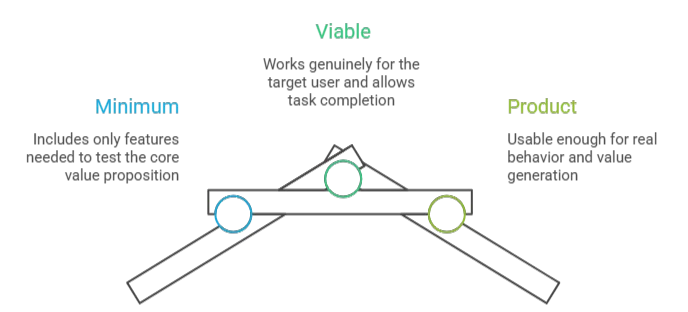
An MVP, or Minimum Viable Product, is the simplest functional version of your product that real users can actually use, and ideally pay for.

This is where the misunderstanding usually begins. Many teams treat “minimal” as permission to ship something weak, buggy, or half-finished. That is not what MVP means. Eric Ries, founder of the Lean Startup Movement, never framed it as “build something bad and hope for the best.” He framed it as a way to learn faster by putting the smallest useful version of the product into the hands of real users

What minimal means in practice is simple: solve one core problem, for one clear audience, in one credible way. That might mean one workflow, one platform, one user segment, and one monetization path. It does not mean stripped-down chaos. It means disciplined scope.

An MVP is not a buggy half-product. It is not a prototype with a backend. It is not a beta stuffed with 40 features. It is a working product with real functionality, used by real people in the real market.

Airbnb’s early MVP was little more than a simple website around air mattresses in the founders’ apartment, aimed at a single conference audience. Dropbox validated demand with a three-minute demo video that drove its beta waiting list from 5,000 to 75,000 overnight, a classic example of using the minimum artifact necessary to test a core business assumption. 

MVP answers one question only: “Will people actually use and pay for this?”
If you do not yet have something functional in front of real users, you are not at the MVP stage yet.

POC vs Prototype vs MVP: Side-by-Side Comparison

Each stage exists to reduce a different type of risk. Understanding which risk you are facing right now is how you choose what to build.

Aspect POC Prototype MVP
Primary Question Can we build it? Should we build it this way? Will people use and pay for it?
Risk It Reduces Technical risk Design and UX risk Market risk
Who Sees It Internal team only Users, stakeholders, investors Real market users
Functionality Core technical proof only Simulated — no real backend Fully functional core features
Fidelity Low — rough and unpolished Low to high — visual only High — real working product
Typical Output Working technical demo Clickable design prototype Shippable product
Success Metric Does it technically work? Do users understand and like it? Do users return and pay?
Built By Engineers Designers Full product team
Shared With CTO, tech lead, internal stakeholders Users, investors, product team Early adopters, paying customers

Not sure which stage your product idea needs right now?

POC vs Pilot vs Proof of Value: The Distinction Nobody Explains

In enterprise and B2B product development, three terms get used almost interchangeably, POC, Pilot, and Proof of Value. They are not the same thing. Confusing them can waste months.

A POC is internal and technical. It answers: can this be built? It is usually created by your engineering team, stays inside the company, and runs for days or weeks.

A Pilot is external and functional. It is a limited real-world deployment of a working product with actual users in a defined market, department, or customer account. It answers: does this work in the real world?

A Proof of Value (PoV) is enterprise-specific. It happens inside the customer’s own environment, often using their real data and workflows, and answers: does this produce measurable ROI for this specific customer?

PwC’s recent innovation research describes this as a structured “lab-to-market” pipeline: ideas move through proof of concept, prototyping, and pilot before they reach commercial application. That is exactly why these terms matter, they represent different gates, not different labels for the same thing.
Aspect POC Pilot Proof of Value
Used by Your team Your team + limited users Vendor + enterprise customer
Environment Internal / lab Real world, limited scale Customer’s own environment
Audience Engineers Early users / specific market Procurement / C-suite
Measures Technical feasibility Real-world functionality Business ROI
Common in All product types Consumer + enterprise Enterprise SaaS
Revenue generating? No Sometimes Sometimes

A common enterprise path looks like this: an AI compliance vendor runs a POC to prove the model works, then a paid pilot in one division, then a PoV inside the client’s environment showing a measurable reduction in review time before a six-figure annual contract is signed.

POC vs Prototype vs MVP: How the Cost and Timeline Actually Differ

Each stage is not just a different activity, it is a different financial commitment. Understanding how costs scale across POC, prototype, and MVP helps you allocate budget to the right stage at the right time, instead of underfunding what matters or overspending before you are ready.

Budget and timeline shift based on four things: technical complexity, compliance requirements, integration depth, and how much uncertainty still exists in the idea. The Standish Group’s CHAOS research is consistent on one point, software projects run over budget and over time most often when teams under-scope risk or fund the wrong stage as if it were the right one.

Here is how the numbers actually break down:

Stage Simple Product Medium Complexity High Complexity (AI / Enterprise)
POC $2K–$10K / 1–3 weeks $10K–$30K / 2–6 weeks $30K–$100K+ / 4–12 weeks
Prototype $3K–$15K / 2–4 weeks $15K–$40K / 4–8 weeks $40K–$80K / 2–3 months
MVP $20K–$60K / 6–12 weeks $60K–$150K / 3–6 months $150K–$500K+ / 6–12 months

What pushes costs up is rarely just code volume. It is complexity and risk:

  • AI/ML model development
  • Regulatory compliance such as HIPAA, PCI-DSS, or GDPR
  • Third-party API integrations
  • Cross-platform scope across iOS, Android, and web
  • Real-time data processing or complex infrastructure

What keeps costs lean is disciplined scope:

  • No-code or low-code tools for early MVP builds such as Bubble, Webflow, or Glide
  • Single-platform focus, web-only or iOS-only first
  • One core use case instead of a broad product vision
  • Reuse of existing APIs and infrastructure wherever possible
The most important cost insight this table reveals: Each stage is not a cheaper version of the next one, it is a fundamentally different type of spend. A POC budget buys you a technical answer. A prototype budget buys you a design validation. An MVP budget buys you market signals. Mixing them up, which happens constantly, is where projects go wrong.

That gap exists because a budget sufficient to prove feasibility is rarely sufficient to cover security, analytics, user onboarding, production hosting, edge cases, and the dozens of details that separate a test artifact from a real product.

For a deeper breakdown of what drives MVP costs specifically, read: How Much Does MVP Development Cost?

Which One Should You Build First? A Decision Framework by AppVerticals 

The right starting point is determined by what type of risk your product faces right now. Answer these three questions in order:

Step 1 — Is the technology proven? NO → Start with a POC | YES → Move to Step 2

Step 2 — Do you know how users will interact with this product? NO → Start with a Prototype | YES → Move to Step 3

Step 3 — Do you have validated demand or paying users waiting? YES or NO → Build an MVP either way.

If demand is unvalidated, the MVP is how you test it. If demand is already validated, the MVP is still where you start, because real users in a live product behave differently than users who signed a waitlist or agreed to a pilot. 

The feedback that shapes a product does not come from assumptions or pre-launch conversations. It comes from watching how people actually use what you built.

One exception worth noting: Enterprise clients requiring internal sign-off often benefit from a POC before jumping to MVP, even when technology and UX are already clear, stakeholder alignment is a risk too.

‘At AppVerticals, we have seen this framework save clients’ months of misdirected effort. The most common trap we encounter is teams that already know their answer before they finish Step 1. They want to build the MVP because it feels like the real thing, or push for a prototype because it is easier to show stakeholders’, said Muhammad Arif, Technical Project Manager, AppVerticals.  

This framework has been shaped from the diverse experiences of our experts handling numerous clients. Where the same pattern kept surfacing: teams were choosing their starting point based on preference, not evidence. The logic here is simple by design. It is meant to be used at the start of a conversation, not the end of one’, he further added. 

When a client comes to AppVerticals, this is the first filter we apply, not features, not timelines, but which risk is actually unsolved right now. That answer determines everything that follows. 

Not Sure Which Stage You Need?

We’ll tell you exactly where to start, before a single line of code.

When It’s Smart to Skip a Stage Entirely

Not every product needs a POC. Not every product needs a prototype. And running all three stages when you do not need them does not reduce risk, it wastes time and budget. The smartest teams are not loyal to a sequence. They are loyal to clarity.

Skip the POC if:

  • The technology is already proven and widely used
  • Your team has built something similar before
  • You are using existing APIs, no-code platforms, or established frameworks
  • Competitors have already shipped a working version of this product

Skip the Prototype if:

  • Your users are already deeply familiar with this type of interface
  • You are rebuilding an existing product with an established UX pattern
  • Your team has direct, ongoing access to early users who can validate during development
  • You are using a no-code tool where the UX is mostly template

Go straight to MVP if:

  • You have validated demand, a waitlist, signed LOIs, pilot customers, or pre-sales
  • The technology is proven and the user flow is simple
  • You have a short runway and need market signal quickly
  • You are in a market where speed matters more than polish

Skip the MVP entirely if:

  • You have paying customers already committed
  • Demand is validated, the use case is clear, and waiting to learn anything new would only cost you time
  • In these cases, the right conversation is no longer about validation, it is about what separates an MVP from a full product and whether you are ready to make that jump

Startup Genome’s research on premature scaling is a useful warning here. Their analysis of more than 3,200 startups found that scaling before validation is one of the most common patterns behind failure. In other words, doing too much too early is often just as dangerous as doing too little. 

The assumption that all three stages are always necessary is the product development industry’s most expensive myth. The smartest teams do not follow a ritual. They identify their biggest unknown and build only what answers it. And when that unknown is already resolved, technically, experientially, and commercially, the only question left is how to build the full thing right.

How These Stages Play Out Differently by Industry

The POC → Prototype → MVP sequence looks different depending on what you are building and who you are building it for. In consumer apps, an MVP might ship in six weeks. In healthcare, “viable” can mean regulatory and privacy work before a real launch is even possible.

Industry POC Reality Prototype Reality MVP Reality
AI / ML Products Model accuracy testing on sample data — often 4–12 weeks alone Demo with synthetic or limited outputs Real inference pipeline — not just a demo
Healthcare / MedTech Must include HIPAA and FDA pathway feasibility Clinical workflow testing with practitioners May require regulatory clearance before any launch
Fintech Validates core algorithm + compliance architecture UX flow + compliance journey design Requires licensing in many markets before acquiring real users
B2B SaaS / Enterprise Often overlaps with a paid pilot Used for procurement approval and stakeholder alignment Needs SSO, permissions, audit logs early
Consumer Apps Rare unless novel technology is involved Figma prototype + user testing Ships quickly, iterates on activation and retention
Hardware / IoT Physical prototype + digital POC run in parallel Industrial design + embedded testing Requires manufacturing validation before scale

AI / ML products are different because the model output is often the experience. If the model fails, the UX fails. That means the POC and the prototype can blur together more than they do in traditional software. 

This is also where the definition of MVP in software development gets stress-tested, because minimum viable means something fundamentally different when the core feature is a model that needs to hit accuracy thresholds before it can deliver any value at all. 

Dropbox’s early story is a reminder that some technically difficult products need a clever demand test before the underlying product is fully ready. 

Healthcare is different because minimal does not mean informal. Even an early healthcare MVP can be constrained by privacy, workflow, documentation, and regulatory realities. What counts as viable in consumer software may not be viable at all once patient data, reimbursement, or clinical use enters the picture.

What Investors Want to See at Each Stage

Investors want different proof at different stages. Early backers are buying into your idea and your credibility; later investors want data, traction, and evidence that your product works in the real world. Show the wrong artifact at the wrong stage, and even a great product can look weak.

Reid Hoffman’s fundraising advice is useful here. He distinguishes between concept-driven pitches and data-driven pitches. Early on, investors may buy into a concept. Later, they increasingly evaluate you based on the data. That shift is exactly why the artifact you show needs to match the stage you are raising for. 

Investor Type Funding Stage What They Want to See Best Stage to Show
Angel Investor Pre-seed Founder conviction + technical credibility POC or working Prototype
Pre-seed VC Pre-seed Evidence the problem is real + early signal High-fidelity Prototype or early MVP
Seed VC Seed Working product + early user feedback MVP with initial traction
Series A VC Series A Retention data, revenue signal, growth rate MVP with 3–6 months of data
Enterprise Procurement N/A Technical proof + security + compliance fit Formal POC or PoV
Corporate Innovation Internal budget Vision + stakeholder alignment High-fidelity Prototype
A practical way to think about it is this: angels can back conviction plus credibility. Seed investors want proof that people are using the thing. Series A investors want behavior, retention, and growth. By then, the conversation has shifted from “interesting idea” to “repeatable evidence.”

Put bluntly, investors do not back vocabulary. They back proof.

The Most Costly Mistakes Teams Make, And What They Lead To

Each pattern below has a real consequence that plays out consistently across product teams that pick the wrong stage or apply the wrong label.

Mistake 1: Skipping the POC for complex technology T

Teams assume modern APIs and frameworks will handle the hard parts, until six months in, they discover the core model cannot hit accuracy, latency, or reliability requirements. 

What happens: A team builds a full prototype and MVP around an AI-powered feature. Eight months and $300K later, the model cannot achieve acceptable production accuracy. Architecture rebuild. Timeline reset by 12 months. A short POC in week three would have caught it.

Mistake 2: Treating prototype feedback as market validation 

Stakeholders love polished screens. Users say the flow looks clean. Teams mistake that enthusiasm for demand, but liking a demo is not the same as changing behavior. 

What happens: The product launches looking polished, but users do not adopt it. Retention collapses. There was never any evidence of real pull, only evidence that people understood what was being shown to them.

Mistake 3: Calling everything an MVP Teams use the label because it sounds modern and investor-friendly. But if there are no real users, no real learning loop, and no working core functionality, it is not an MVP. 

What happens: Fake validation misguides the roadmap. Decisions get made based on feedback from something that was never actually in the market.

Mistake 4: Launching an overbuilt MVP A team ships what it calls an MVP with 35 features and multiple user types. Scope this wide is not minimal, it is just an unfinished full product. 

What happens: Feedback becomes noisy, development slows, and runway burns on maintenance instead of learning. The core use case never gets properly validated because it is buried under everything else.

Mistake 5: Running all three stages when only one is needed Some teams treat POC → Prototype → MVP as a required ritual rather than a set of tools. Every stage gets run because it feels safe and thorough. 

What happens: Validation slows, burn rate climbs, and market timing slips. Startup Genome’s research on premature scaling is effectively a warning against this kind of process theater.

Mistake 6: Underfunding the MVP because the prototype went well Prototype feedback feels encouraging, so teams assume the hard part is over and fund the MVP accordingly. 

What happens: The product technically launches but lacks the infrastructure, reliability, and onboarding needed for real retention. As a PM at AppVerticals shared one of his experiences : “They allocate $15,000 expecting a functional product. What they get is a POC, and then they’re surprised when it needs another $80,000 to actually ship.”

Mistake 7: Moving from prototype straight to full product 

A founder skips the MVP entirely after a well-received prototype, assuming stakeholder enthusiasm is enough signal to build the full thing. 

What happens: Eighteen months later the product launches into a market that has already moved. There is no evidence of willingness to pay because the question was never actually tested. CB Insights found that no market need was the number one reason startups failed, cited in 42% of post-mortems, this is exactly how that failure mode starts.

Conclusion

POC, prototype, and MVP are not a mandatory sequence. They are tools. The right one depends on the risk you need to reduce right now: technical risk, design risk, or market risk. Most teams either skip a stage they needed or run a stage they never needed in the first place, and both mistakes are expensive. If you are not sure where your idea belongs, the smartest next step is not more code. It is getting clear on the unknown before you spend money solving the wrong problem.

The right guidance can make all the difference. If you want to move from idea to execution confidently, understanding which approach fits your product and budget is key. Our MVP Development Services can help you validate your idea, reduce risk, and plan a clear path to launch. 

For teams looking to bring their product to life as a fully functional mobile app, AppVerticals is a trusted mobile app development company whose expertise ensures your solution is built efficiently, with the right technology and user experience from the start.

Tell Us About Your Idea, We’ll Tell You Where to Start

Whether you need a POC to prove your technology, a prototype to align your team, or an MVP to get to market, we’ll help you identify the right starting point and the realistic cost to get there.


More Related Guides

  • MVP vs Full Product: Understand the difference between launching an MVP and building a full product, and when each approach makes sense.
  • MVP in Software Development: Learn how MVPs are used in software development to validate ideas quickly and efficiently.
  • MVP Cost: Get a clear picture of typical MVP costs and what factors influence your budget.
  • How to Build an MVP: A step-by-step guide to planning, designing, and launching a Minimum Viable Product effectively.

Headless CMS Benefits: Architecture, Pros, Cons, and When to Use On

Headless CMS benefits come from separating content management from frontend delivery. Instead of locking content inside one website template, a headless CMS stores structured content in one backend and delivers it through APIs to different digital experiences. The main benefits include multi-channel publishing, frontend flexibility, content reuse, stronger governance, easier integrations, and scalable content operations. Marketing teams can reuse approved content across campaigns and regions, content teams can manage structured assets from one place, and developers can build custom frontends without being restricted by CMS themes or plugins.  

But the value of a headless CMS depends on the problem you are solving. That is where headless architecture becomes a practical option, but not an automatic upgrade. According to the Content Marketing Institute (CMI), 45% of B2B marketers lack a scalable model for content creation, which is why many teams publish more while controlling less. 

This guide breaks down the real pros, cons, architecture trade-offs, and planning steps behind a headless CMS, so you can decide whether it fits your team, content model, SEO needs, development workflow, and whether expert cms development services are needed to plan or implement it correctly. 

What Are the Main Headless CMS Benefits in 2026? (Quick Overview)

Benefit What It Means
Multi-channel delivery Content can be delivered to websites, apps, portals, storefronts, and product interfaces.
Frontend flexibility Developers can build custom experiences without being locked into CMS themes.
Content reuse FAQs, product details, service blocks, CTAs, and legal notes can be reused across channels.
Better governance Roles, workflows, taxonomies, and content models help teams control content at scale.
Easier integrations APIs help connect content with commerce platforms, CRMs, apps, and internal systems.
Scalable content operations Teams can support new brands, regions, languages, and channels without rebuilding the CMS structure.

What Is a Headless CMS?

A headless CMS is a content management system that manages content without controlling the final design of the page.

The “head” is the frontend: the website, app, portal, or interface where users see the content. In a headless CMS, that frontend is removed from the CMS itself. The CMS stores content in the backend, usually as structured fields, and the frontend pulls that content through APIs.

So instead of thinking, “I am creating a webpage,” the team thinks, “I am creating a reusable content asset.” That asset can be reused wherever the business needs the same approved content.

How Is a Headless CMS Different from a Traditional CMS?

A traditional CMS is usually page-first. A headless CMS is content-first.

In a traditional CMS like WordPress or Drupal, the CMS manages the content and also controls how that content appears through themes, templates, plugins, or page builders. This works well when the business mainly needs one website, a blog, and a straightforward editing experience.

A headless CMS separates those jobs. Content teams manage the content model in the backend. Developers build the frontend separately and decide how that content should look and behave on each channel.

Area Traditional CMS Headless CMS
Core model Page-first Content-first
Frontend Controlled through themes, templates, or page builders Built separately using a frontend framework
Content delivery Mainly website-based API-based and multi-channel
Content structure Often tied to pages Built around reusable content models
Best fit Blogs, brochure sites, and simple marketing websites Websites, apps, portals, storefronts, and product interfaces
Setup approach Easier to launch Requires architecture planning

Why the “Headless” Model Matters

The headless model matters because it changes content from a page asset into a system asset. The point is operational: marketers get consistency, content teams get structure, and developers get frontend freedom. 

How Does Headless CMS Architecture Work?

Headless CMS architecture works like a content supply chain. The CMS is not just a place to store copy. Salesforce reports that marketers now use an average of 10 customer engagement channels, which is exactly why a page-only CMS model becomes harder to manage as digital experiences expand.

The important architectural question is not only “Can the CMS send content through an API?” Most headless platforms can. The real question is whether the system can keep content structured, versioned, previewable, cacheable, searchable, and safe to publish across different frontend experiences.

1. Content Repository

The content repository is the backend of a headless CMS. This is where teams create, structure, edit, approve, and store content.

Instead of creating only pages, teams create content models

For example:

  • A product model may include product name, description, features, pricing, images, FAQs, category, region, and SEO fields.
  • A case study model may include client name, industry, challenge, solution, results, testimonial, media assets, and related services.
  • A service page model may include service overview, benefits, process, FAQs, pricing notes, CTA blocks, and internal links.

This layer also manages fields, media assets, taxonomies, user roles, and workflows. That is important because reusable content only works when it is structured properly. If the models are weak, the CMS becomes a messy database instead of a scalable content system.

2. APIs for Content Delivery

APIs deliver content from the CMS to the frontend.

Most headless CMS platforms use REST APIs or GraphQL APIs. REST is common and straightforward. GraphQL gives developers more control because they can request only the fields they need.

There are usually two API layers:

  • Content Delivery API: sends published content to websites, mobile apps, portals, storefronts, or knowledge bases.
  • Content Management API: lets authorized users or systems create, update, or manage content.

According to Forrester, separating the content model from the experience delivery layer gives marketing and technology teams more agility and frontend freedom, while API-based experience delivery has become a core capability across today’s CMS market.

3. Frontend Presentation Layer

The frontend is built separately from the CMS. This is where developers control the design, UX, performance, routing, animations, templates, and page behavior.

The same CMS content can appear as a website page, app card, storefront block, help-center answer, in-app message, or localized landing-page section. 

Developers can build this frontend with React, Next.js, Vue, Nuxt, Astro, or another framework.

This is one of the main headless CMS benefits, but it also needs planning. Navigation, preview, metadata, redirects, internal links, schema markup, and page templates do not automatically appear the way they often do inside traditional CMS themes.

4. Rendering, CDN, and Delivery Layer

The delivery layer decides whether the headless setup becomes fast, crawlable, and usable.

A headless CMS can support better performance, but it does not guarantee it. The frontend still needs the right rendering method:

  • SSR: server-side rendering for dynamic pages that need crawlable HTML.
  • SSG: static site generation for fast marketing pages, blogs, documentation, and landing pages.
  • CSR: client-side rendering for app-like experiences where SEO must be handled carefully.

For SEO-focused websites, SSR and SSG are usually safer because they help deliver crawlable HTML. Google explains that JavaScript sites go through crawling, rendering, and indexing, so content must be accessible during that process.

Performance also depends on CDN delivery, caching, image optimization, JavaScript control, and Core Web Vitals. Google has reported that 53% of mobile visits are likely to be abandoned if pages take longer than three seconds to load, so the delivery layer is not a technical side detail. It directly affects user experience and conversions.

Österreich Werbung is an Austria.info portal needed to serve 24 markets in 20 languages, with large amounts of content and media delivered globally. The project used a MACH architecture with Storyblok as the CMS, Nuxt/Vue for the frontend, Algolia for search, and Scaleflex for digital asset management. This is the kind of use case where headless CMS architecture helps because localization, reusable content, search, media, and frontend delivery all need to work as one system. 

What Are the Pros and Cons of a Headless CMS?

The pros and cons of a headless CMS come from the same source: separation. When the content layer is separated from the frontend, teams get more flexibility, reuse, and control. But they also take on more responsibility for architecture, preview, SEO, performance, and development.

Main Pros of a Headless CMS

The strongest headless CMS advantages appear when content has to serve more than one channel or experience.

Pros Why It Matters
Omnichannel content delivery One content source can support websites, apps, portals, storefronts, product screens, and knowledge bases.
Frontend flexibility Developers can build custom UX without being locked into CMS themes or templates.
Better content reuse Teams can reuse FAQs, product details, CTAs, testimonials, legal notes, and service blocks across pages or channels.
Stronger scalability New regions, brands, products, or channels can use existing content models instead of starting from scratch.
Easier integrations APIs help connect content with commerce platforms, CRMs, mobile apps, search tools, and internal systems.
Structured governance Roles, workflows, fields, and taxonomies keep content controlled as teams grow.
Better developer experience Frontend teams can work independently while content teams manage the CMS backend.

Main Cons of a Headless CMS

A headless CMS is not always easier. It is more flexible, but flexibility adds planning work.

Cons What It Means in Practice
Higher setup complexity Teams need to plan content models, APIs, frontend architecture, hosting, preview, and SEO before launch.
More developer involvement Marketers may need developer support for templates, components, previews, and frontend changes.
No default frontend in many cases The CMS manages content, but the website or app experience must be built separately.
Editorial workflow can feel less visual Editors may need preview tools, reusable components, and clear publishing workflows to work confidently.
Preview may need configuration Draft content may not display correctly unless preview environments are planned early.
Migration can be complex Existing pages must be cleaned, mapped, and converted into structured content models.
Cost can increase Custom frontend development, integrations, hosting, and migration work can raise upfront cost.

This is where many teams misjudge headless CMS. They focus on frontend freedom but underestimate editorial experience. If marketers cannot preview, reuse, localize, and publish content comfortably, the architecture may look good technically but fail operationally.

How to Reduce Headless CMS Risks

The safest way to approach headless CMS is to treat it as a content architecture project, not just a CMS replacement.

Follow these steps before migration:

1. Define content models first

Map the content types your business actually uses, such as services, products, case studies, FAQs, authors, resources, locations, pricing blocks, and testimonials.

2. Choose the rendering strategy early

Decide whether the frontend will use SSR, SSG, CSR, or a hybrid approach. This affects SEO, performance, preview, and deployment.

3. Plan SEO fields before launch

Include meta titles, descriptions, slugs, canonicals, redirects, schema fields, alt text, internal links, and XML sitemap requirements in the content model.

4. Build preview workflows for editors

Content teams need to see draft content before it goes live. Do not leave preview as an afterthought.

5. Create governance rules for reusable content

Decide who can edit shared blocks, who approves global content, and how regional teams can adapt content without breaking consistency.

6. Test performance and crawlability before publishing

Check rendered HTML, Core Web Vitals, mobile performance, internal links, indexability, and JavaScript rendering before migration goes live.

Is a Headless CMS Better for SEO, Performance, and Scalability?

A headless CMS can support SEO, performance, and scalability, but the frontend implementation decides the outcome. 

SEO Depends on Frontend Implementation

Headless CMS is not automatically better for SEO. Search performance depends on whether the frontend gives search engines clear, crawlable, and indexable content.

That means the build needs:

  • Server-side rendering or static generation for important SEO pages
  • Crawlable HTML instead of hiding key content behind JavaScript
  • Editable metadata fields for titles, descriptions, canonicals, and robots rules
  • Structured data for entities, FAQs, products, articles, or services
  • XML sitemaps generated from the content model
  • Redirect handling before migration
  • Internal linking that is rendered clearly on the page

Google explains that JavaScript websites go through crawling, rendering, and indexing, so content must be accessible during that process. That is why a headless CMS project should involve SEO planning before frontend development is finished, not after launch.

How Performance Can Improve with the Right Architecture 

A headless CMS can support faster performance because the frontend is not locked into CMS themes, plugins, or bulky templates. Developers can build a lighter frontend and serve content through a faster delivery setup.

The strongest performance gains usually come from:

  • Static generation for landing pages, blogs, and documentation
  • CDN delivery for faster global access
  • Caching for repeat content requests
  • Optimized images instead of uploading large raw assets
  • Lightweight frontend code with less unnecessary JavaScript
  • Core Web Vitals planning for loading speed, interactivity, and layout stability

Google defines Core Web Vitals as real-world user experience metrics for loading performance, interactivity, and visual stability. So performance should not be judged only by the CMS choice. It should be judged by what users actually experience on the final frontend.

Why Scalability Is One of the Strongest Headless CMS Use Cases 

Scalability is where headless CMS architecture usually makes the most sense. The benefit is not just publishing more pages. It is managing more digital experiences without creating more disconnected content systems.

A headless CMS is useful in use cases like:

  • Multi-region websites: one core service or product page can be adapted for different countries, languages, currencies, compliance notes, and local CTAs.
  • Multi-brand content systems: one company can manage shared content structures across different brands while keeping each brand’s frontend design separate.
  • Website and mobile app content sync: product descriptions, FAQs, pricing notes, and onboarding content can stay consistent across web and app experiences.
  • E-commerce content management: product details, category copy, promotional banners, comparison blocks, and buying guides can be reused across storefronts and campaigns.
  • SaaS product content: help articles, onboarding messages, feature explanations, release notes, and in-app education can be managed from one content layer.
  • Enterprise knowledge bases: support teams can manage one approved answer and deliver it to the help center, chatbot, customer portal, and internal documentation.
  • Campaign and landing page systems: marketing teams can reuse approved content blocks for different audiences, industries, or regions without rebuilding every page manually.

A real enterprise example is Reckitt, where the challenge was not just publishing more pages. It was managing brand identity, content operations, and website performance across a large global portfolio. Reckitt used a composable architecture to manage 84 brands across 200 markets and migrated more than 450 websites, while Contentstack reports a 40% increase in website performance. This is the type of scale where headless CMS architecture becomes practical, not optional. 

Decision Framework: Should You Go Headless?

Use this table before choosing a headless CMS.

Question What It Indicates
Do you publish content across more than one channel? Strong headless CMS fit
Do you need custom frontend flexibility? Strong fit
Do you need structured reusable content? Strong fit
Do you manage multiple brands, regions, or languages? Strong fit
Do you need to connect content with apps, portals, or commerce systems? Strong fit
Do marketers need full drag-and-drop control without developer support? Evaluate carefully
Is your website simple, low-budget, and mostly page-based? Traditional CMS may fit better
Do you lack frontend development support? Headless may create more friction

Headless CMS Planning Checklist Before You Migrate

Before migrating to a headless CMS, check four areas: content structure, architecture, SEO migration, and success metrics. 

Content and Governance Checklist

  • Audit existing pages, blogs, landing pages, media assets, and duplicate content.
  • Define content types such as products, services, case studies, FAQs, authors, locations, and resources.
  • Map reusable content blocks like CTAs, pricing notes, testimonials, disclaimers, and FAQ sections.
  • Define who can create, edit, approve, translate, publish, and archive content.
  • Plan localization rules for regions, languages, currencies, compliance notes, and local CTAs.
  • Create naming conventions for entries, fields, assets, categories, and reusable blocks.

Architecture and Development Checklist

  • Choose the frontend framework, such as Next.js, React, Vue, Nuxt, or Astro.
  • Define the rendering strategy: SSR, SSG, CSR, or hybrid.
  • Select the API approach: REST, GraphQL, or both.
  • Plan hosting, CDN delivery, caching, and image optimization.
  • Build a preview environment so editors can review draft content before publishing.
  • Set up webhooks for rebuilds, cache refreshes, search indexing, or deployment triggers.
  • Plan authentication if the CMS supports portals, gated content, or internal tools.

SEO and Migration Checklist

  • Map old URLs to new URLs before launch.
  • Preserve meta titles, descriptions, slugs, canonicals, alt text, and robots rules.
  • Create 301 redirects for changed URLs.
  • Maintain internal links in crawlable HTML.
  • Generate XML sitemaps from published CMS content.
  • Add structured data for articles, FAQs, products, services, breadcrumbs, and authors where relevant.
  • Validate crawlability, indexability, rendered HTML, and JavaScript output.
  • Test Core Web Vitals, mobile speed, caching, and image performance before launch.

Success Metrics Checklist

Track these after migration:

Metric Why It Matters Primary Owner
Publishing speed Shows whether content teams can create, approve, and publish faster Marketing / Content
Content reuse rate Shows whether structured content blocks are actually being reused Content / CMS Owner
Page load performance Shows whether the frontend is faster after migration Development
Core Web Vitals Measures real user experience for loading, interactivity, and layout stability SEO / Development
Organic traffic stability Confirms whether the SEO migration protected search visibility SEO
Conversion rate Shows whether the new experience supports business goals Marketing / CRO
Developer deployment speed Measures whether frontend updates move faster Development
Duplicate content reduction Shows whether teams are maintaining fewer repeated content versions Content Operations

Wrapping it Up

A headless CMS benefits when your content needs to move beyond one website and support multiple channels, teams, products, or customer experiences. Its biggest benefits come from the separation between content management and frontend delivery: reusable content, flexible design, scalable architecture, stronger integrations, and better control over how digital experiences are built.

But the decision should not be based on benefits alone. A headless CMS also requires the right frontend setup, content model, SEO planning, editorial workflow, and technical ownership.

If your team needs omnichannel publishing, custom frontend flexibility, and long-term scalability, headless CMS can be a strong foundation. 

If your needs are simple, a traditional CMS may still be the better choice.

Not Sure If Headless CMS Is Right for You?

We help you understand the right CMS setup for your website, app, or digital platform.

Talk to a CMS Expert

MVP vs Full Product: Should You Build Lean or Build Big?

If your market is unvalidated and your runway is short, start with an MVP. If your category demands trust, compliance, or a high baseline of completeness, a fuller build may be the smarter bet.  72% of products that skip validation fail, but MVPs that are too thin to provide meaningful feedback fail just as often. And yes, there are real situations where the lean startup playbook isn’t the right advice. The choice between an MVP and a full product isn’t about principle; it’s about your market, budget, and risk profile.

A lot of startup advice makes this sound simple: build an MVP, test fast, iterate later. And yes, that’s often the right move. But not always.

Some products fail because founders skip validation and build too much, too soon. Others fail because the MVP development is so thin that users can’t really experience the value, which means the feedback is weak, misleading, or useless.

That’s the part most startups leave out: sometimes the “build lean” playbook is exactly right, and sometimes it isn’t. And with AI tools now compressing build timelines dramatically, the cost of getting this decision wrong, in either direction, is higher than it used to be.

The real question was never whether MVPs work. It’s whether one works for you, given your product, your market, your budget, and how much risk you can actually stomach right now.

This piece gives you the tools to finally decide between MVP vs Full Product: a scored decision framework, scaling benchmarks that reflect real products, sector-specific guidance across HealthTech, FinTech, B2B SaaS, and marketplaces, and a clear-eyed take on what AI has genuinely shifted for founders making this call in 2026.

If you already know the basics and just want a fast answer, skip straight to the MVP decision matrix.

 TL;DR

  • Unvalidated market + short runway = MVP, every time. You don’t know if people want it yet, learn before you overbuild.
  • But sometimes, building full is the smarter bet. Proven market, mature category, high user expectations? A thin MVP produces bad signals and can set you back further than just building the full-product right.
  • Trust-sensitive categories can’t afford to go thin. In FinTech or HealthTech, a rough launch reads as unreliable, not scrappy. Compliance alone can raise your minimum scope by 30–40%.
  • There’s a middle option most founders ignore. The MLP, when demand exists but experience quality is what wins. Not a full build, but not barebones either.
  • Use the 5-factor scorecard shared in this blog. Score on market certainty, runway, competition, trust, and regulation. The scoring matrix will tell you your score and the next best step.
  • The AI boom is real but use it with careful consideration. AI usage in MVP development compresses timelines but can generate biased or unearned validation. Polished UI generates curiosity, not validation. Retention, conversion, and willingness to pay are the only signals that matter.

The MVP, MLP and Full Product Spectrum: What Does It Mean

Most discussion frames this as an either/or decision: build an MVP or build the full thing. In reality, product development usually sits on a spectrum. And understanding that spectrum matters, because each stage serves a different purpose.

Minimum Viable Product (MVP)

An MVP is the smallest version of your product that tests a core assumption with real users. 

The goal is not polish. The goal is learning.

A good MVP is focused, not sloppy. It is usable. “Minimum” does not mean incomplete or broken. It simply means you only build what’s needed to answer one important question.

A classic example is Airbnb’s early version: a simple site listing a rented apartment with photos. It was enough to test one key idea: would people actually pay to stay in a stranger’s home?

Minimum Lovable Product (MLP)

An MLP goes one step further. It doesn’t just prove that the product works, it aims to deliver an experience that makes people genuinely excited to use it and eager to share it with others. 

That matters in crowded markets, or in products where user experience is part of the differentiation. With an MLP, you’re still not building everything. But you are investing more in quality, clarity, and delight.

Superhuman is a great example. Instead of scaling quickly, the team deliberately kept the product invite-only to focus on crafting a high-quality user experience. This wasn’t a fallback from a weak MVP, it was a strategic choice. In a crowded category like email, basic functionality wasn’t enough to stand out. By making the product fast, opinionated, and genuinely enjoyable, they prioritized user delight as their form of validation. Early users didn’t just stay, they became advocates, turning the waitlist into a status signal even before wider release.

Full Product

A full product isn’t about having every feature,  it’s about having the right foundation. The core experience works well, the infrastructure can scale, and there’s nothing missing that would stop a user from committing to it long-term.

Figma is the clearest example of this done right. The team spent years building before any broad release, determined to create a browser-based design tool that didn’t ask users to compromise. When it launched, it was complete enough to pull designers away from tools they’d used for years, and spread almost entirely through teams sharing files and noticing the difference.

The Decision Framework: 5 Questions That Tell You What to Build

Here’s a practical way to make the call. Score your product against the five criteria below, then total your score so you can finally make an informed decision about your business idea.

Criteria Score 1 Score 2 Score 3 Your Score What it means
Market certainty Unvalidated (1) Partially validated (2) Fully validated (3) How well you understand the problem and the buyer. Low certainty favors an MVP, validate cheaply before over-building. High certainty gives you grounds to invest more upfront.
Capital runway <6 months (1) 6–18 months (2) >18 months (3) How long you can operate before needing new capital. A short runway leaves little room for error. Longer runway gives options to invest more, but spend wisely.
Competitive pressure First mover (1) Few competitors (2) Crowded market (3) The state of the market you’re entering. First movers can experiment freely. In a crowded market, you must clear a higher bar to get early users.
Trust sensitivity Low, e.g. internal tool (1) Medium, e.g. SaaS (2) High, e.g. finance/health (3) How much a user risks by adopting your product. Low-stakes tools can iterate quickly. High-stakes products need trust and careful design before launch.
Regulatory constraint None (1) Partial (2) Heavy (3) Heavy regulation isn’t optional; it defines the floor your product must meet before launch. Compliance determines what is “launchable”.

Scoring Guide

Total Score Recommendation
5–8 Start with an MVP. Your market is still uncertain, your runway is tight, or both.
9–11 Build an MLP. You have some proof.
12–15 A full product may be justified. The market is validated, you have a runway, and trust/compliance requirements are higher.
  •     First, trust sensitivity and regulatory constraints act like veto criteria. If either scores a 3, your “minimum viable” product may still need to be much more complete than a typical startup MVP.
  •   Second, if your runway is under six months, the answer is usually still MVP. You need learning before you need scale.
  •   Third, you can often improve your score before building anything. A landing page, a Typeform, a waitlist, or a few founder-led sales calls can move market certainty from 1 to 2 without writing code.

Not sure how your business idea scores?

AppVerticals offers structured product strategy sessions to help founders and CTOs scope the right thing before they build it.

MVP vs MLP vs Full Product: Full Comparison (Cost, Timeline, Team Size)

Here’s how the three approaches compare across the dimensions that matter most for early-stage product decisions.

Dimension MVP MLP Full Product
Time to market 6–14 weeks (AI era) 10–20 weeks 6–18 months
Typical MVP cost $15K–$60K $40K–$120K $150K–$500K+
Primary goal Validate demand Validate + create delight Scale and compete
Learning speed Very fast Fast Slower, more expensive to pivot
Scalability Low by design Medium High
Brand risk Low if framed as beta Low to medium Higher if it fails publicly
Team size needed 2–5 people 4–8 people 10–30+ people
Category fit Unvalidated markets, idea-stage startups Known demand where UX matters Validated PMF, mature requirements
Real example Airbnb Superhuman Figma

Two of these rows deserve special attention.

  • The first is brand risk. Founders often underestimate how public failure lands. A rough MVP in beta is often forgiven. A polished launch that disappoints usually isn’t.
  • The second is category fit. A tool like Figma couldn’t have won with a clunky, half-baked experience. Designers judge tools holistically. If collaboration lagged or core design functionality was missing, users would simply move on.
That’s why just build an MVP isn’t always smart advice. Some categories demand a higher floor.

And cost is where that floor gets real. The ranges in the table above are directional, what you actually spend depends on your stack, your team, and how much scope you’re willing to cut. If you want a clearer picture of what an MVP typically costs to build in 2026, and what drives that number up or down, we broke it down in detail here

When an MVP Is the Wrong Choice

Lean startup thinking is useful. But it is not universal.

There are situations where a thin MVP will not just underperform, it can give you the wrong signal entirely, or create problems that are harder to fix later.

Four scenarios where this happens most often:

  •       Regulated industries: In HealthTech and FinTech, “minimum viable” effectively means minimum compliant. A product that cannot legally operate is not viable at any stage of build.
  •       Trust-sensitive categories: Financial data, medical records, and legal tools are evaluated on first impression. A product that feels unreliable in these categories rarely gets a second chance.
  •       Marketplace and network products: A marketplace with five buyers and three sellers does not test whether the product works. It just tests whether those specific five people will click around a website. Successful marketplace MVPs solve this by going deep in one geography or category before expanding.
  •       Validated markets where execution is the differentiator: If demand already exists, a basic mvp does not prove anything new. Users compare it to existing options, not to your intent. An MLP is usually the smarter starting point here.

The Lean Excuse: A Myth worth Calling Out

The scenarios above share a common thread: in each one, a weak MVP doesn’t just underperform, it actively misleads. You get low adoption, poor retention, and a team that concludes demand isn’t there, when the real problem is that the product never crossed the basic usability threshold. Users couldn’t get enough value from it to form an opinion worth learning from.

That’s the lean excuse: using MVP methodology to justify under-building, then treating the resulting silence as market feedback. It doesn’t save time. It produces bad data, draws the wrong conclusions, and pushes the real learning further down the road, at greater cost.

The minimum in MVP doesn’t mean the least you can get away with. It means the least you need to generate a genuine answer. If your product can’t do that, you haven’t built an MVP. You’ve built a placeholder.

For a closer look at how to identify which scenario you’re in, and whether a discovery sprint, prototype, or phased build might be a smarter starting point than an MVP, see our full breakdown in When to Skip the MVP Entirely.

What AI Has Actually Changed About the Build Decision in 2026 

The most meaningful shift AI has brought to early-stage product development isn’t about what it can build,  it’s about what it has made affordable to test. Validation that once required months of development and significant budget can now happen in weeks. 

For years, the case for launching a full product often came down to cost: if you’re already investing six figures, why not build the complete version? In 2026, that argument is weaker. The gap between a version that’s ‘enough to learn’ and one that’s ‘enough to scale’ is now both larger and cheaper to bridge. Skipping validation has become a choice, not a necessity. 

What this looks like in practice

At AppVerticals, we see this clearly in how early-stage founders approach the build decision. As Faique Ali, our Lead AI Engineer, puts it:

Many clients aren’t optimizing for long-term architecture at the MVP stage. They want to enter the market immediately, validate demand, and accept that the first version may be rebuilt from scratch later. ROI comes from speed to market, not technical permanence. A recent example is Hyvara AI, a client who came in explicit that the initial version would be discarded and rebuilt into a full product once demand was confirmed. The priority was learning, not longevity, he further added.

That logic is sound, but it comes with a risk: shipping fast is not the same as validating demand. AI can produce a polished product quickly, clean UI, smooth flows, professional design,  and that polish can distort the signal. Early signups and clicks can look like traction when they’re really just curiosity about something that looks more mature than it is. Founders who misread that signal tend to scale into a full product build on the wrong foundation.

The core MVP questions haven’t changed: Do users want it? Will they pay? Will they come back? AI helps you get to those answers faster. It doesn’t answer them for you, and no amount of polish substitutes for that clarity before committing to a full build.

Three things that have meaningfully shifted

  1. The case for validating before building a full product is stronger than ever. There is less justification for a complete build when a credible MVP can ship in weeks and tell you whether the larger investment is worth making.
  2. The case for building full product blind is weaker. It is harder to justify $150K–$500K+ in spend without validation when a testable version can be in front of real users in a fraction of the time and cost.
  3. No-code, AI-coded, and full product are not interchangeable. A no-code MVP tests interest. An AI-coded MVP tests usability. A full product is what you build once you know users will stay.

How to Know Your MVP Is Ready to Scale

This is one of the biggest founder questions after launch: When do you stop iterating on the MVP and invest in the full product? The answer is not “when it feels ready.” It’s when the signals are strong enough to justify the bigger bet.

1. D30 retention is above 35–40% for 4 straight weeks

This is one of the clearest signs that users are getting lasting value. For consumer products, a Day-30 retention rate above 35–40% is a strong signal. For B2B SaaS, the bar is often higher, more like 50–60%, because churn is more expensive and onboarding is heavier.

If D30 retention is under 20%, the problem usually isn’t scale. It’s product value.

2. Net Promoter Score (NPS) is above 30

It can be calculated by subtracting the distractor’s percentage from promoter’s percentage. An NPS above 30 suggests users generally feel positive about the experience. Above 50 is even stronger, and often a sign that referral potential exists. Just make sure you’re working with enough responses to make it meaningful. As a rule of thumb, fewer than 50 responses can be noisy.

3. Free-to-paid conversion is 3–5%+ for SaaS

If you run a freemium or trial model, conversion tells you whether users see enough value to pay. A 3–5% conversion rate or better is usually a promising sign. Below 2% often points to either weak value delivery or pricing issues that should be addressed before scaling.

4. Organic growth is steady for 3+ months

Paid traffic can hide a lot of product issues. Organic growth is harder to fake. If you’re seeing steady month-on-month growth from referrals, content, search, or word-of-mouth, even at 5–10%, that’s often more meaningful than a launch spike.

5. Users would genuinely miss it if it disappeared

This one is qualitative, but it matters. If you have a clear group of users who would be upset if the product vanished tomorrow, you’ve likely found real value. That emotional pull is often the best clue about what the full product should double down on.

These aren’t hard rules. Context still matters. A B2B product with five enterprise customers paying large contracts is different from a consumer app with thousands of free users. But taken together, these signals give you a much better answer than instinct alone.

Once you’re in the market and reading these signals in real time, the next question is whether to scale, pivot, or stop altogether. We broke that decision down in detail here

Real Examples: Companies That Made the Right Call

Airbnb: MVP made perfect sense

When Airbnb started, the market was highly uncertain. The founders didn’t need a robust platform. They needed proof that people would actually pay for this behavior. So they launched something extremely simple.

That was the right move because the main risk wasn’t execution, it was demand.

Slack: demand justified a rapid build-out

Slack saw strong early demand almost immediately. That changed the equation.

Once you have a clear market pull, known user behavior, and experienced operators behind the product, the case for investing more heavily becomes much easier to justify.

Figma: skipping a lightweight MVP was the right call

Figma took longer to launch, and that was not a mistake. In professional design software, users expect a high level of capability from day one. A stripped-down version would likely have been dismissed before it had a chance to prove itself.

The product category required a higher threshold of completeness.

A FinTech lesson: too thin can damage trust

Some early mobile banking products launched with buggy experiences around transaction categorization and notifications, features users treated as basic expectations.

The result wasn’t useful validation. It had poor reviews and broken trust.

That’s the danger in sensitive categories: users don’t judge you as “a startup still testing.” They judge you as a bank, a health app, or a financial tool.

Industry-Specific Guidance: Where the Standard Advice Breaks

Lean startup advice was built largely around consumer software, products with low switching costs, short feedback loops, and relatively low trust barriers. That playbook works when users can try your product with low risk, form an opinion quickly, and walk away just as easily. But that describes a narrow slice of what actually gets built.

The moment you introduce regulation, high-stakes user decisions, network dependencies, or entrenched incumbents, the standard advice starts to break, not because the logic is wrong, but because the assumptions behind it no longer hold. In the categories below, one or more of those assumptions fails. And when they do, the minimum in MVP means something different.

B2B SaaS

In B2B, especially enterprise, the bar is often higher than founders expect. Security reviews, admin controls, access permissions, audit logs, and integrations aren’t always “later” features. Sometimes they’re part of what makes the product viable in the first place.

If you’re selling into enterprise, assume your minimum is closer to MLP than a classic MVP.

HealthTech and FinTech

In regulated categories, compliance is not a phase-two add-on. It shapes the scope from the start.

Expect longer timelines, more documentation, and more non-negotiable requirements. As a rough rule, compliance can add 30–40% more development time compared to a similar non-regulated product.

Consumer mobile apps

This is still the environment where MVP thinking works best. Users are used to updates. Feedback loops are fast. Analytics are rich. And the cost of switching is low. If you’re building a consumer app, shipping early and learning quickly is still one of the best paths forward.

Marketplaces and network products

The hardest part here is usually not the product itself, it’s creating enough concentrated activity for the product to feel useful.

That means your MVP may need to be geographically or categorically narrow, but operationally stronger than expected. The goal isn’t broad launch. It’s creating enough density to produce a signal.

Final Thoughts: Build What You Know, Validate What You Don’t

The MVP vs Full Product decision is not really about philosophy. It’s about certainty.

If your market is still unclear, your runway is short, or your requirements are fuzzy, a full build is usually a premature bet. In that case, an MVP helps you learn before you overcommit.

If the market is already proven, your category demands polish, and users need a higher level of trust or completeness from day one, then a fuller product may be the smarter starting point.

Either way, the goal is the same: build only what the next stage of evidence justifies.

Ready to figure out what you should build first?

AppVerticals works with startup founders and enterprise product teams to scope, build, and ship MVPs and full products, with AI-assisted development that helps teams move faster without cutting corners.


What Is MVP in Software Development? Types, Frameworks, Metrics and What to Do After Launch

An MVP in software development, or minimum viable product, is the earliest working version of your product that delivers real value to users and generates validated learning, with the least possible effort. It’s not the smallest thing you can ship. It’s the smallest thing you can ship that tells you whether the market actually cares.

Where traditional development bets everything on a complete product, an MVP front-loads the most important question: does this deserve to be built at all?

Get it right, and you reduce risk, accelerate learning, and make sharper product decisions. Get it wrong, by confusing “minimum” with “incomplete”, and you ship something that teaches you nothing.

This guide covers everything you’d want to know about MVP in software development; from the three elements of a real MVP, how it compares to prototypes and proofs of concept, the different MVP types, feature prioritization, building for AI-powered products, success metrics with real benchmarks, and when to scale, pivot, or stop.

Let’s dig in. 

The 3 Elements of a Real MVP: Minimum, Viable, Product

The word MVP gets misused because teams often focus only on the word minimum. In practice, all three parts matter equally.

  •  Minimum means the product includes only the features required to test the core value proposition. If a feature does not help validate the main problem-solution fit, it should usually wait.
  •  Viable means the product must genuinely work for the target user. It cannot be a broken demo or a vague promise. If users cannot complete the core task, the product is not viable.
  • Product means it has to be usable enough for real behavior to happen. People must choose to try it, understand it, and get value from it.

A product is only viable if it is valuable, usable, and feasible. 

From a senior AppVerticals’ delivery perspective, this is where many teams go wrong. They build a small version of the wrong thing. A real MVP in software development is not defined by low effort alone. It is defined by how efficiently it generates evidence.

MVP Vs Prototype Vs Proof of Concept

These three terms get mixed together all the time when it comes to MVP development, but they solve different problems. Here’s how we can differentiate them:

Format Who it is for Real users? When to use it
Proof of Concept (PoC) Internal team, architects, investors No To test if a technology or concept is technically feasible
Prototype Stakeholders, testers, design reviews Sometimes (partially) To demonstrate flow, layout, or interactions and validate design ideas
MVP Early adopters and real users Yes To validate market demand and see if people will actually use or pay for the product
Building a product isn’t a single leap, it’s a journey from testing an idea to validating demand and finally launching a market-ready product. 

The table above shows the distinct roles of PoCs, prototypes, and MVPs in this journey, each answering a different question: Can it be built? How will it work? Will anyone use it? Understanding these distinctions naturally leads to the next layer of product thinking, where terms like MVP, MMP, and MMF define what to ship, test, and launch at each stage.

Let’s dig that up in the next section. 

 MVP, MMP, and MMF, what’s the difference?

Terms like MVP, MMP and MMF often surface when you’ve decided to go with an MVP, and confusing them is a surprisingly common (and costly) mistake. Before you consider building an MVP or look for a reliable mobile app development company, let’s ease this confusion: 

MVP vs MMM vs MFP

  • MMF (Minimum Marketable Feature): The smallest unit of functionality worth shipping on its own. One problem, one solution, one release.
  • MVP (Minimum Viable Product): The earliest working product that validates whether a core idea has demand. The goal is learning, not revenue.
  • MMP (Minimum Marketable Product): The earliest version ready for commercial release, polished enough to retain users and stable enough to grow.
The simplest way to remember the difference: an MMF ships a capability, an MVP tests an idea, and an MMP launches a business. Many teams jump straight from MVP to scaling and skip the MMP entirely, which is why products that users tolerate in beta sometimes lose paying customers at launch.

These formats represent different stages along the journey from idea to commercial product, but not every product needs all three. Some may only require one, while others benefit from the full sequence. Speak to an expert here for a free consultation to decide what your project idea needs. 

There are times that even an MVP is not required. As much as it is important to know how to build an MVP and when to build one, it is equally important to know when not to build an MVP. 

When Not to Build an MVP

Before choosing an MVP format, there’s an important strategic question many teams skip: should you build an MVP at all? In some cases, the smartest move is not a minimum viable product, but a prototype, discovery sprint, or phased production release. 

Let’s explore when you may want to skip the MVP route: 

  • The problem is already proven internally: You already know the pain is real, the users are real, and the business case is not in doubt.
  • The revenue path is obvious: You do not need to test whether people will pay. You already know how the product will make money.
  • The workflow is contractually defined: This is common in enterprise software, internal platforms, and client-specific products where the process is already locked in.
  • Compliance makes a “half-step” product unrealistic: In healthcare, fintech, or regulated environments, even a limited release may still need strong security, auditability, privacy controls, or legal review from day one.

In those cases, a better option may be:

  • a discovery sprint
  • a prototype
  • a proof of concept
  • a phased production build

The key question is simple: what is the real uncertainty?

  • If the uncertainty is about market demand, an MVP is usually the right tool.
  • If the uncertainty is about workflow design, stakeholder alignment, technical feasibility, or compliance readiness, another format may be smarter.

8 Types of MVPs in Software Development with Examples

Every MVP in software development serves a purpose, and the right format depends on what you need to validate first: demand, usability, pricing, technical feasibility, or operational flow. 

MVP types in software development

From a senior product and delivery perspective, choosing the right MVP type early can save months of unnecessary development and help you learn faster with less risk.

1. Landing Page MVP

A landing page MVP is one of the fastest ways to test market interest before writing code. It usually explains the product idea, highlights the main value proposition, and tracks actions like sign-ups, demo requests, or waitlist joins.

This type works best when you want to validate messaging, demand, or audience interest for a new product idea. It is especially useful in the pre-development stage, when the main question is not “can we build it?” but “will people care enough to act?”

2. Explainer Video MVP

An explainer video MVP shows how the product would work before the full product exists. It helps potential users understand the concept, the workflow, and the value in a simple visual format.

This approach is useful when the product is expensive, complex, or time-consuming to build and you want to test interest first. It works well for products with a new or unfamiliar concept where users need to “see it” before they can respond to it.

3. Single-Feature MVP

A single-feature MVP focuses on one core function exceptionally well,  instead of trying to work on multiple areas without precision. The idea is to solve one painful problem extremely well and ignore everything that does not directly support that first use case.

This is often the best option for SaaS, mobile apps, or workflow tools where one strong feature can prove value quickly. It should be used when the team already has a clear hypothesis about the main user pain point and wants to test adoption around that one workflow.

4. Concierge MVP

In a concierge MVP, the service is delivered manually by people rather than through software automation. From the user’s point of view, they still get the promised outcome, but the backend process is human-powered.

This model is best when you want to validate the problem, the user journey, and willingness to pay before investing in engineering. It is especially useful for service-heavy products, AI-assisted workflows, marketplaces, or platforms where you still need to understand how the process should work in real life.

5. Wizard of Oz MVP

A Wizard of Oz MVP gives users the impression that the product is fully automated, even though some or most of the work is happening manually behind the scenes. Unlike a concierge MVP, the user interacts with what appears to be real software.

This is a smart option when you need to test user behavior in a software-like experience but do not want to build the full automation yet. It is commonly used when teams want to validate product experience, interface flow, or user trust before investing in complex backend systems.

6. No-Code or Low-Code MVP

A no-code or low-code MVP uses platforms like Bubble, Webflow, Glide, or similar tools to create a functional early product quickly. It is designed for speed, lower initial cost, and rapid iteration rather than long-term scalability.

This option is best when the workflow is relatively straightforward and the product does not require deep custom logic or heavy infrastructure at the start. It is ideal for early validation, founder-led testing, internal tools, and startup concepts that need quick market feedback.

7. Piecemeal MVP

A piecemeal MVP is built by combining existing off-the-shelf tools and services instead of creating a custom platform from scratch. For example, a team might use Airtable for data, Stripe for payments, Zapier for automation, and Notion or Webflow for the front end.

This type is useful when you want to test a business model or service flow with minimal engineering effort. It works particularly well for operationally simple startups that need to prove demand, pricing, or process efficiency before investing in custom development.

8. Audience-First MVP

An audience-first MVP is an action, not a product. It starts by building a niche community or user base before turning the strongest need into software. Instead of beginning with product features, you begin with direct access to the people who have the problem.

This is a strong choice when the market is still forming or when user pain points are not yet fully clear. It works well for founder-led startups, creator-driven products, and B2B ideas where trust, relationships, and repeated conversations reveal what the software should become.

Feature Prioritization Frameworks: MoSCoW and Kano with Worked Examples

Feature prioritization is where most MVP software design efforts either become disciplined or collapse into wish lists.

A simple way to scope or design  an engineer-led expert MVP roadmap is to combine MoSCoW and Kano.

  •   MoSCoW sorts features into –  Must have (M), Should have (S), Could have, and Won’t have now/Would like later (W)
  • Kano helps you judge emotional value – by classifying features into ‘Basic expectations’ (must-haves), ‘Performance features’ (drive satisfaction proportionally), and ‘Delight features’ (unexpected bonuses that wow users).

Worked Example: B2B field-service scheduling SaaS

Imagine you are building software for companies that dispatch technicians.

Feature MoSCoW Kano type MVP decision
Job creation and assignment Must Basic Include
Technician calendar view Must Basic Include
SMS reminders Should Performance Include if budget allows
Route optimization Could Performance Delay
AI scheduling assistant Could Delight Delay
Full analytics dashboard Could Performance Delay
Payroll integration Won’t now Basic for later stage Delay
Offline mode Should Basic in some industries Include only if target users need it immediately

The prioritization logic aligns closely with the 60/20/20 rule, a guideline popularized in product management circles for MVP feature planning. According to this framework, roughly 60% of your MVP features should be core “must-haves”, those essential for users to accomplish the primary job.

About 20% can be “should-haves”, improving efficiency or the overall experience, and the remaining 20% can be optional “delighters”, small touches that surprise and delight users but aren’t critical to validating demand.

From an expert perspective, this approach is highly practical. It ensures that your MVP is lean yet functional, prioritizing features that prove product-market fit while leaving room for iterative enhancement.

Most MVP builds fail in scoping, not development.

If you want a senior delivery perspective on your product idea before you commit a budget, we can help.


The AppVerticals VITAL Framework for Building an MVP

Most MVP builds don’t fail in development, they fail in scoping. Teams build the wrong things, measure the wrong signals, and call the result validated. The VITAL framework, strategized by Fahad Rehman, Lead Software Engineer and Solution Architect at AppVerticals, is a delivery lens designed to avoid exactly that.

  • V — Validate the pain before a single feature is scoped. Confirm that the problem is significant enough that users will seek a solution and adopt a product to address it. Making assumptions here is the most common and costly mistake in early-stage development.
  • I — Isolate the core flows. Focus on the minimal set of flows that prove your product’s value, not multiple journeys or personas. Everything else is a distraction until these flows work seamlessly.
  • T — Trim to evidence-generating features. Keep only the features that validate user behavior or willingness to pay. If a feature doesn’t generate actionable signals for product decisions, it doesn’t belong in the MVP.
  • A — Assemble the fastest viable stack. Build using the simplest architecture that is both secure and scalable. Speed is critical, but not at the expense of the ability to iterate and grow.
  • L — Learn from usage, not opinions. Track activation, retention, conversion, and repeated use. What users do is far more reliable than what they say they would do.

This is where many MVP projects improve immediately. Once the team scopes around one measurable user outcome, feature creep becomes much easier to resist, because every proposed addition now has to answer the same question: does this help us learn faster?

If you want a detailed look at how to build an MVP, our guide includes a step-by-step process to guide you through.

Realistic MVP Timelines And Budget Ranges

In MVP delivery, scope is the main factor that drives timelines and budgets. Scope includes product type, team size, tech stack, and compliance requirements. Teams that manage scope carefully can hit predictable timelines, while uncontrolled scope is the main reason projects overrun.

MVP type Typical timeline Common budget range Key scope factors
Landing page / smoke-test MVP 2–4 weeks $5k–$15k Copy, analytics, traffic setup
No-code web MVP 4–8 weeks $10k–$30k Workflow complexity, integrations
SaaS web app MVP 10–20 weeks $35k–$100k Auth, roles, dashboard, billing
Mobile app MVP 10–16 weeks $30k–$80k Platforms, backend, onboarding
API-first / platform MVP 12–24 weeks $50k–$120k Infrastructure, documentation, security
AI-powered MVP 12–24+ weeks $45k–$150k+ Data quality, model selection, guardrails
Regardless of type, the broader and more complex the scope, the longer the timeline and higher the cost. Controlling scope is the most effective way to deliver an MVP efficiently. If you’re confused about MVP cost and how you can control that, our blog offers a very detailed breakdown.

MVP Testing Strategies and User Research Methods

“Collect feedback” is not a strategy. Teams need structured validation.

The best MVP testing usually mixes five methods. 

  • Usability Testing: Identifies where users struggle and how intuitive your product flows are.
  • Smoke Tests: Measures whether real demand exists by presenting a simplified offer (like a landing page or signup) before building the full product.
  • Concierge Tests: Validate outcomes by manually delivering the service or solution to a few users, confirming that your product actually solves the problem and creates value.
  • Wizard of Oz Testing: Simulates advanced product features behind the scenes, letting teams test complex behavior without fully building automation.
  • A/B Testing: Compares variations of features or flows to see which performs better, but only effective once there’s enough traffic or usage to generate meaningful insights.

A senior project manager or business analyst from AppVerticals would usually tell a client this: do not ask ten people if they “like the idea.” Watch five target users try to complete the core action. Then look at whether any of them comes back on their own. That is far more useful than broad but shallow feedback.

Building an MVP for AI-powered products

AI changes MVP planning because your first release is no longer just software. It is software plus model behavior plus data quality plus risk controls.

When you build an AI MVP, the key question is not only “does the app work?” It is also “are the outputs accurate enough, safe enough, and useful enough in the target context?” An AI MVP for marketing copy can tolerate more output variation than an AI MVP used in healthcare, finance, hiring, or compliance-heavy operations.

There are five practical rules you should use for AI-first MVP software development:

  •       First, validate the workflow before the model. If users do not need the workflow, better prompting will not save the product.
  •       Second, start with one narrow AI job, not a general-purpose assistant.
  •       Third, define human review points early.
  •       Fourth, measure output quality with task-specific rubrics.
  •       Fifth, keep model-switching flexibility in your architecture.

For teams launching in the EU or serving regulated use cases, the AI Act’s risk-based approach matters. Some research and prototyping activity may sit outside strict deployment obligations, but once the product is placed into service, transparency, oversight, and data governance can become central requirements. High-risk use cases demand far more care than casual generative tools. 

A useful practical concept here is the minimum viable dataset. In other words, what is the smallest, clean, and relevant body of examples that you need to validate that the AI feature is worth shipping? In AI MVP software engineering, bad data creates false confidence faster than bad code, leading teams to believe a feature works well when it actually doesn’t. 

Industry-Specific MVP Playbooks

Healthcare MVPs

In healthcare, an MVP still needs to respect privacy, access controls, and data-handling rules. Even a limited pilot should be scoped so that protected health information is handled appropriately or avoided entirely in the earliest release where possible. Teams that ignore this often turn a fast MVP into an expensive rebuild. 

Fintech MVPs

A fintech MVP should narrow its first release to one transaction flow, one compliance surface, and one risk model. Payments, identity checks, audit logs, fraud monitoring, and regional regulation can multiply complexity very quickly.

E-commerce MVPs

For commerce products, the smartest first version is rarely “build the whole store.” It is often one niche category, one acquisition channel, one payment flow, and one retention trigger such as replenishment, personalization, or bundles.

B2B SaaS MVPs

B2B SaaS MVPs need stronger workflow clarity than visual polish. If the product saves time, reduces errors, or improves reporting for a team with a painful recurring process, even a rough first version can succeed.

The broader lesson is that MVP in web development is not one-size-fits-all. The right MVP scope changes based on compliance, user risk, buying cycle, and operational complexity.

Enterprise MVP Vs Startup MVP: Key Differences

Enterprise and startup MVPs are often discussed as if they are the same. They are not. 

Here’s how they are different: 

Aspect Startup MVP Enterprise MVP
Goal Quickly test market demand and validate user needs; focus on learning over perfection. Deliver a solution that works within complex systems, satisfies multiple stakeholders, and aligns with organizational standards.
Launch Usually external, targeting early adopters for rapid feedback. Often internal or to a controlled subset of customers to reduce operational risk.
Scope Minimal features needed to prove value or demand; every feature generates actionable insights. Must navigate procurement, security audits, legacy system integration, and governance; features balance value and compliance.
Advantages High speed and flexibility; can pivot or iterate rapidly. Can leverage existing infrastructure, customer access, data systems, and support channels, reducing some development effort.
Challenges Must build traction from scratch; no existing systems or user base. Slower timelines due to approvals and coordination; learning and iteration are more gradual.
Key Focus Speed, experimentation, and validating core hypotheses. Stability, integration, compliance, and multi-stakeholder alignment.

Startups prioritize speed and rapid learning, while enterprises prioritize stability, compliance, and alignment within complex systems. Understanding these differences helps teams set realistic timelines, budgets, and expectations for MVP development.

MVP Success Metrics and KPIs with Actual Benchmarks

If you cannot define success, your MVP is just a smaller product, not a learning system.

Sequoia’s product framework puts retention at the center of product value, and that is the right starting point. Activation, funnel drop-off, and cohort retention tell you far more than vanity metrics like page views or total sign-ups.

Here is a practical benchmark framework that can be used for early MVPs. 

Metric Why it matters Healthy early signal
Activation rate Shows users reached the core value moment 20%–40%+ depending on product complexity
Day 7 retention Tells you whether the product matters after novelty wears off 15%–30%+ for many early products
Day 30 retention Stronger signal of recurring value 10%–20% consumer, 20%+ for recurring B2B workflows
Weekly Active Users/Monthly Active Users ratio Indicates habit strength 30%–50%+ for weekly-use products
Trial-to-paid conversion Measures commercial pull 5%–15%+ early, depending on price and audience
NPS or qualitative advocacy Captures strength of user sentiment 20+ is promising at MVP stage
Manual retention signal Are users asking for it, chasing it, or tolerating rough edges? Strong positive sign
MRR for B2B MVPs Shows willingness to pay Even $5k–$20k MRR can be meaningful if retention is solid
The most important nuance is this: an MVP does not need massive numbers. It needs convincing numbers for the stage it is in. Two hundred active weekly users with real retention can matter more than thousands of shallow sign-ups. That lines up with product-market-fit thinking from both startup and product leadership sources.

The metrics you track in your MVP, activation, retention, WAU/MAU, and willingness to pay, directly inform your next move. Strong engagement signals point toward scaling, mixed signals suggest a pivot, and consistently weak metrics indicate it’s time to pause or kill the project. Below we discuss this in detail. 

After The MVP: Scale, Pivot, or Kill: A Decision Framework

Once the MVP is in the market, the team needs a decision framework. Not a vague promise to “iterate,” but a disciplined call on what comes next.

Signal Scale Pivot Kill or pause
Activation Strong and improving Weak overall but strong in one segment Persistently weak after multiple changes
Retention Stable repeat usage Repeat usage only after unnatural effort or in a different use case Users do not return
Revenue or willingness to pay Customers pay or clearly commit Interest exists but pricing/value proposition feels off No serious willingness to pay
User feedback Requests expansion and deeper features Users value a different problem than the one you built for Indifference or confusion
Delivery economics Supportable with current model Useful but too manual or costly in current form Unsustainable even at small scale
Strategic fit Strong with business vision Better opportunity adjacent to current one Misaligned with business goals
  •       Scale: Scale when the product repeatedly proves value to a defined audience. That usually means activation is healthy, retention is improving, and users are pulling the roadmap forward with real requests.
  •       Pivot: Pivot when the demand is real but the current framing is wrong. Maybe the buyer is different, the use case is narrower, or one feature matters far more than the rest.
  •       Kill or pause: Stop when the evidence stays weak despite real testing. If activation remains low, users do not return, and nobody is willing to pay, the most professional decision may be to cut losses.

When to Move From MVP to Full Product

The move from minimum viable product software to full product should happen when uncertainty drops and repeatability rises.

In practice, that means you have a clear user segment, a repeatable acquisition or sales pattern, stable engagement, recurring demand for adjacent features, and enough confidence that the next development dollars are going into growth rather than guesswork.

If you are still unsure what problem you truly solve, you are not ready for a full product. If you know exactly who it is for, why they stay, and what they will pay for next, you probably are.

What Investors Want To See From an MVP

Investors rarely care that you shipped version one. They care about  what version one proved.

The strongest MVP story for fundraising combines four things: a painful problem, real usage, signs of retention, and disciplined capital efficiency.

Good investor-facing MVP evidence often includes early cohort retention, design partners converting into paying customers, strong user quotes tied to real workflows, and a roadmap shaped by observed behavior. A weak investor story is “we built many features.” A strong one is “we proved a narrow market will use this repeatedly and pay for the next step.”

Conclusion

The biggest mistake people make when discussing MVP in software development is treating it like a shortcut to a cheaper product. It is not. It is actually a faster path to evidence. A good MVP helps you learn whether the problem is urgent, whether the user journey works, and whether the product deserves more investment.

The best teams use MVPs to make better decisions about what to build next, what to remove, and when to change direction.

If you are ready to move from understanding MVPs to budgeting for one, cost depends on a handful of decisions you are probably already thinking about: scope, platform, team structure, and whether you need custom code or a no-code starting point. Those variables can move the number from $25,000 to $150,000+ depending on what your MVP actually needs to prove.

For a full breakdown by product type, team model, and development stage, read ‘How Much Does an MVP Cost in 2026. It includes real cost ranges from products AppVerticals has shipped, not just industry averages.

Or, if you would like to know the build process step by step, this guide, ‘How to Build an MVP: A Practical Guide’ is the best way forward. 

Ready to build an MVP that generates real evidence, not just a smaller product?

AppVerticals helps founders and product teams scope, build, and validate MVPs that move fast without building the wrong thing.


How Much Does an MVP Cost in 2026? A Complete Breakdown  

Building an MVP in 2026 typically costs $25,000–$150,000+, depending on features, platform, and team. At AppVerticals, having scoped and shipped MVPs across industries, from lean CRM integrations for Toyota Libya to enterprise platforms handling 2M+ peak users for Coca-Cola, we know where budgets stretch.  Simple no-code or single-workflow MVPs start around $25K–$35K, mid-complexity SaaS or marketplace MVPs fall in the $35K–$80K range, and AI-heavy, real-time, or compliance-driven products can exceed $150K.
That range exists because “MVP” is a loaded word and how you define it determines everything about what you end up paying for. As Eric Ries puts it: “The minimum viable product is that version of a new product which allows a team to collect the maximum amount of validated learning about customers with the least effort.”

That definition reframes the entire budget conversation. If the goal is validated learning with the least effort, then every dollar in your MVP development budget should map to a question you are trying to answer, not a feature you want to ship.

A $25,000 build and a $150,000 build can both be right, as long as the spend is proportional to what needs to be proven. Once you internalize that, the pricing logic below stops feeling arbitrary and starts feeling like a procurement decision.

Below is the same framework and cost breakdown drawn directly from a conversation with Zaid Tirmizi, a Product and Customer Success Manager at AppVerticals, where he has overseen the delivery of 30+ MVPs and full-scale project developments across SaaS, fintech, healthtech, and consumer mobile. He has worked with clients ranging from early-stage startups to enterprise organizations including Coca-Cola.

We sat with Zaid to get ground-level insight from someone who has navigated real budget constraints and seen what actually drives cost on live Fortune 500 projects, illustrated with MVPs AppVerticals has actually built. 

“There isn’t really a fixed MVP cost. Typical development alone runs $25K–$50K, but the final number is sometimes more or less than what the client expects. Our focus is to quote a budget that’s aligned with their goal, we adjust the tools, complexity, and scope to match the client’s budget, not the other way around.” — Zaid Tirmizi, Senior Product and Customer Success Manager, AppVerticals

 Key Takeaways

  • MVP cost ranges from $25,000 to $150,000+ depending on scope, platform, and team structure, but the number that matters most is not what you spend, it is what you learn from spending it.
  • Scope is the single biggest cost driver. Every extra role, workflow, or dashboard adds engineering time. Cut the spec to the one problem your first release must solve, and the budget follows.
  • Your team model changes your risk profile, not just your bill. Freelancers lower upfront cost but shift coordination and QA burden onto the founder. Agencies bundle accountability. In-house teams make sense after validation, rarely before.
  • No-code and low-code are legitimate MVP paths. For demand validation and single-workflow products, tools like Bubble or Webflow can get you to market for $3,000–$20,000, a fraction of custom development cost.
  • QA and post-launch costs are the two most underestimated line items. Budget 25–30% of your dev cost for QA, and expect ongoing maintenance to run 20–30% of your initial build cost every year after launch.
  • Marketing is 90% of the equation. Building is only the beginning, founders who expect revenue immediately after launch without a pre- and post-launch marketing strategy are setting themselves up for a costly lesson.

MVP Cost Breakdown: Simple, Mid-Level, and Complex (2026 Pricing)

Founders usually get into trouble when they ask for building an MVP without first defining the type of MVP. A login-and-dashboard product, a marketplace, and an AI-assisted mobile app all sit under the same label, but they don’t carry the same delivery cost, testing burden, or infrastructure footprint.

Steve Blank, co-founder of the Lean Startup Movement and many more Silicon Valley startups, captures this nuance well: A minimum viable product is not always a smaller/cheaper version of your final product. Think about cheap hacks to test the goal. 

So the smartest way to budget is to think in tiers.

MVP Tier 2026 Budget Band Usually Includes Typical Timeline
Simple MVP $25,000 – $35,000 Landing page, auth, basic CRUD flow, simple dashboard, no-code or cross-platform build ~3–8 weeks
Mid-Complexity MVP $35,000 – $80,000 Multi-role workflows, payments, admin panel, analytics, third-party integrations ~6–12 weeks
Complex MVP $80,000 – $150,000+ AI features, real-time sync, advanced permissions, custom architecture, security/compliance logic ~3–6+ months
“Most founders come in with a number in mind, but not a scope. The first thing we do is map their requirements module by module, what each feature actually takes in man-hours, which specialist handles it, and what that translates to in dollars. That process almost always changes the founder’s initial budget assumption, in either direction.”
Zaid Tirmizi, Senior Project Manager, AppVerticals

Simple MVPs

A simple MVP is the cheapest viable route to market because it focuses on one job-to-be-done. Think: a single-user SaaS workflow, a booking flow, a waitlist plus concierge backend, or a no-code app with basic auth and one core action.

We are currently building Toyota Libya’s CRM-integration MVP, a tightly scoped, integration-style build that proves a single business workflow (CRM-to-operations sync) without rebuilding the entire stack.

This is the textbook lean B2B MVP: small surface area, clear success criteria, and a low-five-figure budget. Integration-only MVPs are an underrated path for enterprise clients who want to test workflow value before committing to a full platform overhaul.

Mid-Complexity MVPs

This is where most serious startup MVPs land. You usually have multiple user roles, an admin view, third-party services, a more thoughtful UX layer, and enough logic to validate monetization or retention.

Highlights App is a useful proof point in this tier. Currently in its beta-testing phase, AppVerticals built the MVP for this mobile app that helps padel-court players automatically get their best moments captured from on-field cameras and delivered to their phones within five to ten minutes, triggered by a physical button that records the previous one to two minutes of gameplay.

Built on React Native and Node.js and deployed via AWS with load balancing and auto-scaling, the app supports clip sharing across social channels alongside a free-to-premium upgrade path and an ad-based monetization layer.

Consumer mobile apps with video capture, media processing pipelines, social-share integrations, and a monetization layer carry enough scope to sit comfortably in the mid-tier band, and the beta-testing approach validates real demand before scaling.

Complex MVPs

Once you add advanced backend logic, AI modules, regulated data, multi-platform delivery, or enterprise security expectations, MVP pricing climbs fast.

Coca-Cola is the marquee case study for a complex MVP that scales. AppVerticals initially built the MVP for Coca-Cola Dubai’s app, which then grew into a massive enterprise-scale digital platform. The real outcomes were staggering: 2M+ peak users handled, 99.98% uptime, 45% faster user journeys, 150+ prototypes tested, a 1.2s median page load speed, and zero critical bugs at launch.

Delivered in 9 months by a 10-member design and engineering team, the platform also achieved strict AA accessibility compliance using a tech stack of React Native, Node.js, PostgreSQL, and AWS. 

Learn more about how we helped Coca-Cola Dubai meet their mobile-first transformation goals in this detailed case study. 

The MVP-first approach worked even at Coca-Cola scale because the first build was tightly scoped to prove core load, speed, and accessibility outcomes before broadening features.

Tell us what your MVP needs to prove. We'll tell you what it should cost.

Share what your MVP needs to validate in the next 90 days. We’ll come back with an honest budget range, a delivery model recommendation, and the one question most founders forget to ask before they spend anything.


What Exactly Is an MVP, and What Should It Include?

An MVP isn’t “the cheapest thing you can ship.” It’s the smallest product that can generate real learning.

Marty Cagan adds another useful lens: The smallest possible product that has three critical characteristics: people choose to use it or buy it; people can figure out how to use it; and we can deliver it when we need it with the resources available. 

That distinction: valuable, usable, and feasible, is what separates a working MVP from a rough prototype or deck-only concept.

Based on AppVerticals’ project experience, a significant share of MVPs that fail to progress to full development do so not because of technical failure but because the product did not address a validated market gap. This is a problem that earlier-stage customer discovery would have identified before a single line of code was written.

What Factors Drive MVP Cost? The 7 Biggest Variables

factors affecting mvp cost

1) Feature Scope

Scope is the biggest cost driver, full stop. Every extra workflow, role, or dashboard expands engineering time. Y Combinator’s Michael Seibel puts it bluntly: “Launch something bad, quickly.” That advice is as much about cost control as it is about speed.

2) Platform Choice

A web-only MVP is generally cheaper than separate native iOS and Android apps. Cross-platform frameworks compress cost. For instance, Highlights App leverages cross-platform mobile development to efficiently reach players on both major app stores simultaneously without doubling the codebase.

3) Tech Stack

Simple stacks move faster. But once you need real-time features, AI services, event-driven architecture, or custom security controls, the stack becomes more expensive to build and maintain. Backend setup, APIs, and advanced integrations often consume 30–40% of the total MVP budget.

4) Team Structure

Freelancers can lower upfront spend, but they shift coordination and quality risk back to the founder. Agencies cost more upfront but bundle PM, QA, UX, and delivery accountability. Coca-Cola’s MVP success required a 10-member integrated team (design and engineering working in one rhythm), that kind of multi-discipline orchestration is hard to replicate with a fragmented freelancer setup.

Furthermore, in-house teams are typically the most expensive fixed-cost route, often running 3 to 4 times the total cost of an offshore agency engagement when you factor in salaries, benefits, hiring overhead, and management time.

Freelancers sit at the lower end of the cost spectrum but shift coordination and quality risk back to the founder, making the effective cost higher than the hourly rate suggests. 

5) Team Location

Regional rate differences are real:

  •       U.S./Western Europe agencies: ~$100–$200/hour
  •       Eastern Europe / LATAM: ~$45–$80/hour
  •       South Asia (India/Pakistan): ~$25–$50/hour

6) Design Complexity

Basic UI is cheaper. Branded UX systems, custom components, and multi-state flows are not. Fully custom UI work can add 25–40% to design investment vs. template-driven builds.

7) Third-Party Integrations

Payments, messaging, analytics, cloud storage, and distribution carry costs:

  •       Stripe: 2.9% + 30¢ per successful domestic card, +1.5% international, $15 per dispute
  •       Twilio SMS: starts at $0.0083 per message
  •        Firebase: free Spark tier, pay-as-you-go Blaze plan
  •       Apple Developer Program: $99/year
  •       Google Play: $25 one-time registration, 15% on first $1M digital revenue

$25K vs $80K MVP: Where Does the Difference Actually Come From?

The gap is in feature effort. Real-time features like video calling, live broadcasting, live streaming, or video capture and processing inherently push budgets higher because they require media servers, encoding, storage, and specialized delivery infrastructure.

A CRUD dashboard with authentication is simply not the same engineering shape as a media-processing pipeline. If you look at Highlights App’s video capture pipeline that turns raw court footage into shareable user clips in minutes, that heavy backend lifting is exactly why media apps cost more than standard data-entry apps.

And this is precisely the kind of tradeoff you weigh when building a mobile app’s MVP or an MVP in software development: deciding which features are essential to validate your idea while keeping costs in check.

MVP Cost by Industry (2026)

Industry Typical 2026 Budget Why It Costs What It Costs
SaaS MVP $30K – $70K Multi-role dashboards, admin logic, analytics, billing
Mobile App MVP $25K – $50K+ Native/cross-platform choices, store prep, push, device testing
Marketplace MVP $30K – $80K+ Search, profiles, payments, reviews, supply-demand workflows
E-commerce MVP $15K – $50K+ Catalog, checkout, payments, fulfillment integrations
Fintech MVP $60K – $150K+ Fraud, security, auditability, compliance
Healthtech MVP $60K – $150K+ HIPAA/data privacy, role permissions, sensitive data handling
AI MVP $80K – $200K+ Model calls, prompt engineering, evaluation, guardrails, infra

Contrast Toyota Libya (a lean CRM integration MVP providing a single workflow), Highlights App (a consumer mobile app with video processing in the mid-tier), and Coca-Cola (an enterprise-scale platform with 2M+ peak users and 99.98% uptime at the top of the upper band).

These are three projects from a single partner AppVerticals but they carry three very different cost profiles because cost follows technical complexity, not branding.

Freelancer vs. MVP Development Company vs. In-House: Which Is Most Cost-Effective?

Model Best For Cost Reality Main Trade-Off
Freelancer Very narrow scope, strong founder oversight Lowest upfront ($5K–$25K) Coordination, QA, continuity risk
Offshore Agency Fast validation with broader support Mid-range ($20K–$70K) Vendor quality varies widely
US/EU Agency High-accountability delivery Higher upfront ($60K–$150K+) Stronger process, premium rates
In-House Team Long-term product roadmap Highest fixed cost ($400K+/year) Salary + hiring + management overhead

A professional company brings experts across every domain, project managers, designers, and niche specialists in fintech, healthtech, AI, and more. With a freelancer, coordination, QA, and continuity risk all sit on the founder’s shoulders. 

“Think about any major company that has built on freelancers. You won’t find one. There’s a reason for that. A freelancer is a one-person army, no niche expertise, no QA separation, no accountability structure. At AppVerticals, we have separate product managers, designers, frontend engineers, solution architects, and QA at every delivery stage. Each stage has quality gates. That process is what the 40% premium actually pays for.” — Zaid Tirmizi, Senior Project Manager, AppVerticals   

That’s the hidden cost most startups underestimate. When building for Coca-Cola’s massive 2M+ peak user scale or organizing Highlights App’s robust beta validation, an integrated team rhythm mattered immensely. In-house teams usually make financial sense after validation, not before it.

No-Code vs. Custom MVP Development: Cost Comparison

Approach 2026 Cost Range Time to Launch Best For
No-code (Bubble, Webflow, Glide, Softr) $3K – $20K 2–6 weeks Demand validation, internal tools, single-workflow products
Low-code hybrid $15K – $40K 4–10 weeks Early-stage SaaS, MVPs that may scale into custom
Custom code (web) $25K – $80K 8–16 weeks Unique logic, performance needs, defensible IP
Custom code (native mobile + backend) $50K – $150K+ 12–24 weeks App store products, hardware integrations, complex UX

Bubble’s public pricing starts at $59/month Starter, $209/month Growth, and $549/month Team on annual billing, with a free tier usable for pre-launch building.

Not sure whether to go no-code or custom? 

The wrong call here can cost you months. Get a straight answer from our team in a free 30-min consultation. 


Can You Really Build an MVP for $10,000?

Yes, AppVerticals does cater to $10,000 MVP requests, but with realistic caveats. 

“If a founder comes to us with $10,000, the honest answer is: don’t build yet. What you need is a Figma prototype and a pitch deck — something visual you can put in front of investors to secure funding. Once AI-assisted development is in the picture, we can build something lightweight enough for 50–100 users to test, but it won’t scale. The goal at $10K is validation, not production.” — Zaid Tirmizi, Senior Product and Customer Success Manager, AppVerticals   

The point is simple: $10K can absolutely buy you validation. It just shouldn’t be expected to buy you a production-ready platform.

6 Common MVP Budgeting Mistakes That Inflate Cost

mvp budgeting mistakes

1) Treating the MVP like Version 1.0

Every feature that isn’t directly tied to proving your core hypothesis is dead weight,  and dead weight costs money.The goal is not a polished product; it is getting in front of users fast enough to learn something real.

Zaid sees this repeatedly: founders who arrive with a 40-feature spec almost always end up rebuilding half of it after their first round of user feedback. Cut the spec and focus on the one problem your first users actually have.

2) Confusing Learning Goals with Engineering Goals

Engineering goals are about building something that works. Learning goals are about finding out whether anyone wants it. These are not the same thing. As Steve Blank says: “A minimum viable product is not always a smaller/cheaper version of your final product.

Think about cheap hacks to test the goal.” A no-code prototype or a manual concierge flow can answer the same market question as a fully engineered backend, at a fraction of the cost. Validate the learning goal first; let the engineering follow from what you find.

3) Underestimating QA

A bug that costs two hours to fix during development can cost two weeks post-launch, after it has already affected real users. Plan 25–30% of your total development cost toward QA and treat it as non-negotiable. As Zaid puts it, underfunded QA is the single most predictable source of expensive late-stage rework he sees across projects. It does not show up in a demo, but it is the difference between a launch that builds trust and one that quietly kills it.

4) Misreading the Audience

Chasing market intuition instead of validated demand is one of the most expensive mistakes in product development. A founder once approached AppVerticals wanting to merge TripAdvisor and Yelp into a single app, ambitious on paper, but with no evidence users wanted it.

As Zaid puts it: “The biggest reason MVPs fail is that founders only get to know the market after the product is launched. They follow intuition instead of data, no user testing, no market analysis. And they expect revenue right after launch, without understanding that development is only 10% of the equation. Marketing is the other 90%.” Talk to your users before you write a single line of code.

5) Ignoring Post-Launch Costs (Year 1 vs Year 2)

Most MVP budgets are scoped around the build and stop there. Year 1 is the cost to develop. Year 2 is the cost to maintain, and that number scales with your traction. More users mean higher infrastructure bills, more support load, and faster pressure to iterate. Maintenance typically runs 20–30% of your initial build cost every year.

Zaid’s advice: build your post-launch cost assumption into the budget from day one, not as an afterthought once the runway is already thinning.

6) Hiring Only on Hourly Rate

The cheapest quote is rarely the cheapest outcome. A low hourly rate means nothing if the output requires expensive rework or ships without adequate testing. A product needs to be valuable, usable, and feasible. Code that fails any of those checks is not a bargain.

Zaid puts it plainly: founders who come back to AppVerticals after a failed low-cost engagement almost always end up spending more in total than if they had made the right vendor decision the first time.

Avoiding these mistakes starts before a single line of code is written.

Talk to our project team and scope your MVP the right way from day one.


How to Budget for Your MVP: A Practical Founder Framework

At AppVerticals, the healthiest MVP budgets start with the question most founders skip: What must this product prove within the next 90 days? Answer that clearly, and budgeting gets simpler. You stop buying features and start buying evidence. 

Year-One Cost Bucket What to Include Typical % of Year-One Budget Example Costs
Discovery User flows, feature prioritization, technical planning 5–10% Vendor-specific
Build (Design + Dev) Frontend, backend, integrations, admin 50–60% Vendor-specific
QA Functional, device, regression, security testing 15–20% Bundled or separate
Launch App store enrollment, deployment, analytics setup 2–5% Apple $99/yr, Google Play $25 once
Operations Cloud, SMS, payments, monitoring 5–10% Firebase Blaze, Twilio $0.0083/msg, Stripe 2.9% + 30¢
Maintenance Fixes, minor iterations, support 20–30% of build cost/year ongoing Continues post-launch

The AppVerticals MVP Costing Framework: Man-Hours

Most founders receive a single number at the end of a scoping call with no visibility into how it was calculated. At AppVerticals, every MVP estimate is built the same way: module by module, hour by hour, dollar by dollar. There is no black box.

Here is the exact framework we use:

AppVertical's MVP Costing Framework

Step 1 — Assist & List Requirements: Sit with the founder to gather and itemize every feature requirement, module by module. No assumptions.

Step 2 — Allocate Resource & Hours per Module (LOE — Level of Effort): Assign the right specialists (PM, designer, frontend, backend, QA) to each module and estimate Level of Effort.

Step 3 — Map Effort to Man-Hours: Convert LOE into actual man-hour estimates per module, building in buffers for revisions and QA cycles.

Step 4 — Map Man-Hours to Dollars: Apply a blended rate of $25–$35 per hour (used across all our MVP projects) to arrive at a transparent, line-item budget.

This hours-to-dollars approach is how we close the gap between client expectation and final cost — there’s no black box, just modules, hours, and rates.

Conclusion

MVP cost is ultimately a function of scope clarity. The founders who spend wisely are not the ones with the biggest budgets, they are the ones who can articulate exactly what their product needs to prove, and to whom.

Whether you are working with $25,000 or $150,000, the discipline is the same: buy evidence, not features. The tiers, frameworks, and case studies in this article are all pointing toward the same decision, define your learning goal first, and then build the smallest thing that tests it. Everything else is noise.

You've done the research. Let's turn it into a number.

Talk to our experts and learn what it will realistically take to build it right the first time. That’s a 30-minute conversation, not a proposal.