














 ChatGPT
 Perplexity
 Claude
 Google AI
Web application security best practices include enforcing access controls, enabling multi-factor authentication, validating inputs, using parameterized queries, encrypting data, securing APIs, scanning dependencies, and continuously monitoring applications for threats.
For founders and CTOs, the challenge is identifying which vulnerabilities pose the greatest risk to their application. Limited development resources, complex integrations, and evolving security threats make prioritization essential.
These web security best practices use the OWASP Top 10:2025 to explain common vulnerabilities and the practical controls teams can implement to protect their applications.
Key Takeaways
|
What web application security covers
Web application security covers how an application controls access, handles sensitive information, processes external input, relies on third-party systems, and responds when something goes wrong.
These decisions start before final QA. User roles, permissions, APIs, integrations, cloud infrastructure, authentication, and data storage may already be defined before a penetration test begins. If one of those decisions creates unnecessary exposure, fixing it near launch can be expensive.
The business impact is also significant. According to IBM’s 2026 Cost of a Data Breach Report, the global average cost of a data breach reached $4.99 million, while the U.S. average climbed to $11.5 million. For businesses developing or scaling web applications, these figures highlight the financial consequences of inadequate security controls.
Security can also affect enterprise sales. Buyers may request security policies, architecture documentation, penetration-testing evidence, access-control details, and incident-response procedures before approving a vendor.
That is why security should be considered throughout the broader web application development process.
The top web application security risks in 2026
The main web application security risks in 2026 are the ten categories in the OWASP Top 10:2025. These categories provide a useful baseline, but their impact still depends on the application’s architecture, users, data, and integrations.
| OWASP Top 10:2025 risk | Plain meaning | Example |
| A01:2025 Broken Access Control | Users can access data or actions beyond their intended permissions. | A regular user changes an account ID in a URL and views another customer’s record. |
| A02:2025 Security Misconfiguration | Security settings are missing, unsafe, or incorrectly configured. | A production admin interface remains publicly accessible with default settings. |
| A03:2025 Software Supply Chain Failures | Dependencies, build systems, or software distribution processes introduce security risk. | A compromised third-party package enters the production build. |
| A04:2025 Cryptographic Failures | Sensitive information is inadequately protected through encryption or cryptographic controls. | Customer passwords are stored using unsalted MD5 hashes that can be cracked if stolen. |
| A05:2025 Injection | Untrusted input is interpreted as part of a command or query. | Malicious input alters a database query. |
| A06:2025 Insecure Design | Missing safeguards in the application’s design allow foreseeable misuse. | A payment system permits repeated redemption of a single-use discount because redemption limits were never enforced. |
| A07:2025 Authentication Failures | Weak authentication or session controls allow attackers to compromise accounts. | A password recovery endpoint permits unlimited automated attempts without sufficient abuse protection. |
| A08:2025 Software or Data Integrity Failures | The application trusts code, updates, or data without adequately verifying integrity. | An update process accepts an unverified package. |
| A09:2025 Security Logging and Alerting Failures | Important security events are not captured or do not trigger useful alerts. | Repeated failed admin logins occur without an alert. |
| A10:2025 Mishandling of Exceptional Conditions | Unexpected conditions are handled in ways that create unsafe behavior. | An application fails open after an authorization service returns an error. |
Web application security best practices by product stage
When security resources are limited, prioritize controls based on potential exposure and business impact. The following web application security checklist organizes essential safeguards into three stages, helping teams establish clear priorities and responsibilities.
Before launch: the non-negotiables
Before launching a web application, address vulnerabilities that could expose user accounts, sensitive information, or production systems. When evaluating web application development services, confirm that security testing and vulnerability remediation are included in the project scope.
- Enforce server-side access controls. Verify permissions for every protected resource, API, and action. Test whether users can access another customer’s records by modifying account IDs or API requests. Apply role-based access control (RBAC) and the principle of least privilege.
- Strengthen authentication. Enable multi-factor authentication (MFA), prioritizing administrators and accounts with elevated permissions. Implement secure session expiration, session identifier rotation, and single-use password-reset tokens with short expiration periods.
- Prevent injection attacks. Validate and sanitize untrusted inputs from forms, URLs, APIs, and file uploads. Use parameterized queries or prepared statements for database operations to prevent SQL injection. Apply context-appropriate output encoding to reduce cross-site scripting risks.
- Secure all communication. Enforce HTTPS across every page and API endpoint, using TLS 1.3 where supported. Configure HTTP Strict Transport Security (HSTS), redirect HTTP requests to HTTPS, and protect session cookies with appropriate security attributes.
- Protect application secrets. Store API keys, database passwords, signing keys, and production credentials in a dedicated secrets manager. Restrict access by environment, establish credential rotation procedures, and scan repositories for exposed secrets.
During development: build security into the pipeline
Security practices should become part of the development workflow so vulnerabilities can be identified and resolved as code changes. Automated checks and structured reviews help teams maintain consistent standards across releases.
- Conduct threat modeling. Review potential attack paths when introducing new user roles, payment features, sensitive data, external APIs, or major architecture changes. Document possible threats, their impact, and the controls required to mitigate them.
- Monitor third-party dependencies. Scan frameworks, libraries, packages, and build tools for known vulnerabilities. Review direct and transitive dependencies, maintain supported versions, and assign responsibility for addressing identified risks.
- Integrate security testing into CI/CD. Use static application security testing (SAST), dependency scanning, and secret detection during development. Configure pipelines to flag critical findings before code is merged or deployed.
- Review AI-generated code. Apply the same security review standards used for developer-written code. Examine authorization logic, input handling, dependencies, and sensitive data access. Learn more about AI-generated code security risks.
- Harden application configurations. Review cloud permissions, storage access, development settings, and exposed services. Apply secure defaults and verify that production environments contain only necessary services and permissions.
Assign owners to security findings and track remediation within the development workflow.
After launch: monitor and respond
Once an application is live, ongoing security management helps teams identify suspicious activity, address newly discovered vulnerabilities, and respond effectively to incidents.
- Implement security logging and alerts. Record failed login attempts, authorization failures, administrative activities, unusual access patterns, and security configuration changes. Configure alerts for high-risk events and assign personnel to investigate them.
- Maintain a vulnerability patching process. Monitor security advisories for application dependencies, frameworks, and infrastructure. Define severity levels, remediation timelines, and testing procedures to ensure important updates are deployed promptly.
- Deploy a web application firewall (WAF). Use a WAF to help detect and block malicious requests, common attack patterns, and suspicious traffic. Configure rules according to application behavior and review their effectiveness regularly.
- Establish an incident-response plan. Document responsibilities for investigating security events, containing threats, rotating compromised credentials, recovering systems, and notifying affected stakeholders when required.
- Review security controls periodically. Reassess access permissions, monitoring rules, infrastructure configurations, and third-party integrations as the application evolves. Conduct additional testing when major features or architectural changes introduce new risks.
Clearly defined responsibilities and response procedures help teams investigate incidents efficiently and maintain protection as the application grows.
Already live? Find the weak points before your next release
Our code audit guide explains what a security-focused audit looks at, what it costs, and how to act on the findings.
Read the code audit guideHow to run web application security testing
Web application security testing works best when teams combine static analysis, runtime testing, and human-led testing according to the application’s risk.
| Testing method | What it finds | When to run it |
| SAST | Vulnerable coding patterns, unsafe data flows, injection paths, hardcoded secrets, and some configuration issues | Continuously during development and in CI/CD |
| DAST | Runtime vulnerabilities, exposed endpoints, authentication issues, server behavior, and configuration weaknesses visible from a running app | Against staging and production-like environments |
| Penetration testing | Complex attack chains, business-logic weaknesses, authorization problems, and vulnerabilities that automated tools may miss | Before important launches, after major changes, and according to contractual or compliance needs |
SAST helps identify vulnerabilities in source code, while DAST examines security weaknesses in running applications. Penetration testing adds human judgment to uncover complex authorization flaws and business-logic vulnerabilities.
Teams should combine these methods based on application risk, particularly before major releases. For existing applications, a formal code audit can help identify architectural and security weaknesses before significant changes.
What to ask your web development partner about security
Before choosing a web application development company, ask how security is handled during architecture, development, testing, deployment, and post-launch support.
A reliable development partner should explain its security processes, testing methods, and vulnerability remediation procedures.
If the answer stops at naming scanners and certifications, keep asking.
- How are OWASP risks incorporated into architecture and code review?
Ask how security reviews, automated testing, and penetration testing are incorporated throughout development. - Which security checks are part of the development pipeline?
Ask about SAST, dependency scanning, secret scanning, and runtime testing. - How are authentication, authorization, and sensitive data reviewed?
The partner should explain how user roles and permission boundaries are tested. - What happens when a vulnerability is found after release?
Ownership, severity assessment, remediation, testing, and deployment should be clear. - Which standards or certifications apply?
AppVerticals is ISO 27001 certified. ISO/IEC 27001 covers information-security management, while ISO/IEC 27034 addresses application-security concepts and processes.
AppVerticals in Practice: Building Secure Access Controls for CPCG
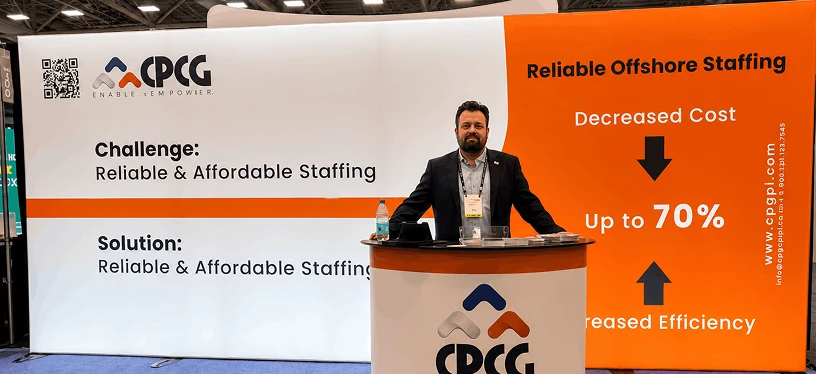
For Collaborative Patient Care Group (CPCG), AppVerticals developed a unified platform to replace five disconnected tools used in remote healthcare kiosk operations.
We implemented four user roles with defined permissions, shift-based access controls, and centralized audit records. These capabilities helped CPCG manage user access, monitor remote sessions, and improve operational accountability.
The platform also saved approximately three hours per representative each week, demonstrating how access control and auditability can support both security and operational efficiency.
Read the CPCG case study to explore the solution.
Build security into the product lifecycle
Effective web application security requires clear requirements, tested controls, and accountability across the development team. Addressing these areas helps businesses reduce exposure, protect customer information, and build confidence in their applications.
Planning a new application or upgrading an existing one? Explore AppVerticals’ web application development services to discuss security requirements as part of your product scope.
Scope security into your next build
Our web application development team builds threat modeling, CI/CD security testing and post-launch monitoring into project scope from day one.
Explore web application development services