

About Us

About Us
We’re a future-focused tech partner working with some of the world’s top enterprises. At AppVerticals, we design solutions that drive growth and reimagine digital experiences.

Services
Software Development
Mobile App Development
Web Design & Development
Tell us what you're looking for, and we'll tailor a solution based on your business needs.
Talk to Experts
Health Tech

EdTech

Logistics

Real Estate

Ecommerce

Sports

Fintech

Travel

Restaurant

Automotive
HIPAA-compliant digital solutions for hospitals, clinics, and healthtech startups driving better patient outcomes.
What we do:
Scalable learning platforms for schools, universities, and EdTech startups transforming education delivery.
What we do:
Real-time tracking and automation solutions for freight companies, warehouses, and delivery services.
What we do:
PropTech platforms for brokerages, property managers, and real estate marketplaces are streamlining operations.
What we do:
High-converting commerce platforms for D2C brands, retailers, and online marketplaces are driving revenue growth.
What we do:
Fan engagement platforms for sports teams, leagues, and betting operators are creating immersive experiences.
What we do:
PCI-DSS compliant solutions for digital banks, payment platforms, and InsurTech companies, ensuring security.
What we do:
Booking and hospitality solutions for OTAs, hotels, and tourism platforms, enhancing traveler experiences.
What we do:
Online ordering and operations software for restaurants, cloud kitchens, and food delivery platforms.
What we do:
Connected vehicle platforms for automotive OEMs, dealerships, and mobility providers are accelerating innovation.
What we do:
Platforms
Our Odoo implementation brings financial discipline, operational visibility, and process control across departments. From accounting automation to manufacturing workflows, we design ERP systems that reduce operational leakage and provide real-time decision clarity.
We use Sitecore to drive measurable revenue growth through intelligent personalization and behavior-driven content delivery. By aligning marketing automation, data orchestration, and omnichannel engagement, we help brands turn digital touchpoints into retention engines.
We architect AWS environments that stay stable under scale, traffic spikes, and compliance pressure. From secure cloud migrations to CI/CD automation and cost governance, we engineer cloud foundations that protect performance while enabling rapid product evolution.
We implement Dynamics 365 to align systems with actual business operations, bringing clarity, control, and accountability across CRM, ERP, and service functions. From sales to finance, configurations eliminate inefficiencies and enable confident, real-time decisions.
Tell us what you're looking for, and we'll tailor a solution based on your business needs.
Talk to ExpertsPortfolio

AppVerticals was featured in Inc. 5000 as
America’s Fastest Growing Tech Company
See what it might cost to bring your app idea to life. Our calculator gives you a quick, simple estimate based on what you need.



 verified expert
Senior Content Writer — Mobile & Software Development, AI
Zainab helps tech brands sound more human. She takes app ideas, features, and updates and turns them into content people actually want to read. Whether it’s for a launch, a campaign, or just making things...
See Full Bio16 minutes read
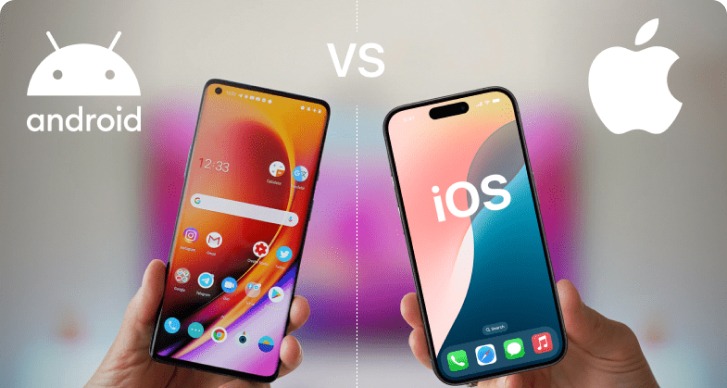
The Apple vs Android debate isn’t just about brand loyalty, it’s about what your app needs to deliver and to whom.
For Highlights, a sports app designed to capture and deliver real-time video moments, the challenge wasn’t just choosing between iOS and Android. It was about how to ensure every player, coach, and fan, no matter their device, could access sports highlights with speed and reliability.
Here’s why supporting both Apple and Android app development was the right call, and how it shaped the app’s development.
For businesses, the platform choice is almost never about consumer preference alone.
It is about who you need to reach, how much device variation you can support, how fast you need to ship, how much duplicate engineering you can afford, and what your product can tolerate in terms of operational complexity.
That is why the right Apple vs Android answer often depends less on theory and more on the shape of the product itself.
For Highlights, the platform decision quickly became a product-distribution decision. The app serves players, teams, clubs, and the wider group around them. In that kind of environment, access matters.
A sports product built around shared moments gets weaker when one part of the network is locked out by device choice. That is why the real choice was never just Apple or Android.
It was whether we would narrow the product too early or support both sides in a way that stayed manageable.
If your product serves mixed audiences, the wrong platform decision creates avoidable cost later.
The current market split makes the case clearly. Statcounter’s latest mobile OS data shows Android with 67.46% worldwide share and iOS with 32.27% worldwide share. In the United States, the position flips: iOS leads with 63.03%, while Android holds 36.77%.
That split matters because it exposes the weakness of generic advice. If a product is heavily US-centric and aimed at a narrow premium audience, an iOS-first strategy can make sense.
If the product needs wider international reach, Android becomes hard to ignore. But for products like Highlights, the better answer is often broader access, not a forced ideological choice.
Highlights is useful when more people in the sports ecosystem can access the same core experience. Players want clips. Families want to see them. Coaches and clubs benefit from participation and visibility.
Once you view the app as part of a networked sports workflow rather than a single-user utility, supporting both ecosystems becomes easier to defend.
Apple’s tighter device environment usually makes consistency easier. Android’s range of devices, screen sizes, and hardware conditions creates more variability. That difference is real. But in a sports-tech workflow, the bigger question is whether clips arrive quickly, play smoothly, and feel dependable under imperfect conditions.
Highlights depends on an end-to-end chain that begins off-device. The moment starts with on-field capture, not with a user opening the app. That means the app experience has to absorb variability created by hardware, upload conditions, connectivity, processing time, and playback behavior.
In practice, users do not care which platform won the philosophical debate. They care whether the clip is there when they look for it. This is where expert commentary on performance becomes useful.
The one-platform-first route was less attractive because it solved the wrong problem. Highlights did not need a stronger theoretical position on iOS or Android. It needed a practical path to support both user groups while keeping engineering effort focused on the product’s differentiators.
That is why the mobile stack mattered. React Native is explicitly positioned as a way to create native apps for Android and iOS using shared development patterns, and its documentation also makes clear that platform-specific code can still be used where necessary. We paired that with Node.js for back-end development and AWS for deployment and scaling.
This was not trend-following. It was resource discipline.
That framing fit our needs: the mobile layer had to stay efficient so more time could go into hardware triggers, video generation, storage, delivery timing, and monetization design.
Shopify engineers have described a similar advantage from another angle.
A short architecture review can save months of rework if your app depends on shared features but platform-specific edge cases.
This workflow shaped every product decision. The challenge wasn’t just about designing screens, it was about coordinating various components to ensure a smooth experience for users:
The integration of complex hardware and software components presented several unique challenges. Here’s how we tackled them:
Ultimately, the hardest engineering question wasn’t about choosing between iPhone and Android. It was about making sure that all the hardware, signal triggers, cloud processing, and mobile delivery worked together as a single, cohesive product, regardless of the platform.
The shared codebase helped us move faster. It simplified early feature parity, reduced duplicate work, and let the team spend more time on the core product problems rather than rebuilding the same experience twice.
That matters more than it sounds, especially in a product that is still evolving. When release cycles are active, a common mobile foundation is operationally valuable.
That logic is supported by the way experienced React Native teams describe the trade-off.
But cross-platform app development did not remove platform reality. iOS and Android still required device-level testing, UI expectation checks, playback verification, store workflow management, and platform-specific fixes where edge cases appeared. That is the honest version of the trade-off. Cross-platform reduced duplicate mobile work. It did not make Apple and Android identical.
Speed matters more in a highlights product than in many other app categories because the emotional value of the clip drops as latency grows. The user is not opening the app to browse a static library. They are returning to relive a moment that just happened.
On the infrastructure side, AWS guidance for React Native architectures supports exactly this kind of scalable back end: managed authentication, API handling, and database services that can scale without the app team carrying all the infrastructure overhead manually.
In Highlights, we used load balancing, multiple running instances, temporary local storage before upload handling, and video-quality adjustment based on user internet speed.
If your app includes media processing, storage, or multi-platform delivery, rough estimates are often misleading.
Estimate your app development cost
Apple’s App Store guidance is clear that developers must disclose data practices and, where tracking applies, ask users for permission through the appropriate framework. Apple also states that the purpose of App Privacy labels is to help users understand what data an app collects and how it is used.
On the Android side, Google’s official documentation emphasizes Android’s security model, built-in security features, and best practices across the ecosystem, making iOS vs Android security a key consideration in app development. Each platform offers different approaches to data protection and user privacy, but both have robust systems in place.
For Highlights, the practical issue was simpler than the broader Apple-vs-Android privacy argument. We needed to ask for permission before storing data and make that behavior explicit in the product experience.
That mattered because sports footage is personal in a way many app assets are not. Users may tolerate friction in setup. They are much less forgiving when consent feels assumed.
So while Apple and Android frame privacy differently at the ecosystem level, the part that actually builds trust in products like Highlights is app-level clarity.
Highlights follows a free-to-premium direction, but the monetization layer added significant complexity to the product model. Key challenges included:
This growing complexity made it clear that the cost of maintaining two separate native builds was becoming harder to justify. A unified platform, therefore, presented a more efficient solution, allowing the team to focus on refining the monetization model without being bogged down by duplicate development efforts.
In addition to the product’s evolving complexity, infrastructure costs also played a pivotal role in the decision-making process. Through optimization, internal costs were reduced from $800/month to $450/month.
Given that the product involves capture, storage, processing, and delivery, these savings were significant and helped make the cross-platform strategy more sustainable. By reducing the individual spend on iPhone app development cost and android app development cost through a shared mobile foundation, the team could direct resources towards product improvements rather than managing separate codebases for each platform.
| Store | Key Offering | Developer Benefits |
|---|---|---|
| Apple App Store | A global distribution channel for developers | Access to a worldwide audience for app downloads and in-app purchases |
| Google Play | Reach billions of Android devices and users | Support for subscriptions and in-app content across various countries and payment methods |
Despite the expanded reach through the app stores, the complexity at the product level remained. While the stores provided a distribution channel, they did not remove the challenges of managing intricate product features across platforms.
There are still cases where one-platform-first is the right move. If your audience is highly concentrated, your budget is narrow, and your roadmap is simple, starting with one ecosystem can be sensible. But Highlights is a good example of when that logic breaks down.
Its value increases when more participants can access the product. Its hardest problems are not purely visual or platform-native. And the product needs its engineering effort focused on workflow reliability, clip delivery, permissions, playback, and monetization rather than duplicated UI work.
That is why, for Highlights, building for both was not a compromise. It was the more practical product decision.
The next priorities are better external sharing, future AI analytics, and a broader product presence beyond the app.
The next version is expected to improve sharing outside the app, which matters because highlight products become more useful when clips can move easily across team, family, and club networks.
Future plans also include AI analytics and a website presence.
That roadmap matters because it shows the Apple vs Android decision was not the end of the strategy discussion. It was the foundation that made later product expansion more realistic. If you’re looking to build an app like Highlights or have a similar vision, AppVerticals can help you transform your idea into a fully functional, cross-platform app that supports growth, scalability, and innovation.
If your product involves hardware, media, or platform trade-offs, an outside review can clarify what should be built now and what should wait.
verified expert
Zainab helps tech brands sound more human. She takes app ideas, features, and updates and turns them into content people actually want to read. Whether it’s for a launch, a campaign, or just making things clearer, she’s all about simple words put together to form stories that stick.
 We’re AppVerticals
AppVerticals is where innovative startups and Fortune 500s come for transformation.
View About Us Mobile App
Wondering how much it costs to build an app in Los Angeles in 2025? On average, expect to invest between $60,000 and $250,000, depending on the app’s...

19 min read
 Mobile App
I’ve spent years watching enterprise mobile initiatives succeed, or stall, based on one thing: whether leadership treats the app as a business system ...
15 min read
 Mobile App
If MangaOwl isn’t working for you anymore, finding the right replacement can be frustrating. Many manga fans are now searching for MangaOwl alternativ...
11 min read
Discover how our team can help you transform your ideas into powerful Tech experiences.
AppVerticals © 2026 | All Rights Reserved

Get In Touch.











 ChatGPT
 Perplexity
 Google AI













