

About Us

About Us
We’re a future-focused tech partner working with some of the world’s top enterprises. At AppVerticals, we design solutions that drive growth and reimagine digital experiences.

Services
Software Development
Mobile App Development
Web Design & Development
Tell us what you're looking for, and we'll tailor a solution based on your business needs.
Talk to Experts
Health Tech

EdTech

Logistics

Real Estate

Ecommerce

Sports

Fintech

Travel

Restaurant

Automotive
HIPAA-compliant digital solutions for hospitals, clinics, and healthtech startups driving better patient outcomes.
What we do:
Scalable learning platforms for schools, universities, and EdTech startups transforming education delivery.
What we do:
Real-time tracking and automation solutions for freight companies, warehouses, and delivery services.
What we do:
PropTech platforms for brokerages, property managers, and real estate marketplaces are streamlining operations.
What we do:
High-converting commerce platforms for D2C brands, retailers, and online marketplaces are driving revenue growth.
What we do:
Fan engagement platforms for sports teams, leagues, and betting operators are creating immersive experiences.
What we do:
PCI-DSS compliant solutions for digital banks, payment platforms, and InsurTech companies, ensuring security.
What we do:
Booking and hospitality solutions for OTAs, hotels, and tourism platforms, enhancing traveler experiences.
What we do:
Online ordering and operations software for restaurants, cloud kitchens, and food delivery platforms.
What we do:
Connected vehicle platforms for automotive OEMs, dealerships, and mobility providers are accelerating innovation.
What we do:
Portfolio

AppVerticals was featured in Inc. 5000 as
America’s Fastest Growing Tech Company
See what it might cost to bring your app idea to life. Our calculator gives you a quick, simple estimate based on what you need.



 verified expert
Senior Writer and Editor - App, AI, and Software
Muhammad Adnan is a Senior Writer and Editor at AppVerticals, specializing in apps, AI, software, and EdTech, with work featured on DZone, BuiltIn, CEO Magazine, HackerNoon, and other leading tech publications. Over the past 6...
See Full Bio21 minutes read
If you are planning an education app in 2026, you have probably noticed how confusing pricing conversations can get. One vendor quotes under $100k, another comes back closer to $400k, and both say their estimate is reasonable.
The question you really need answered is simple: what drives education app development cost, and which parts of the build actually justify the budget?
The market around you is growing fast. According to Grandview Research, the global education technology market is projected to more than double to USD 348.41 billion by 2030, with a forecast CAGR of 13.3 percent.
That kind of growth attracts more products, more features, and more complexity in pricing.
That’s why EdTech apps fail most often where teams skip backend depth or QA coverage, regardless of whether the work is done in-house or by an education app development company.
In this guide, I will walk you through how the education app development cost actually forms, so you can look at any proposal and understand whether it fits your goals, and your expected return.
In 2026, education app development typically costs between $60,000 and $600,000+, depending on whether the platform is content-focused, interactive, or AI-driven.
And those decisions shape everything: performance, security, maintenance, and how far the platform can grow without rewrites.
The rise in AI and cloud-based learning is exactly why development costs have widened; modern platforms carry heavier technical requirements than they did a few years ago.
Based on real project patterns, scalable education apps fall into the following cost groups:
| Build Category | Typical Use Cases | Cost Range |
|---|---|---|
| Content-focused apps | Structured modules, quizzes, progress tracking | $60k–$120k |
| Interactive learning platforms | Live sessions, assignments, cohort management, dashboards | $120k–$250k |
| AI-driven learning systems | Adaptive paths, recommendations, AI tutors, deep analytics | $250k–$600k+ |
These three tiers reflect how modern EdTech products are actually built, from simple course delivery to fully personalized, AI-enabled learning systems.
If you need personalization, real-time collaboration, or large user volume, you’ll sit in the mid or upper bracket. If your goal is an MVP to validate engagement or course demand, the lower bracket is often enough.
Here are the factors that consistently push cost up, or keep it controlled:
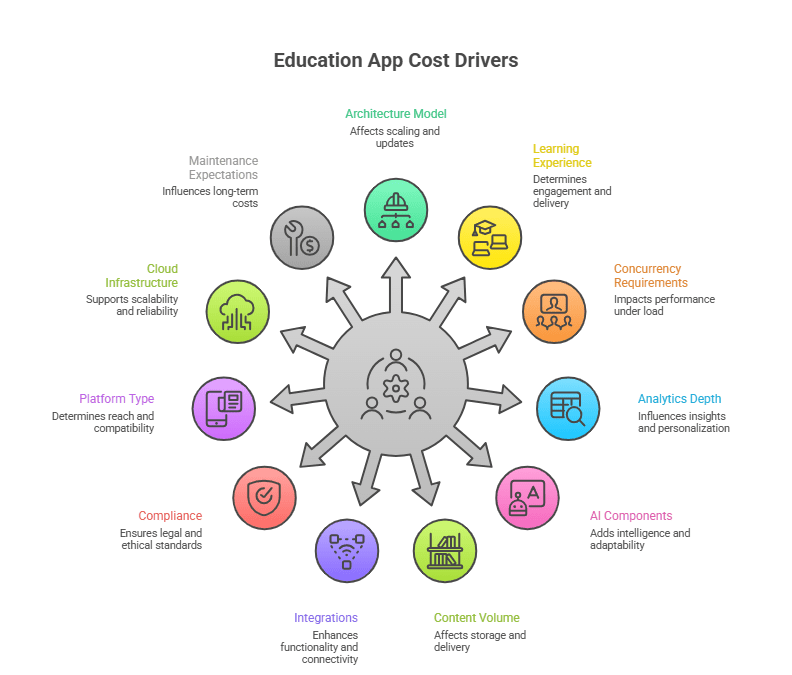
Architecture, AI, and compliance dominate cost because they determine how the platform scales, secures learner data, and adapts to user behavior over time, which is where most education app development challenges emerge.
Different education products carry different technical needs. Here is a clearer view that your readers will immediately understand:
| App Type | Typical Features | Cost Range | Best Fit For |
|---|---|---|---|
| Learning App | Lessons, quizzes, progress tracking, notifications | $50k–$120k | Course-based learning, academies |
| LMS App | Content management, roles, admin dashboards, reporting, certificates | $120k–$320k | Schools, organizations, training companies |
| AI Tutor App | Adaptive learning, NLP chat, recommendations, analytics | $150k–$300k+ | AI-driven EdTech startups |
| Kids Learning App | Gamified modules, parental controls, illustrations, audio | $70k–$180k | Early learning products |
| Corporate Training App | Role-based paths, compliance tracking, skills mapping, manager tools | $120k–$250k+ | Enterprise learning teams |
These ranges reflect public industry data combined with real-world engineering patterns I’ve seen across multiple EdTech builds.
If your goal is to support thousands of learners, integrate with HR or SIS systems, or run adaptive learning models, your cost will naturally fall toward the higher ranges.
If you’re building a focused MVP, you can keep the scope tight and stay near the starting bands.
If you’re planning a new EdTech product or upgrading an existing one, our engineering team can help you build a platform that performs at scale.
Start Your Project DiscussionAI-powered education apps typically cost between $120,000 and $600,000+ because personalization, data pipelines, and AI orchestration must be engineered alongside the learning platform.
The more intelligence the system needs to demonstrate in real usage, the closer the cost moves toward the upper end of that range.
Let me give you a simple example.
I once reviewed two proposals for an “AI learning assistant.” Both looked identical on the surface. But one priced it at $90k, the other at $240k. After looking into it, the cheaper estimate assumed a basic LLM integration. The higher one accounted for:
Same idea. Completely different engineering reality.
This is why education app development cost swings so widely for AI-driven products.
These are the four AI capabilities that drive most of the cost increase in EdTech products.
| Capability | Why It Costs More in Real Projects | Cost Impact |
|---|---|---|
| Personalized learning | Needs user modeling, rules engine, and progress tracking that reacts to behavior | +$20k–$60k |
| Content recommendations | Requires tagging content, tracking user events, and ranking outputs | +$30k–$80k |
| AI tutoring | Has LLM prompts, context window design, retrieval logic, and safety layers | +$60k–$150k+ |
| Advanced analytics | Demands a proper data warehouse, cohort logic, and insights dashboards | +$25k–$70k |
The pattern is simple:
AI features aren’t “features.” They are systems.
And systems need structure, data, and upkeep.
One thing I always tell founders:
“If you want AI to behave consistently, budget for the data work first, not the model work.”
Teams often underestimate how much engineering sits behind the scenes of AI features. Here’s the breakdown I wish more founders saw early:
| AI Feature | What Actually Drives the Cost | Build Cost Estimate |
|---|---|---|
| Adaptive learning | Mapping learning states, behavior events, and branching logic | $30k–$80k |
| Recommendation engine | Tagging content, storing embeddings, tuning relevance | $40k–$100k |
| AI tutor (NLP) | Designing prompts, retrieval, guardrails, context windows | $60k–$150k+ |
| Content Q&A | Chunking content, ranking answers, optimizing responses | $20k–$50k |
Here’s a realistic example from past work:
As founder, you may want a lightweight “chat with my course” feature.
For this, you may assume it would cost around $10k.
But, the actual quote is closer to $45k because we had to implement:
This is why I always suggest capturing scope first, AI second.
Let’s break this into scenarios I’ve seen repeatedly.
Most early-stage teams start here. What it usually includes:
Typical cost: $80k–$150k
This is enough to show investors the core loop and measure learner engagement.
This is where most funded EdTech teams aim. What you typically see:
Typical cost: $180k–$350k
By this stage, you’re building a product people can rely on daily.
I recommend this version only when the team has a clear market or large clients.
Typical components:
Typical cost: $350k–$600k+
This is no longer “an app.” It’s a learning system tied into business operations.
Education app development costs vary widely because some teams are building on clean, modern foundations while others must first repair years of technical debt before any new features can be added.
When teams bring in an existing product, what we typically find is a mix of outdated logic, mismatched UI layers, and infrastructure decisions made before AI, analytics, or mobile parity were part of the roadmap.
Adding new capabilities on top of that foundation exposes weaknesses that can’t be ignored.
I’ve seen projects jump from a $90k estimate to a $250k one simply because the foundation they were working with wasn’t built for the kind of system the team wanted next.
Here’s the truth: in EdTech, the “simple learning app” rarely stays simple. Once you introduce role management, AI, deep analytics, or live sessions, the architecture has to grow with it. And if the existing code or infrastructure can’t support that growth, the cost climbs fast.
This is the checklist I walk through with teams before we even talk numbers:
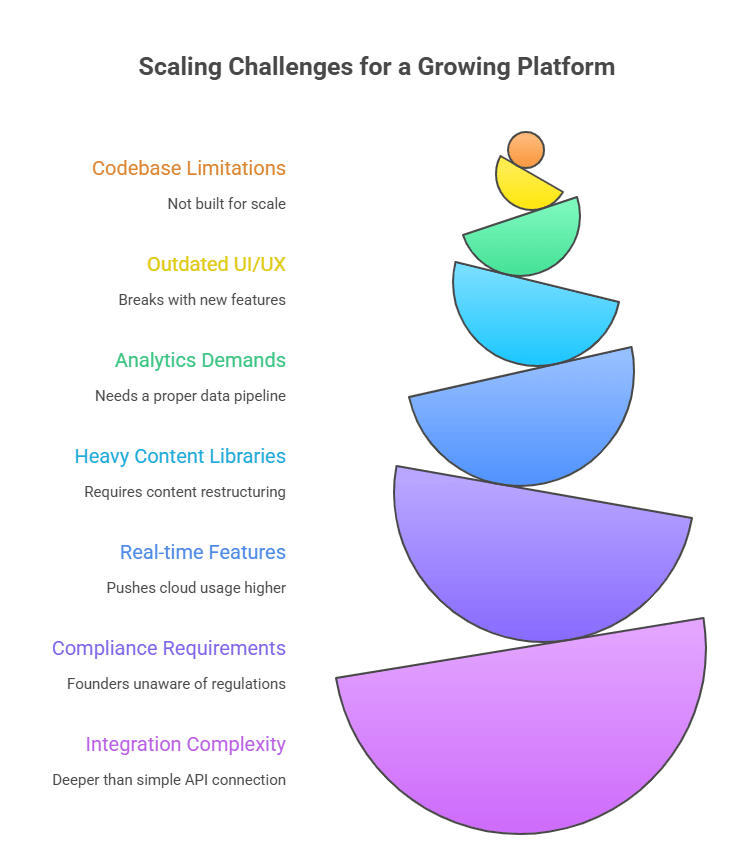
These issues do not increase cost because of feature scope. They increase cost because the underlying platform must be repaired before it can grow.
The gap between the lowest quote and the realistic one usually hides in these areas.
If I had to summarize modernization in one line, it would be this:
Everyone assumes it’s cheaper; almost no one’s codebase behaves that way.
Here’s what usually happens:
We open the repository and find logic from 2018, UI from 2020, and infrastructure that was never meant to support AI, analytics, or mobile parity. None of this is unusual. But it means modernization is less about adding features and more about fixing the foundation they sit on.
When teams ask me why modernization quotes feel high, this is the list I show them:
It’s rarely glamorous work, but it’s what makes the app ready for the next several years rather than the next few months.
If there’s one thing I wish more founders knew early, it’s this:
Most of your cost surprises won’t come from features, but from the systems your app needs to talk to.
Here’s what I mean:
These dependencies create cost because they introduce operational coupling between systems, not because they add visible features.
These aren’t “plug-ins.” They’re engineering tasks that shape how your platform runs long-term.
Once teams see this, the cost variation finally makes sense, not because vendors inflate numbers, but because the foundations they uncover aren’t equal.
Education app budgets are best understood as a combination of design, engineering, quality assurance, cloud operations, and delivery management rather than a single development fee.
What surprises most founders is how quickly non-feature items impact the total.
For example, adaptive learning paths increase design workload because screens must support multiple learning states. Heavy content pushes backend and storage requirements. Real-time sessions expand testing cycles. All of this adds cost even before new features are considered.
These are the core budget categories that determine where EdTech development dollars actually go.
| Area | What Drives Cost | Typical Range |
|---|---|---|
| Design (UI/UX) | User flows, responsive layouts, accessibility, dashboards | $10k–$40k |
| Frontend Engineering | Mobile (iOS/Android), web app, state management | $30k–$120k |
| Backend Engineering | Auth, roles, content structure, analytics pipelines | $40k–$150k |
| AI Components (if included) | Personalization logic, recommendations, tutoring | $30k–$150k+ |
| QA & Testing | Functional, regression, multi-device, performance | $10k–$40k |
| Cloud Infrastructure | Hosting, storage, streaming, monitoring | $300–$2,000 monthly |
| Project Management | Sprint planning, delivery oversight | $8k–$25k |
Backend, QA, and cloud operations typically consume the largest share of the budget once real users, content, and concurrency enter the system.
Teams often underestimate backend and QA the most, especially when analytics, AI, or heavy content is involved.

The teams that invest in strong architecture and clean learning workflows see far better outcomes than those chasing features. AI amplifies good systems, but it doesn’t fix broken ones.
– Jawaid Gadiwala, CTO of Koderlabs
This team structure reflects the minimum set of roles required to deliver and maintain a production-grade learning platform:
| Role | Core Responsibility | Why It Matters |
|---|---|---|
| Product Manager | Requirements, feature specs, sequencing | Prevents scope drift |
| UI/UX Designer | Flows, dashboards, accessibility | Keeps learner experience smooth |
| Backend Engineer | APIs, data models, auth, analytics | Foundation of scalability |
| Mobile/Web Engineer | Learner-facing interface | Reliability across devices |
| QA Engineer | Testing across content types and devices | Avoids regression failures |
| DevOps Engineer | Cloud, CI/CD, monitoring | Supports uptime and performance |
Cloud cost is predictable once you know what the app will handle. Video, AI inference, analytics events, and global access all increase usage. Basic learning apps stay inexpensive; high-interaction platforms do not.
Here’s the realistic breakdown I use in planning sessions:
| Item | Typical Cost Range | Notes |
|---|---|---|
| Compute (servers) | $80–$400/mo | Depends on concurrency |
| Storage (content, media) | $50–$300/mo | Video increases this fast |
| CDN (global delivery) | $20–$200/mo | Essential for mobile learning |
| AI/LLM Usage | $100–$1,000+ | Depends on prompt volume |
| Monitoring + Logs | $30–$150/mo | Often underestimated |
| DevOps Time | $1k–$4k/mo | Maintenance + deployments |
Once AI and heavy content appear, cloud cost becomes part of the product strategy, not a background expense.
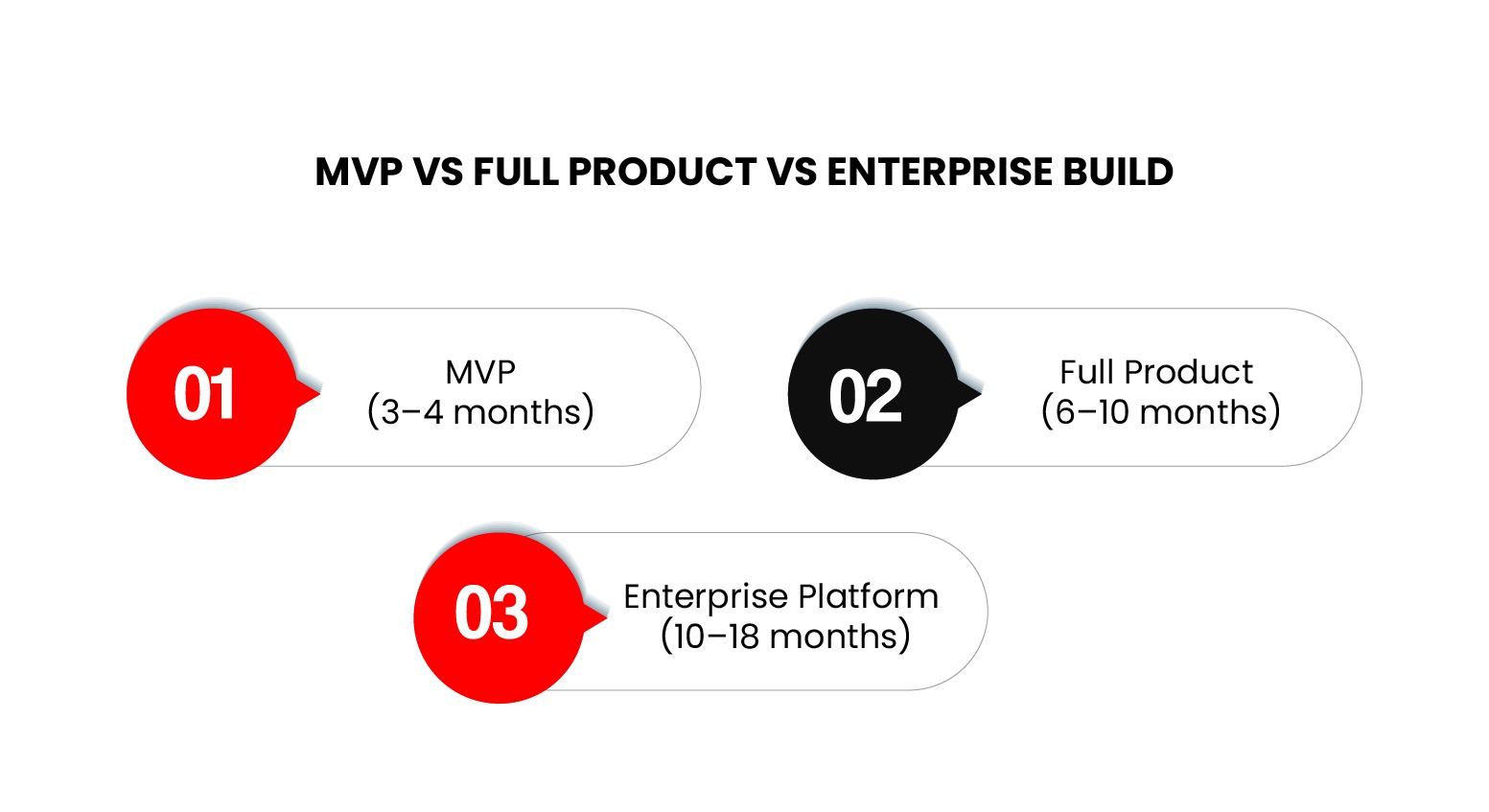
Most production-grade education apps take between 3 months and 16 months to build, depending on whether they are MVPs, full products, or enterprise platforms.
When I help teams estimate a full EdTech roadmap, I start by setting realistic expectations around two things: how fast a team can move without sacrificing stability, and what level of complexity the product is expected to support at scale.
For EdTech apps, especially those involving personalization, AI, or advanced analytics, a practical timeline always breaks into three stages.
Here are the timelines grounded in actual delivery patterns, not optimistic pitches:
| Stage | What Gets Built | Timeline |
|---|---|---|
| MVP | Core learning flow, basic dashboards, minimal analytics, early AI, stable backend | 10–14 weeks |
| Version 1 (V1) | Adaptive logic, recommendations, deeper dashboards, improved UI, better content structure | 5–8 months |
| Scale Stage | Multi-tenant setup, concurrency improvements, enterprise roles, compliance, heavy analytics, cloud tuning | 9–16 months |
A common misconception is thinking you can “build fast and optimize later.” In EdTech, it rarely works that way, like once video, analytics, or personalization enter the system, the architecture has to support them from day one.
For modernization projects, the timeline can extend because refactoring and cloud migration run in parallel with feature work.
Maintenance is where many EdTech teams misjudge long-term cost. You’re not just hosting an app; you’re supporting:
Here’s the model top professionals use when building budgets with founders:
| Category | Monthly Cost | Annual Range | What It Covers |
|---|---|---|---|
| Cloud hosting | $200–$1,200 | $2,400–$14,000 | Compute, storage, CDN, logs |
| AI usage | $100–$1,000+ | $1,200–$12,000+ | Inference costs, caching, tuning |
| Technical support | $1,500–$6,000 | $18,000–$72,000 | Fixes, small improvements |
| Feature updates | $2,000–$10,000 | $24,000–$120,000 | New flows, UX updates |
| Security & compliance | $300–$1,200 | $3,600–$14,400 | Audits, patches, monitoring |
For most EdTech platforms, this places annual maintenance between roughly $30,000 and $200,000+, depending on usage, AI, and content volume.
Teams that underestimate maintenance are usually the ones who struggle with stability six months post-launch.
If your product handles AI features, video, or high concurrency, your maintenance budget is a strategic decision, not a line item to squeeze.
For most early-stage and mid-size EdTech companies, outsourcing is significantly more cost-efficient than building a full in-house team.
When EdTech founders ask which route is more cost-efficient, building in-house or outsourcing, I give the same answer: run the numbers, not the assumptions.
This comparison shows how in-house and outsourced teams differ in cost, speed, and operational risk:
| Factor | In-House Team | Outsourced Team |
|---|---|---|
| Annual Cost | $550k–$1.2M+ for a full team (PM, designers, engineers, QA) | $150k–$450k depending on scope and seniority |
| Speed to Start | 3–5 months (hiring, onboarding) | 2–4 weeks |
| Control & Oversight | Highest, if you have strong technical leadership | High with the right partner; gaps if requirements are weak |
| Long-Term Ownership | Strong. Knowledge stays inside the org | Shared. It requires documentation and handoff discipline |
| Scalability | Slow and expensive to expand | Faster with flexible team allocation |
| Innovation Pressure | Depends on seniority of hires | Strong if the vendor specializes in EdTech |
| Risk | Lower execution risk, higher financial risk | Lower financial risk, higher dependency on vendor culture |
In-house teams buy control at a higher cost, while outsourced teams buy speed and cost efficiency with shared ownership.
From what I’ve seen, startups and mid-size EdTech companies gain the most by outsourcing early, especially if they lack internal engineering depth. It gives them room to move fast without committing to full-time salaries before product-market fit is clear.
Most teams shift toward hybrid models only after the product and roadmap are stable.
Enterprises or later-stage firms benefit from a hybrid model:
Core product knowledge in-house, specialized engineering offloaded to a partner like AppVerticals when workloads spike or expertise gaps appear.
The fastest way to reduce education app development cost is to remove waste from the delivery process, not to cut features.
I start by reminding teams of one thing: cost control is not about removing features. It’s about removing waste.
Most overruns happen because teams build the wrong sequence, define requirements loosely, or commit to features that add load but don’t add value.
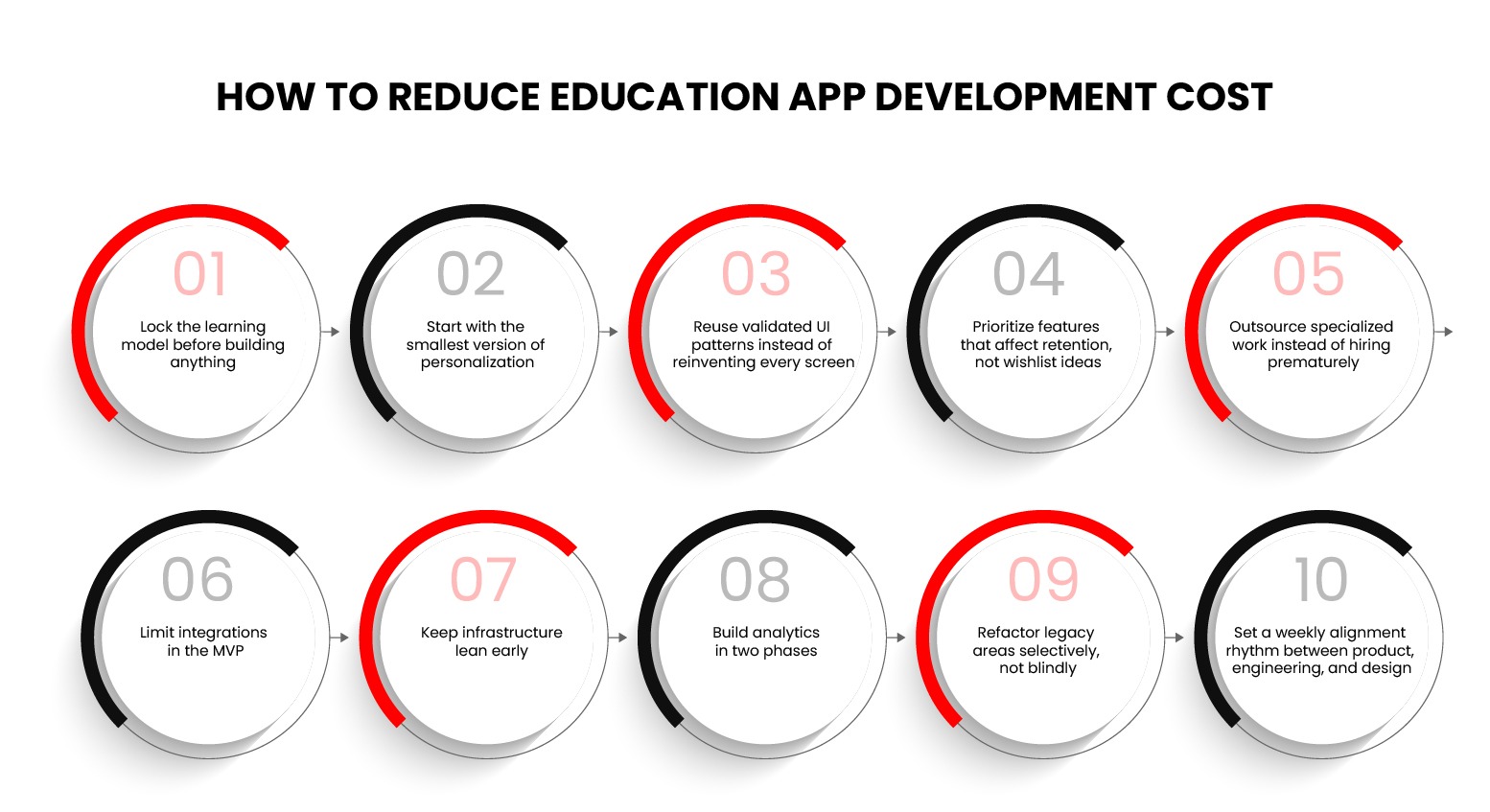
These ten practices form a cost-control playbook used by high-performing EdTech teams:
1. Lock the learning model before building anything
If the product team keeps redefining how learners progress, every part of the build becomes unstable. Clear flow reduces engineering churn and design rewrites.
2. Start with the smallest version of personalization
AI doesn’t have to be perfect on day one. A basic rules engine or early recommendation logic is enough for an MVP. Save adaptive pathways for V1.
3. Reuse validated UI patterns instead of reinventing every screen
Creating unique layouts for everything burns time. Using proven UX patterns keeps quality high while cutting design hours.
4. Prioritize features that affect retention, not wishlist ideas
If a feature doesn’t improve engagement, onboarding, or learning outcomes, it can wait. Retention-first roadmaps reduce wasted engineering cycles.
5. Outsource specialized work instead of hiring prematurely
Most teams don’t need full-time AI, DevOps, or analytics engineers early. A reliable partner can fill those gaps without inflating payroll.
6. Limit integrations in the MVP
Each integration adds backend load, testing time, documentation, and risk. Support one login method and one payment flow first.
7. Keep infrastructure lean early
Don’t overprovision servers or add multi-region setups before concurrency justifies it. Scale cloud usage based on real metrics, not assumptions.
8. Build analytics in two phases
Foundations first (events + storage), dashboards later. Teams waste tens of thousands trying to ship analytics layers too early.
9. Refactor legacy areas selectively, not blindly
Modernization doesn’t mean “rewrite everything.” Fix only the pieces blocking performance, AI, or new workflows.
10. Set a weekly alignment rhythm between product, engineering, and design
Most cost overruns come from misalignment, not complexity. Consistency saves more money than any tool or framework.
If you’re building an EdTech product that must scale, support complex learning workflows, or streamline diverse educational operations, you need a partner that understands how large-scope systems behave in production.
A concrete example is the OASIS Education Management Marketplace, where AppVerticals consolidated disparate education management systems into a single, intuitive platform.
The Oasis solution unified teacher onboarding, booking and payment management, approval workflows, and real-time insights into a centralized hub that supports schools and educators with secure transactions and flexible subscription plans.
The architecture was designed for scalability and to accommodate growth in users and operational complexity without performance regressions.
What sets AppVerticals apart in such projects is a combination of engineering and delivery discipline:
If your goal is an education product that stays reliable and efficient as usage and complexity increase, partnering with a team that has delivered platforms like OASIS can make that pathway far more predictable.
Education app development cost doesn’t come down to a single number. It comes down to how the system is put together. The teams that run into trouble are usually the ones who treat it like a one-time build instead of a product that has to keep working as users, content, and expectations grow.
When the learning model, data flow, and delivery plan are clear from the start, budgets stay predictable. When they aren’t, the rework shows up later in time, money, or stability.
That’s the difference between an app that survives its first release and one that actually holds up once people start using it.
AppVerticals has delivered high-impact learning platforms for training centers, EdTech startups, and enterprise teams. If you want a partner that moves fast without compromising technical depth, we’re prepared to guide the entire build.
Book a Free Consultation
verified expert
Muhammad Adnan is a Senior Writer and Editor at AppVerticals, specializing in apps, AI, software, and EdTech, with work featured on DZone, BuiltIn, CEO Magazine, HackerNoon, and other leading tech publications. Over the past 6 years, he’s known for turning intricate ideas into practical guidance. He creates in-depth guides, tutorials, and analyses that support tech teams, business leaders, and decision-makers in tech-focused domains.
 We’re AppVerticals
AppVerticals is where innovative startups and Fortune 500s come for transformation.
View About Us EdTech
Most educational apps launch with great intentions, but fall short where it matters most: trust. Parents worry about data privacy. Schools hesitate ov...

17 min read
 EdTech
With over 70% of learners accessing training via smartphones, mobile learning—or m-learning—isn’t a luxury. It’s the new default. But here’s the probl...
15 min read
 EdTech
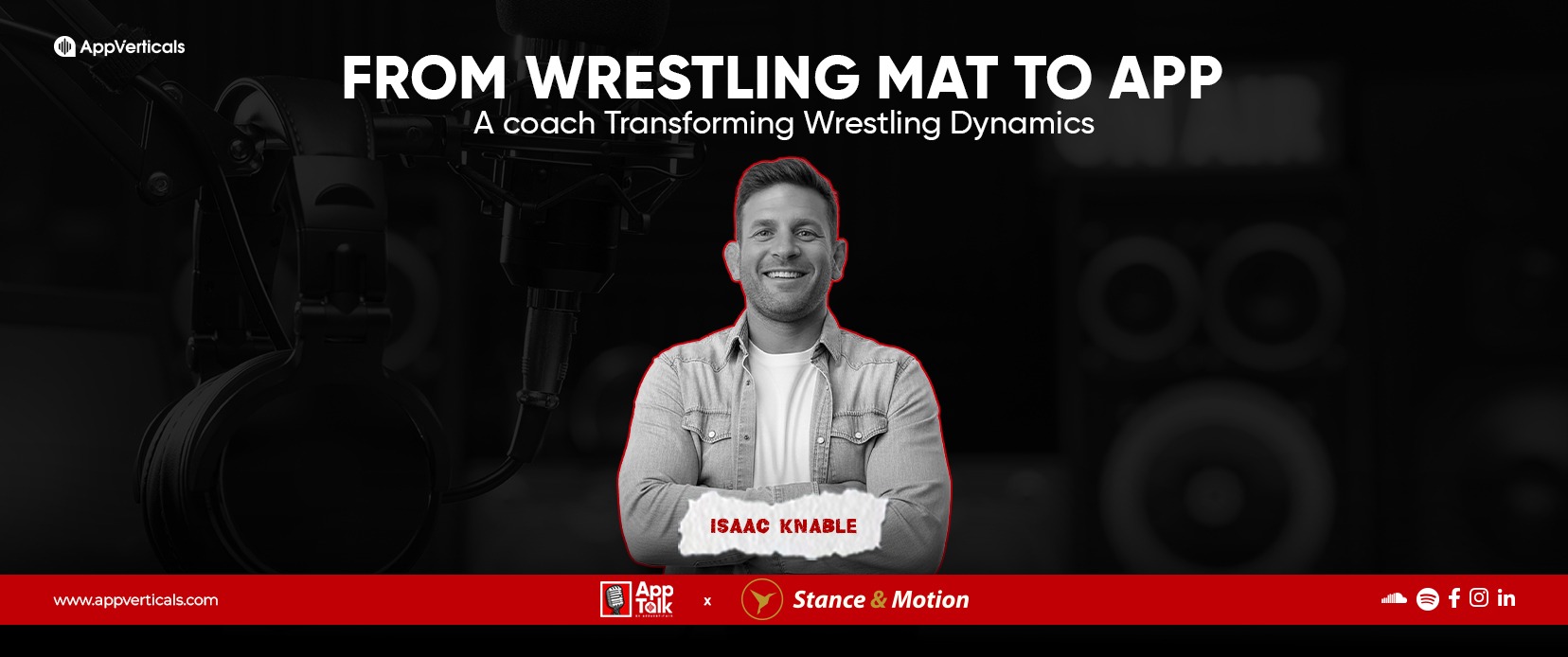
In our latest episode of AppTalk by AppVerticals, we dive into an inspiring journey of grit, passion, and the power of technology. This month, we have...

4 min read
Discover how our team can help you transform your ideas into powerful Tech experiences.
AppVerticals © 2026 | All Rights Reserved

Get In Touch.












 ChatGPT
 Perplexity
 Google AI













