

About Us

About Us
We’re a future-focused tech partner working with some of the world’s top enterprises. At AppVerticals, we design solutions that drive growth and reimagine digital experiences.

Services
Software Development
Mobile App Development
Web Design & Development
Tell us what you're looking for, and we'll tailor a solution based on your business needs.
Talk to Experts
Health Tech

EdTech

Logistics

Real Estate

Ecommerce

Sports

Fintech

Travel

Restaurant

Automotive
HIPAA-compliant digital solutions for hospitals, clinics, and healthtech startups driving better patient outcomes.
What we do:
Scalable learning platforms for schools, universities, and EdTech startups transforming education delivery.
What we do:
Real-time tracking and automation solutions for freight companies, warehouses, and delivery services.
What we do:
PropTech platforms for brokerages, property managers, and real estate marketplaces are streamlining operations.
What we do:
High-converting commerce platforms for D2C brands, retailers, and online marketplaces are driving revenue growth.
What we do:
Fan engagement platforms for sports teams, leagues, and betting operators are creating immersive experiences.
What we do:
PCI-DSS compliant solutions for digital banks, payment platforms, and InsurTech companies, ensuring security.
What we do:
Booking and hospitality solutions for OTAs, hotels, and tourism platforms, enhancing traveler experiences.
What we do:
Online ordering and operations software for restaurants, cloud kitchens, and food delivery platforms.
What we do:
Connected vehicle platforms for automotive OEMs, dealerships, and mobility providers are accelerating innovation.
What we do:
Platforms
Our Odoo implementation brings financial discipline, operational visibility, and process control across departments. From accounting automation to manufacturing workflows, we design ERP systems that reduce operational leakage and provide real-time decision clarity.
We use Sitecore to drive measurable revenue growth through intelligent personalization and behavior-driven content delivery. By aligning marketing automation, data orchestration, and omnichannel engagement, we help brands turn digital touchpoints into retention engines.
We architect AWS environments that stay stable under scale, traffic spikes, and compliance pressure. From secure cloud migrations to CI/CD automation and cost governance, we engineer cloud foundations that protect performance while enabling rapid product evolution.
We implement Dynamics 365 to align systems with actual business operations, bringing clarity, control, and accountability across CRM, ERP, and service functions. From sales to finance, configurations eliminate inefficiencies and enable confident, real-time decisions.
Tell us what you're looking for, and we'll tailor a solution based on your business needs.
Talk to ExpertsPortfolio

AppVerticals was featured in Inc. 5000 as
America’s Fastest Growing Tech Company
See what it might cost to bring your app idea to life. Our calculator gives you a quick, simple estimate based on what you need.



 verified expert
Technical Writer — Platforms, SaaS & Digital Products
Vareesha writes about platforms and SaaS with a clear, experience-led approach. With 3+ years in technical writing, she translates complex business and technical concepts into structured, actionable content for founders and product teams. Having worked...
See Full Bio12 minutes read
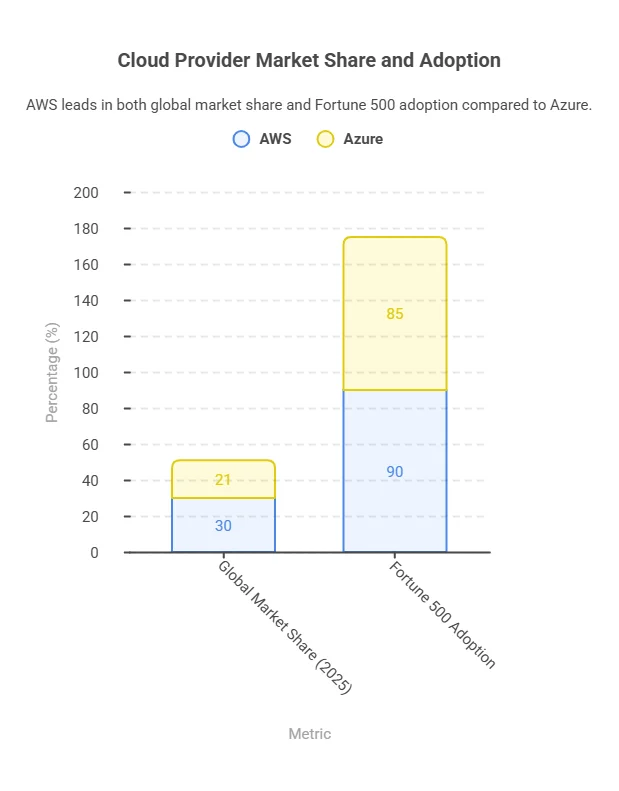
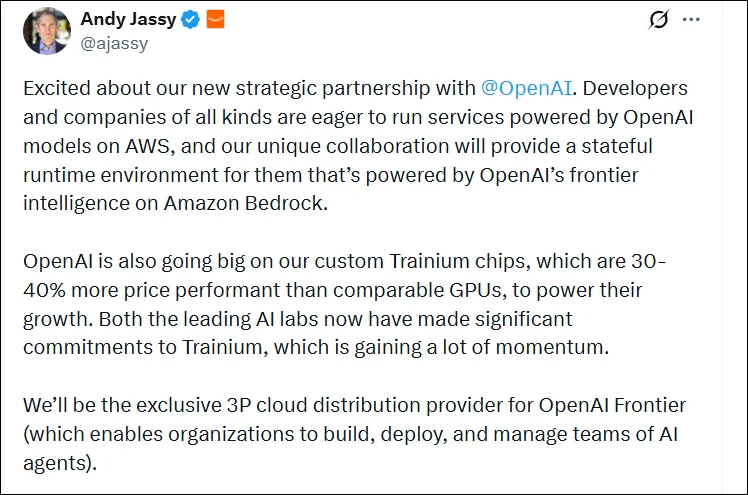
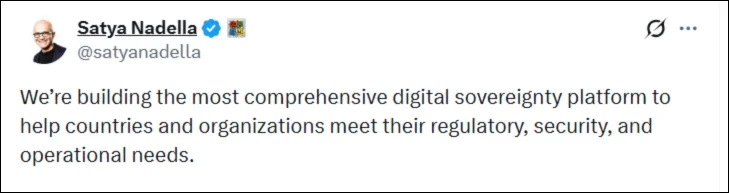
AWS and Azure dominate the cloud market, with recent industry reports estimating ~30% market share for AWS and ~21% for Azure, and over 90% of Fortune 500 companies using cloud services. The real question isn’t which cloud platform is better; it’s which aligns with your workload patterns, especially for media and IoT at scale, guided by enterprise platform partnerships that influence architecture decisions at enterprise scale.”
In this blog, I’ll break that down using the Highlights App case: an event-driven system that captures ~40-second highlights via smart triggers, creating bursty uploads (~300/min) and IoT-driven workflows.
By optimizing the architecture, we reduced costs from ~$800/month to ~$450/month, an area where teams often turn to AWS consulting to better manage scaling and cost control.
| Area | What We Observed in the Highlights App | AWS Strength | Azure Strength | Decision Insight |
|---|---|---|---|---|
| Architecture Type | Event-driven highlight capture (not continuous streaming) | Strong event-driven ecosystem (Lambda, SQS, Step Functions) | Structured architecture with governance controls | AWS fits burst-heavy pipelines; Azure fits controlled enterprise environments |
| Media Handling | Short clips (~40s), burst uploads (~300/min) | Better for burst scaling + async pipelines | Easier integration with enterprise storage workflows | Both work; AWS more flexible under spikes |
| IoT Integration | Smart buttons + edge cameras triggering uploads | Mature IoT + event integration | Centralized IoT Hub with governance | Model IoT costs separately on both |
| Cost Behavior | Non-linear due to bursts + messaging | Fine-grained cost control, ARM savings | Strong cost visibility, budgeting tools | Optimization matters more than provider |
| Scaling Pattern | Bursty ingestion, steady playback | Serverless scales aggressively | Predictable scaling with structured limits | Hybrid approach required in both |
| Optimization Result | ~$800 → ~$450/month | Rightsizing + async pipelines | Budgeting + monitoring + cleanup | Cost control is architecture-driven |
See how we optimized a media + IoT pipeline from $800 to $450/month, and how you can do the same.
Audit My Architecture| Metric | AWS | Azure |
|---|---|---|
| Global Market Share (2025) | 30% | 21% |
| Fortune 500 Adoption | ~90% | ~85% |
| IoT & Media Usage | High for startups & bursty workloads | High for enterprise-aligned media platforms |
| Developer Ecosystem | Largest, mature SDKs | Strong .NET / Microsoft integration |
| Feature | AWS | Azure | Insight |
|---|---|---|---|
| Isolation | Multi-account setup | Resource groups + subscriptions | AWS = stronger isolation; Azure = easier governance |
| Governance | Custom tagging | Policy-based inheritance | Azure reduces errors; AWS more flexible |
| CI/CD | Terraform + Control Tower | Azure DevOps + Bicep/ARM | Azure more native for Microsoft stacks |
| Scaling | Lambda + SQS + Step Functions | Functions + Event Grid + Queue | AWS better for burst scaling; Azure more controlled |
| Execution | Fully event-driven | Event-driven + structured workflows | AWS suits micro-bursts; Azure suits enterprise flows |
| Focus Area | AWS | Azure | Insight |
|---|---|---|---|
| Compute | Lambda + Fargate | Functions + AKS / App Service | AWS is cheaper for burst-heavy execution; Azure better for stable workloads |
| Storage | S3 / gp3 | Blob Storage / Managed Disks | AWS offers slightly better cost efficiency at scale |
| Automation & Monitoring | CloudWatch + Terraform | Azure Monitor + Advisor + Policies | Azure provides stronger governance; AWS offers more automation flexibility |
But since AWS costs aren’t limited to compute or storage alone, a detailed AWS pricing overview is helpful to plan serverless, container, and reserved instance strategies efficiently.

Kazim Qazi (CEO, AppVerticals)
What surprised us wasn’t the difference between cloud providers; it was how quickly costs escalated without architectural discipline. Once we introduced event-driven processing, controlled concurrency, and batched IoT messaging, we reduced costs by nearly 50% without changing platforms.
AWS optimizes media workflows using event-driven serverless pipelines (Lambda + SQS + Step Functions), enabling highly granular scaling and cost-efficient burst handling.
Azure optimizes media workflows using Functions + Durable Functions + queue-based triggers, focusing on structured orchestration and monitoring integration for enterprise reliability.
| Metric | AWS | Azure | Insight |
|---|---|---|---|
| Queue Buffer | SQS | Azure Queue | AWS offers finer control over spike handling; Azure is simpler to manage |
| Container Runtime | Fargate / ECS | AKS / App Service | Both support scaling; Azure has deeper built-in observability |
| Orchestration | Step Functions | Durable Functions | AWS is more flexible for dynamic pipelines; Azure aligns with enterprise workflows |
If your workloads are bursty, your architecture should be too. We identify scaling bottlenecks before they cost you.
Get Expert ReviewFor Highlights App, AWS provided finer control and edge-level transformations, while Azure offers simpler integration for Microsoft-aligned workflows.
File Reading & Streaming
Media Transformation
| Operation | AWS | Azure | Insight |
|---|---|---|---|
| Thumbnail / Watermark | Lambda | Functions | Both serverless; AWS gains via Graviton2 cost/performance |
| Bulk Transcoding | ECS / Fargate | AKS / App Service | Containers handle predictable heavy workloads |
| Edge Optimization | Lambda@Edge + CloudFront | Functions + Front Door | AWS offers granular control; Azure simplifies integrated management |
AWS IoT Core:
Azure IoT Hub:
| Feature | AWS IoT Core | Azure IoT Hub | Self-Hosted (EMQX/NATS) |
|---|---|---|---|
| Device Limit | Virtually unlimited | 1,000,000 | Depends on infra |
| Cost / 100k devices | $4,665/month | ~$4,500–$5,000 (rough estimate for Standard tier with sufficient units for moderate messaging) | $300–500/month infra |
| Message Handling | Managed rules engine | Quota-based throttling | Fully controlled |
Service Breadth:
Operational Considerations:
Edge Cases & Insights:
From our Highlights App experience, AWS handles bursty video highlights and high-frequency IoT messaging with more cost-efficient scaling and precise control. Azure delivers smoother governance and integration for enterprise-aligned teams but requires tuning for spiky workloads.
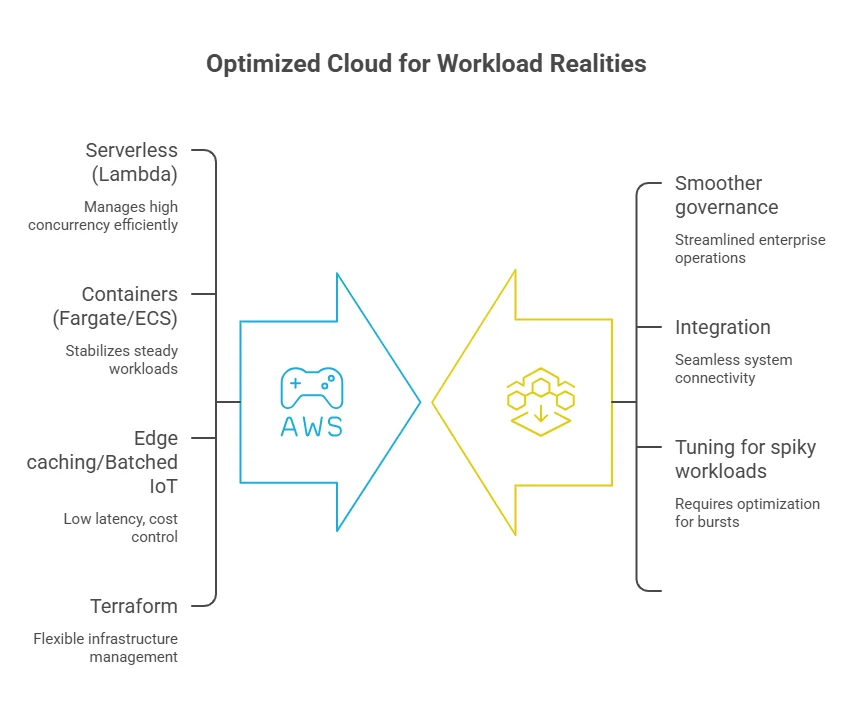
Cloud Consulting provider choice should follow workload realities. AWS is superior for dynamic, event-driven pipelines; Azure works best for enterprises prioritizing governance and integration. Cost and performance efficiency come from experience-driven architecture decisions, not default selection.
Get a free architecture review and identify scaling gaps, latency issues, and hidden cost traps in your current setup.
Review My Decisions
verified expert
Vareesha writes about platforms and SaaS with a clear, experience-led approach. With 3+ years in technical writing, she translates complex business and technical concepts into structured, actionable content for founders and product teams. Having worked closely on platform implementation and documentation, she brings real-world insight into how these systems function beyond the surface.
 We’re AppVerticals
AppVerticals is where innovative startups and Fortune 500s come for transformation.
View About Us AWS
AWS
AWS Cloud Migration Strategy is the structured approach organizations use to move workloads to AWS while balancing speed, cost, risk, and long-term va...

16 min read
 AWS
AWS
AWS pricing is a usage-based system where you pay for compute, storage, requests, and data transfer. For a small SaaS app, baseline monthly costs ofte...
14 min read
Discover how our team can help you transform your ideas into powerful Tech experiences.
AppVerticals © 2026 | All Rights Reserved

Get In Touch.













 ChatGPT
 Perplexity
 Google AI













